Calendar Interface
The Calendar page has 5 tabs by default. Customize the display of each tab per user profile with the help of Calendar Tab Settings.
Calendar Interface
By default, when a user opens a Calendar tab, they jump to the Table View tab. Get familiar with the available buttons and interface.
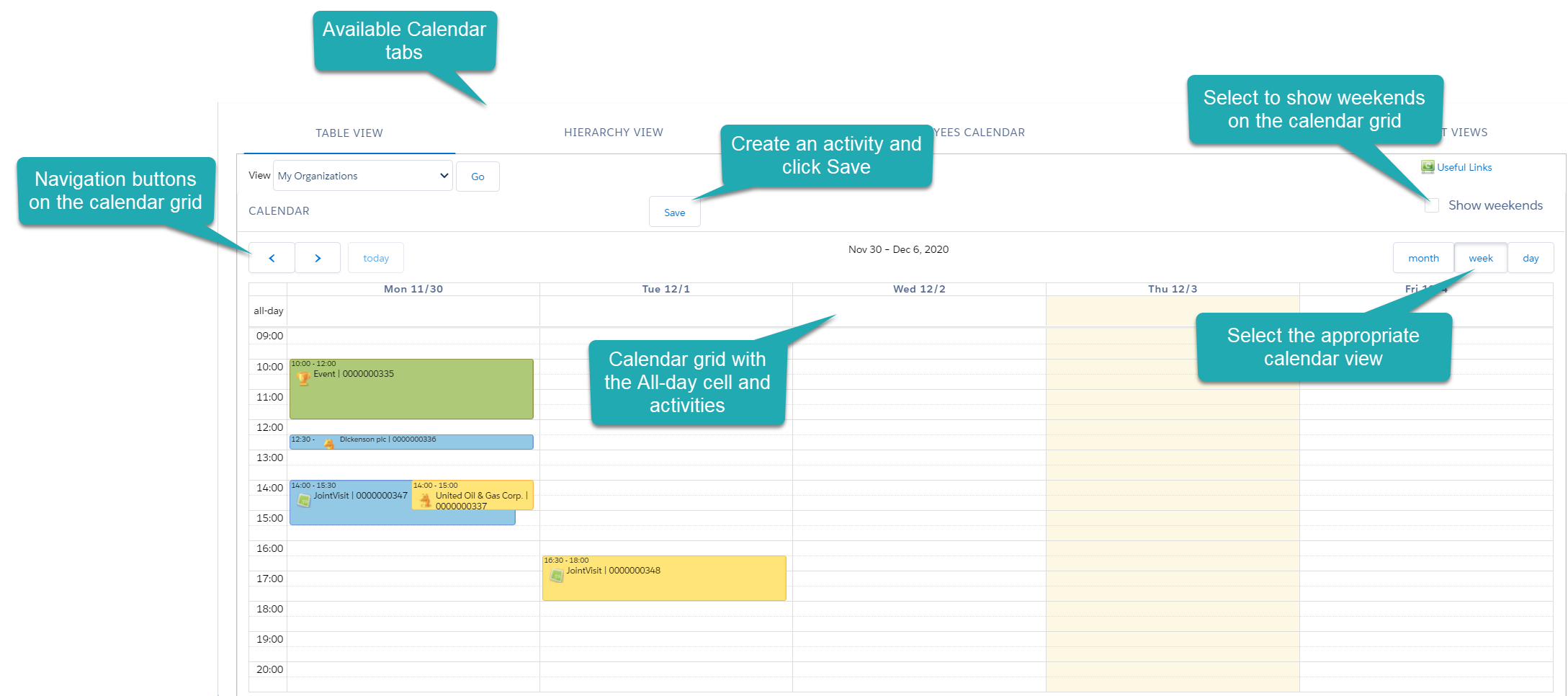
Table View
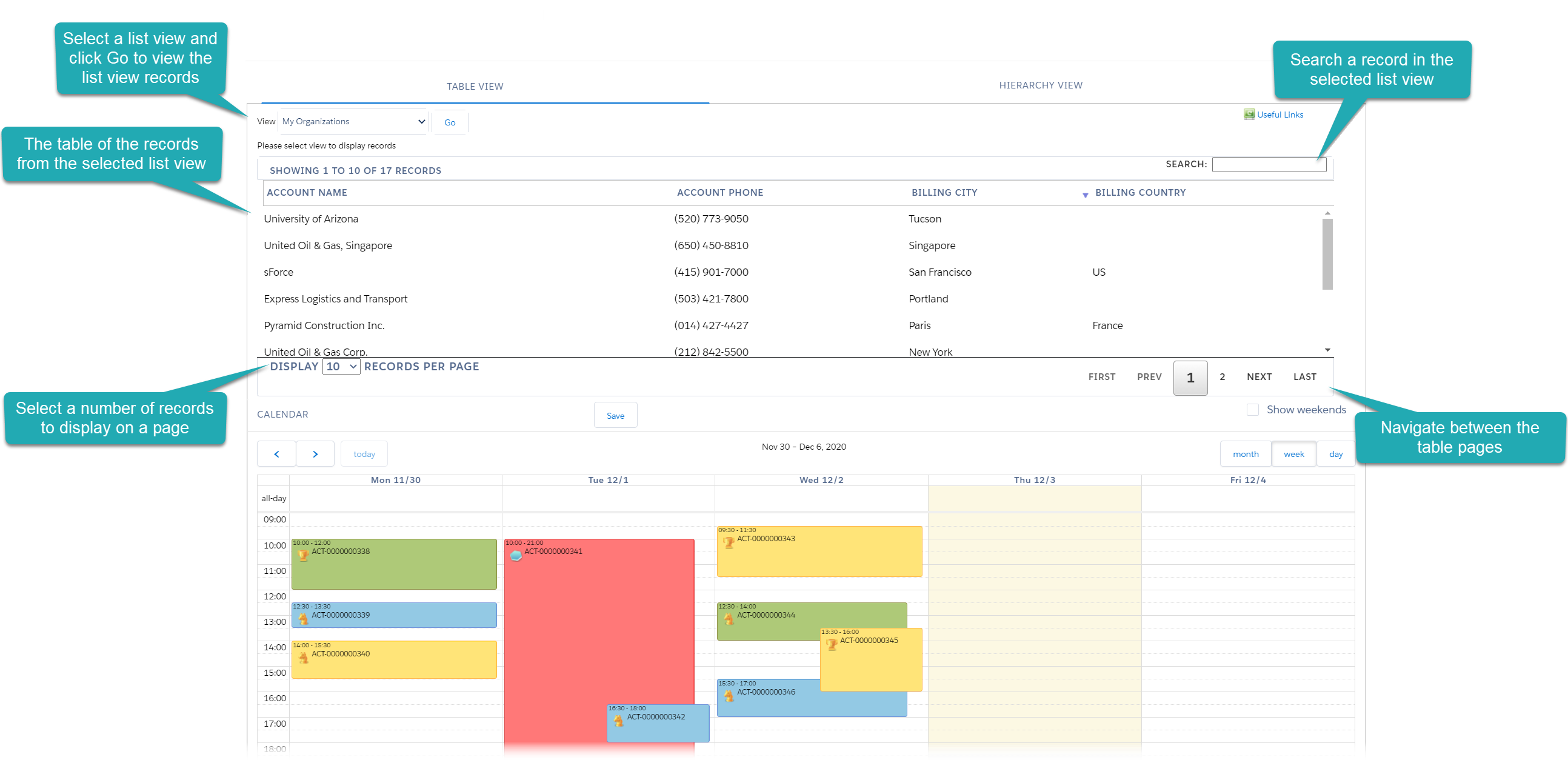
The Table View tab is a place to manage activities for the Account, Contacts, or Reference records. Select a list view and click Go to view corresponding Account or Contact records.
Hierarchy View
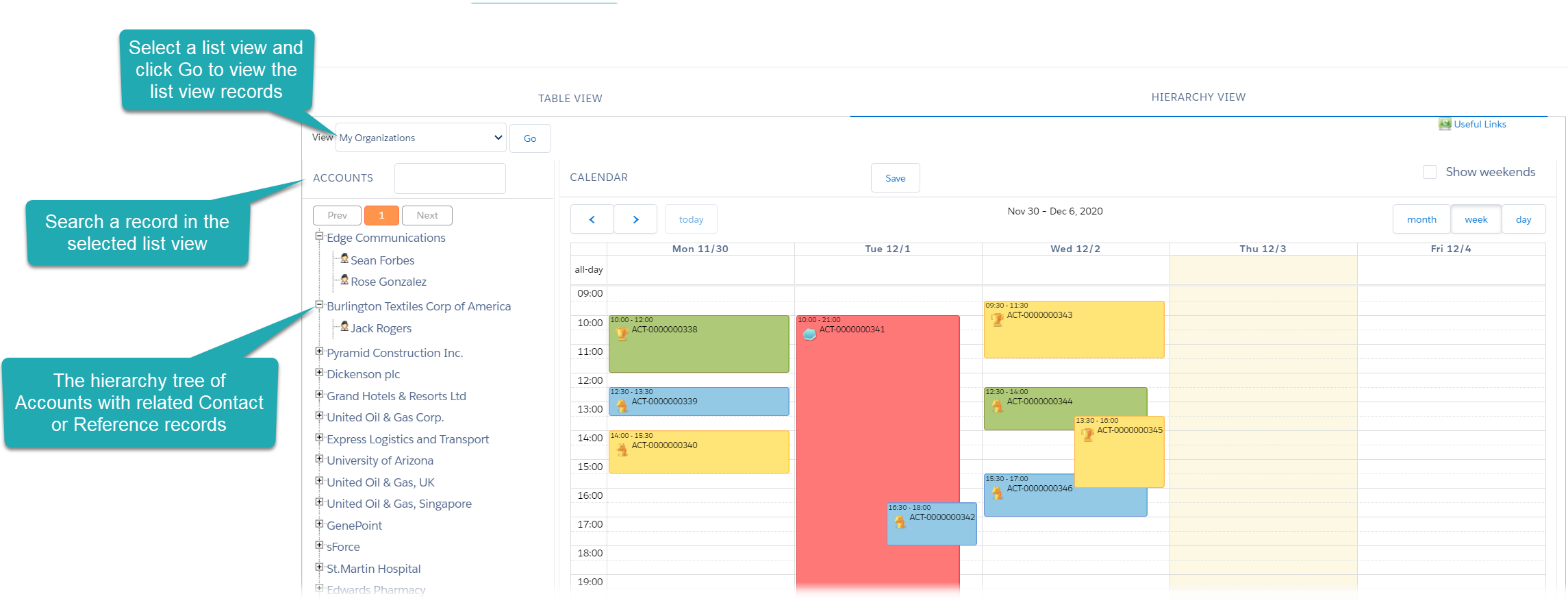
The Hierarchy View tab is a place to manage activities for the Account, Contacts, or Reference records. Select a list view and click Go to view corresponding Account or Contact records in the tree structure.
Employees Calendar
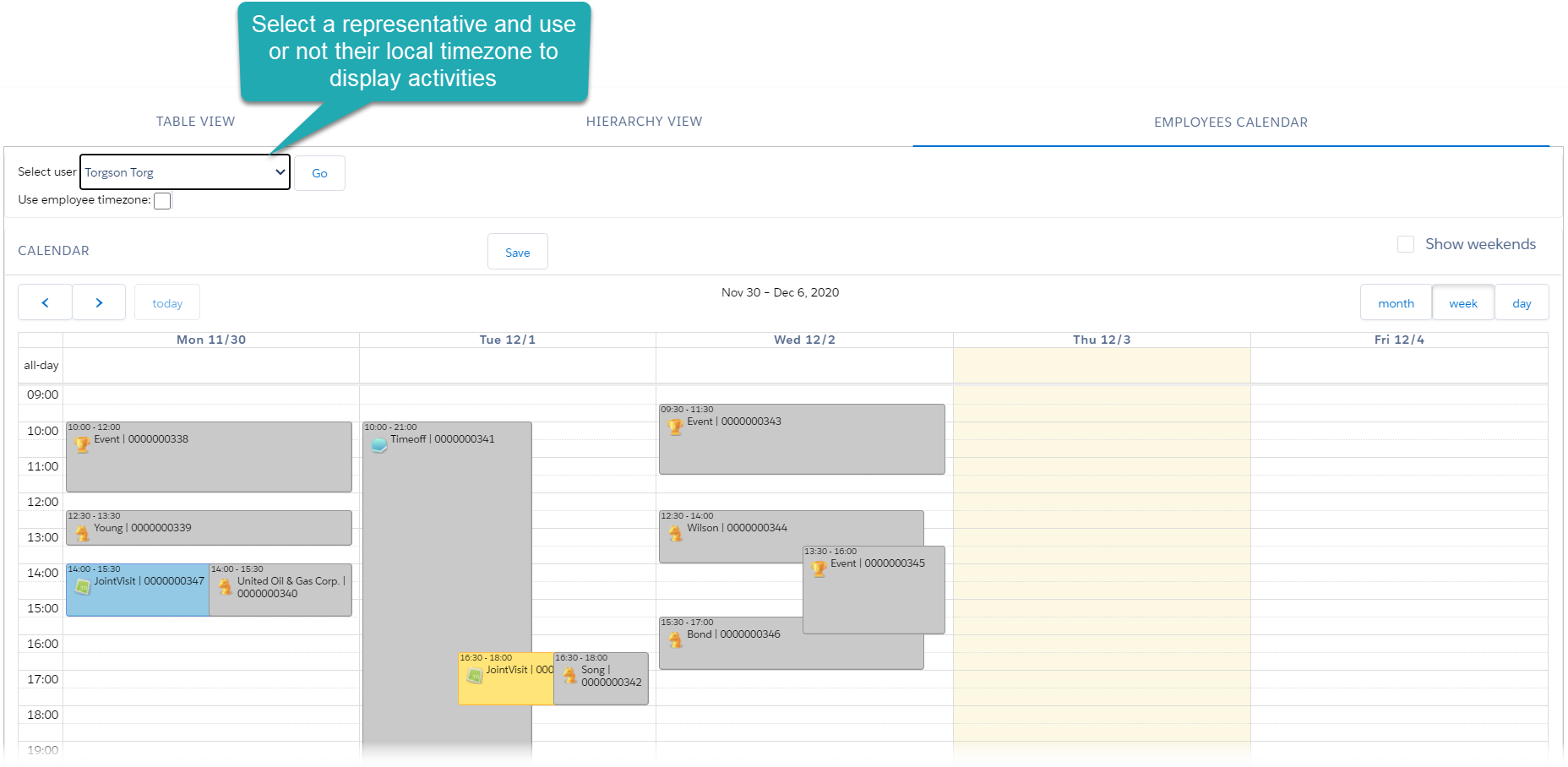
The Employees Calendar tab is a place for a supervisor to view the representative’s activities and create the CT CPG Activity records with the Joint Visit record type to estimate the representative’s skills. The representative’s activities are marked with a gray color by default.
| If the supervisor has his own CT CPG Activities, he should manage them on the Table View or Hierarchy View tab. |
Settings
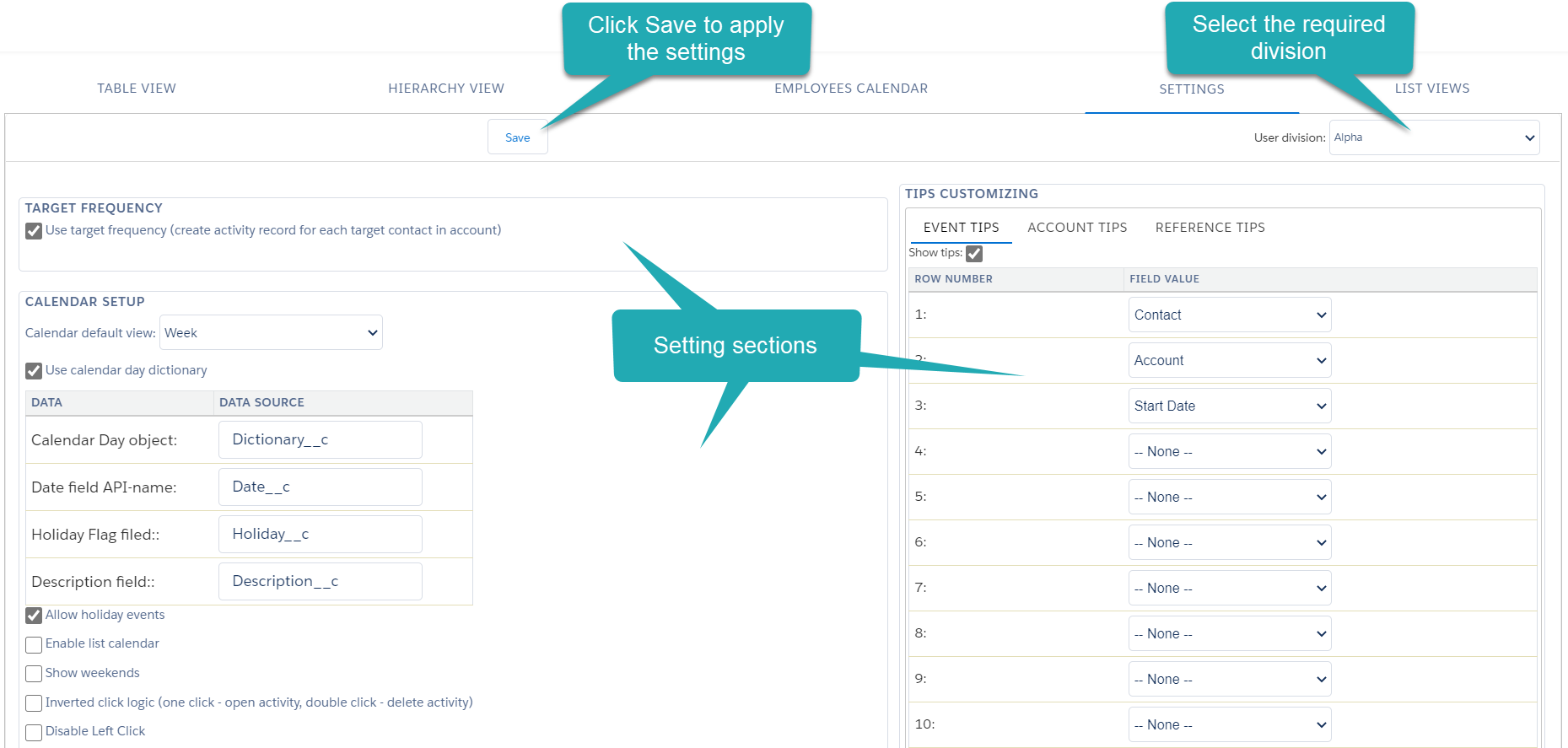
The Settings tab is intended to customize the calendar per user division. For user convenience, the tab is divided into sections, such as Calendar Setup, Customize Events, etc.
List View
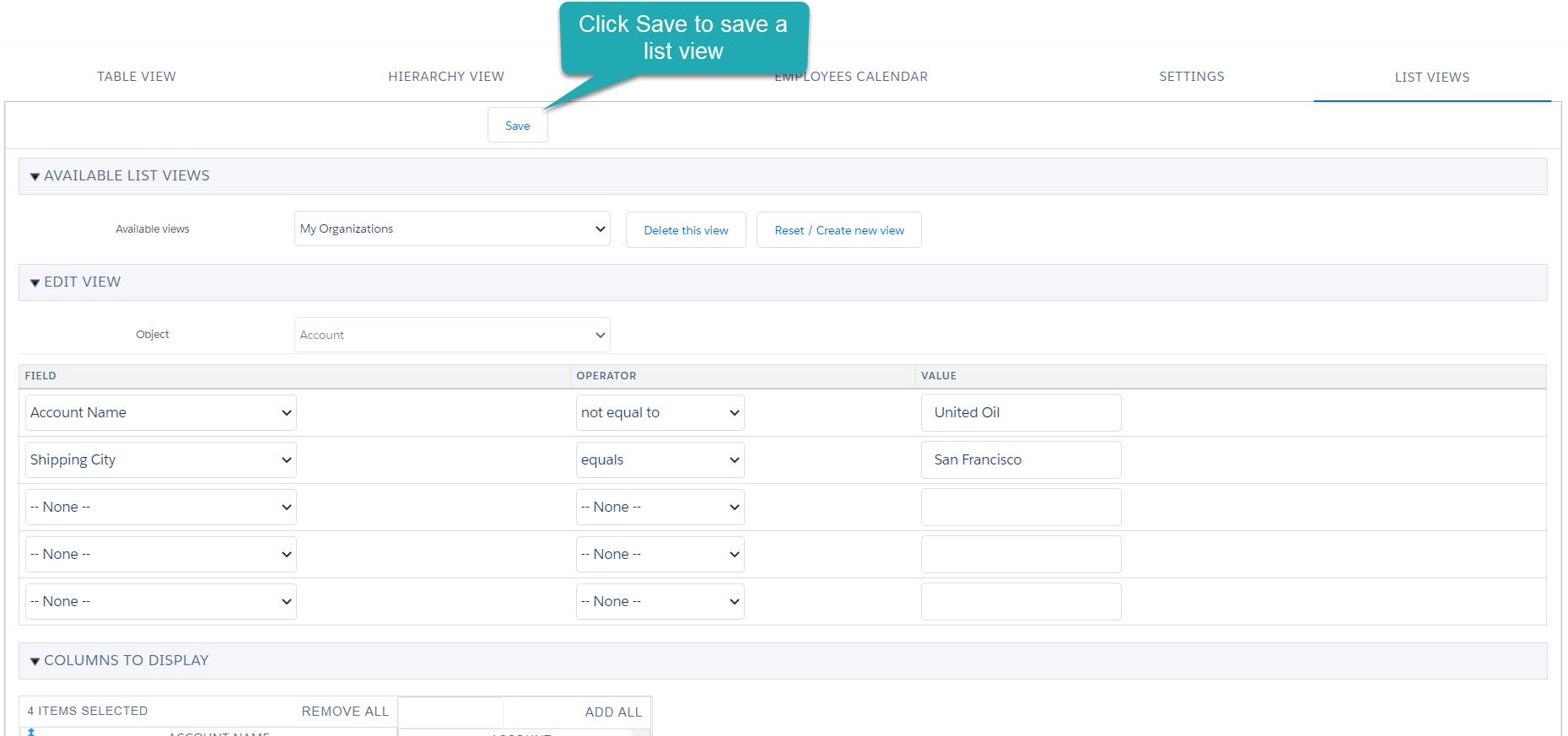
The List View tab is intended to manage available list views for the Account, Contact, and Reference records.