CT Pharma Control Panel
CT Pharma Control Panel is an interface designed to speed up the CT Pharma package setup. All tabs listed below refer to the Custom Settings. The main page of the Panel consists of five tabs.
Prerequisites
Before using the Control Panel features, perform the following actions:
-
Go to Setup → Custom Code → Visualforce Pages.
-
Click Security next to AppControlPanel.
-
Add the current user profile to the Enabled Profiles list and click Save.
-
Go to Setup → Profiles.
-
Select the current user profile and click Apex Class Access → Edit.
-
Add the following classes to the Enabled Apex Classes list:
-
CTPHARMA.AppControlPanelController
-
CTPHARMA.RestHelper
-
CTPHARMA.RestRouter
-
CTPHARMA.RestService
-
-
Click Save.
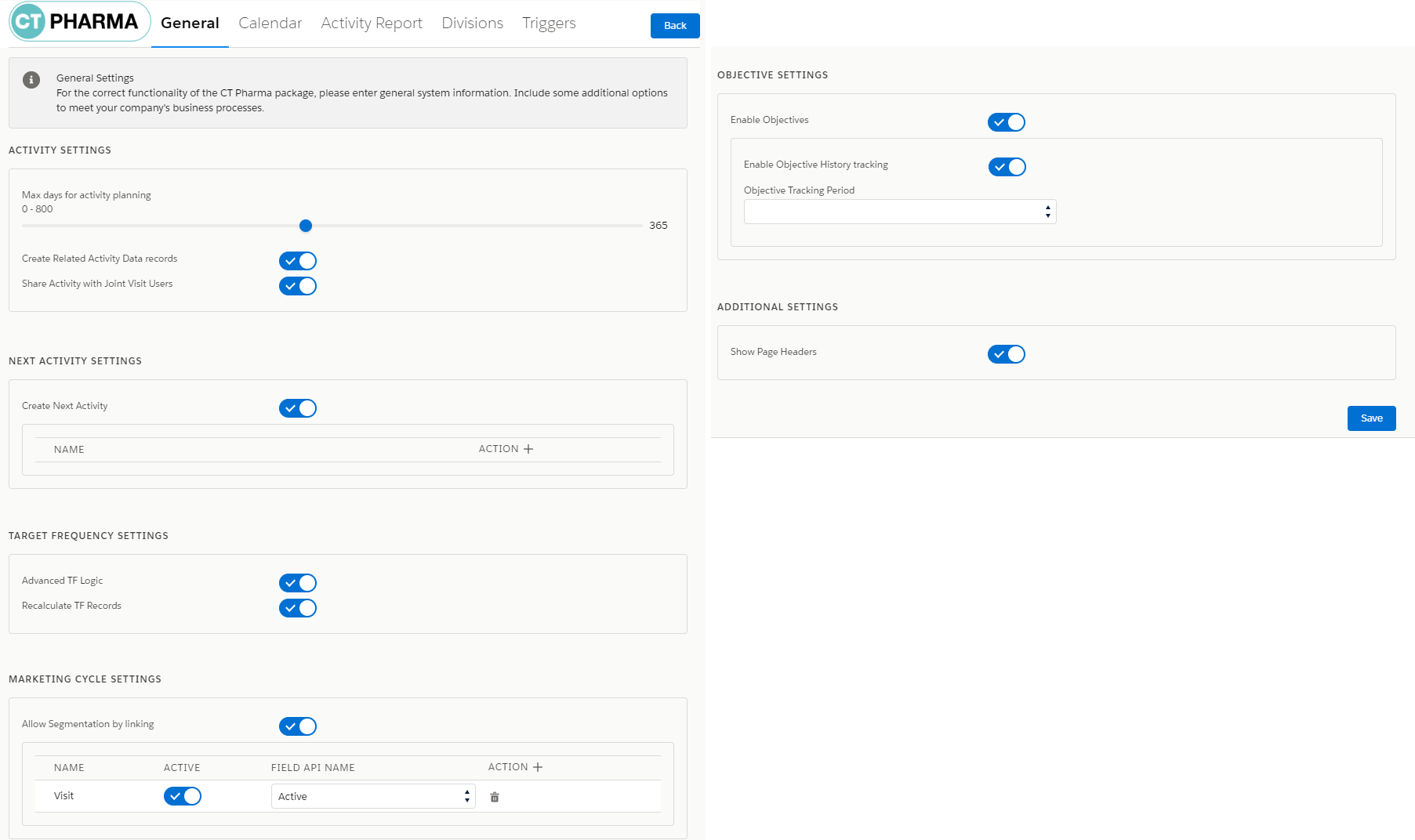
General
This tab represents Application Settings, Next Call Settings, and Marketing Cycle Linking Settings. All settings are divided into categories according to the purpose.
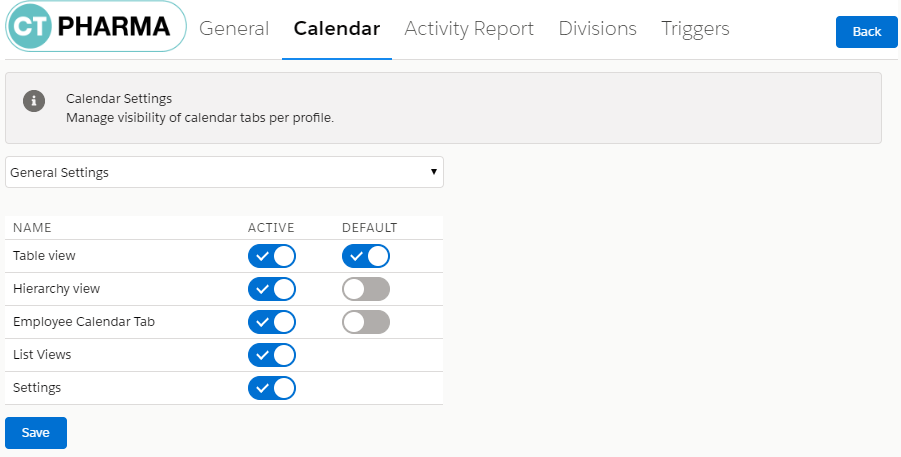
Calendar
This tab represents the Calendar Tab Settings. You can define which calendar tab will be shown for which profile.
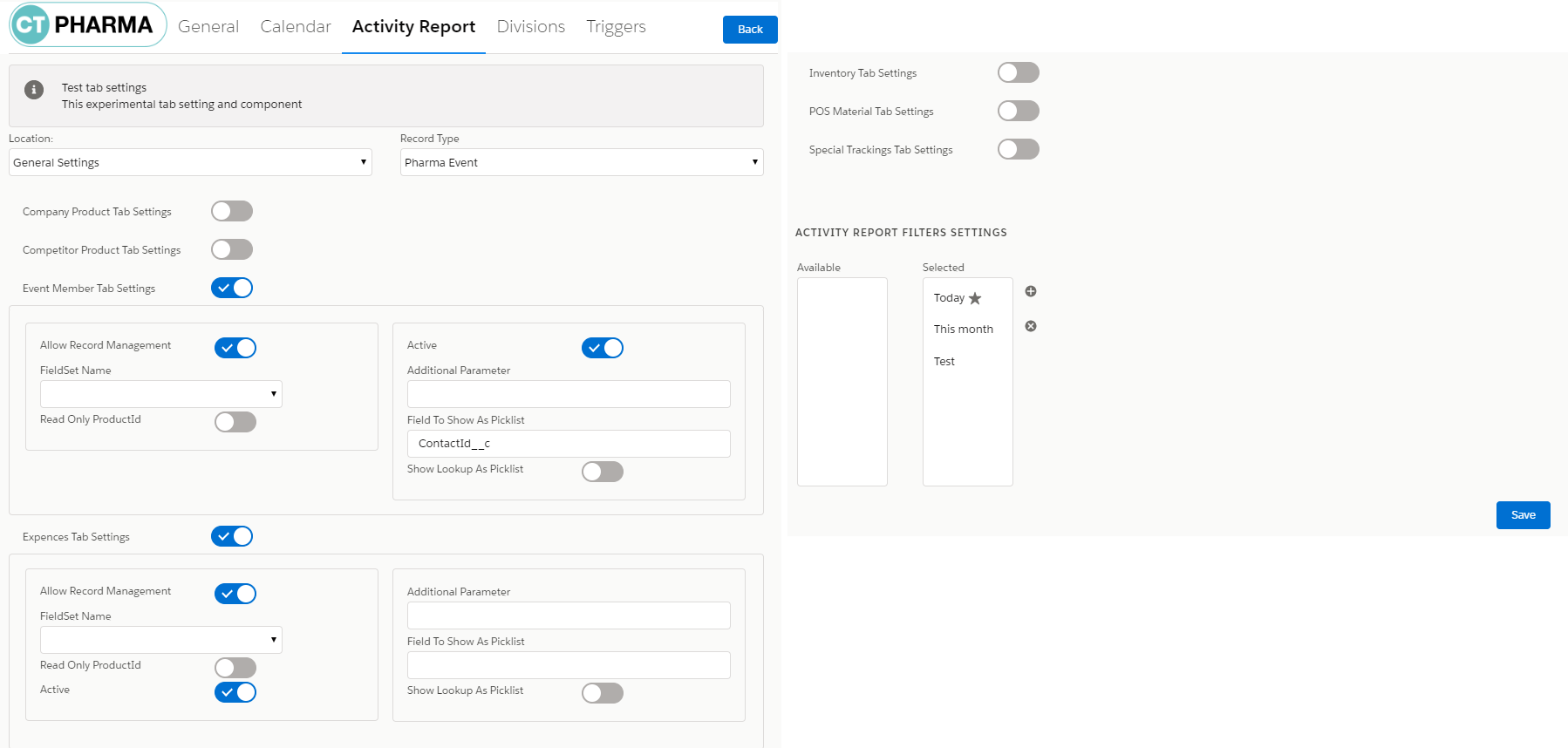
Activity Report
This tab represents the following tabs:
Customize tabs for the specific Pharma Activity Report according to the selected profile. Define Pharma Activity Report filters.
| Refer to Activity Report Tab Settings for more information. |
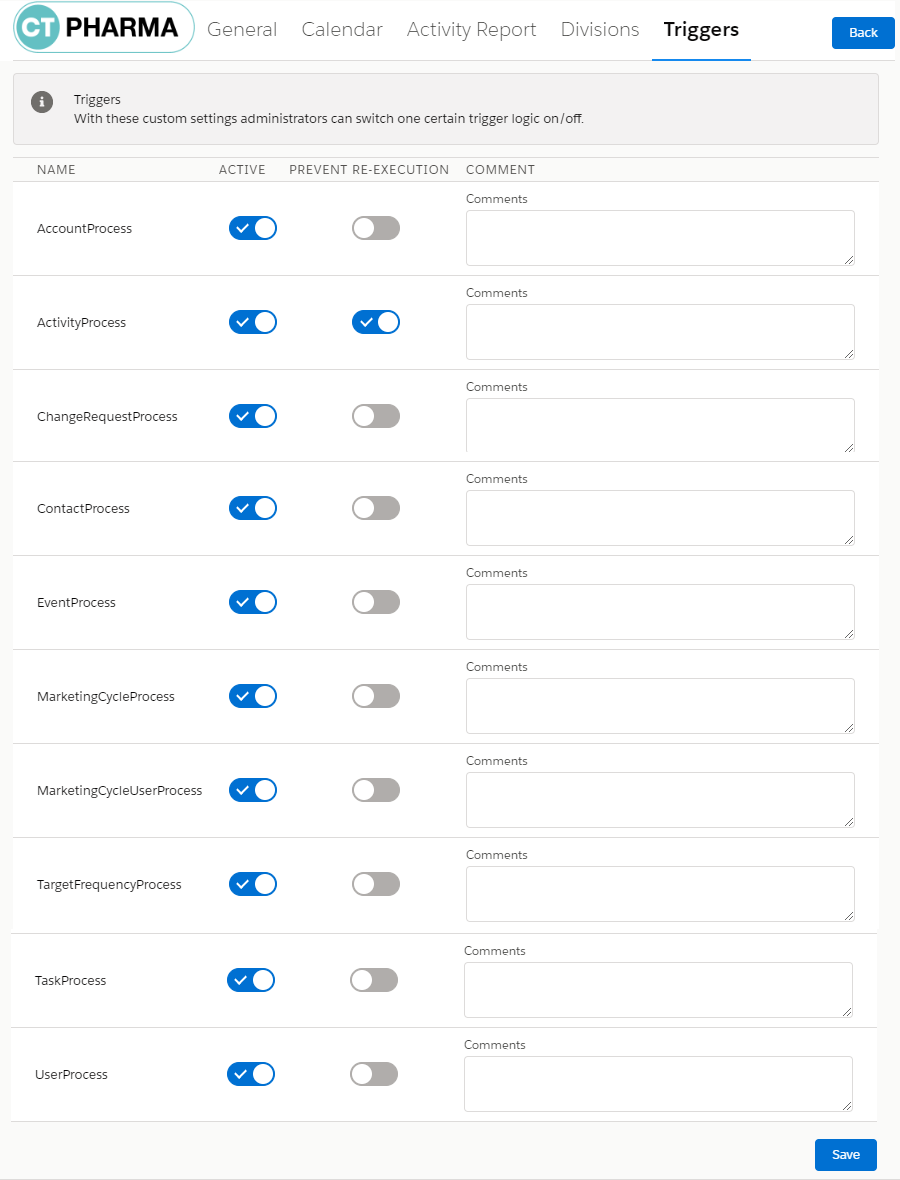
Triggers
This tab represents Triggers Settings. Refer to Triggers Management for more information.