Create a Static Pharma Group
Create a static Pharma group and manage its members.
Create a Static Pharma Group
To create a static Pharma group:
-
Go to the Groups tab.
-
Click New.
-
Fill in the Pharma group parameters, such as:
-
Enter Group Name.
-
Select Group Type. It cannot be changed after saving the group.
-
Leave the Dynamic Group checkbox unchecked.
Read the description of each parameter here. 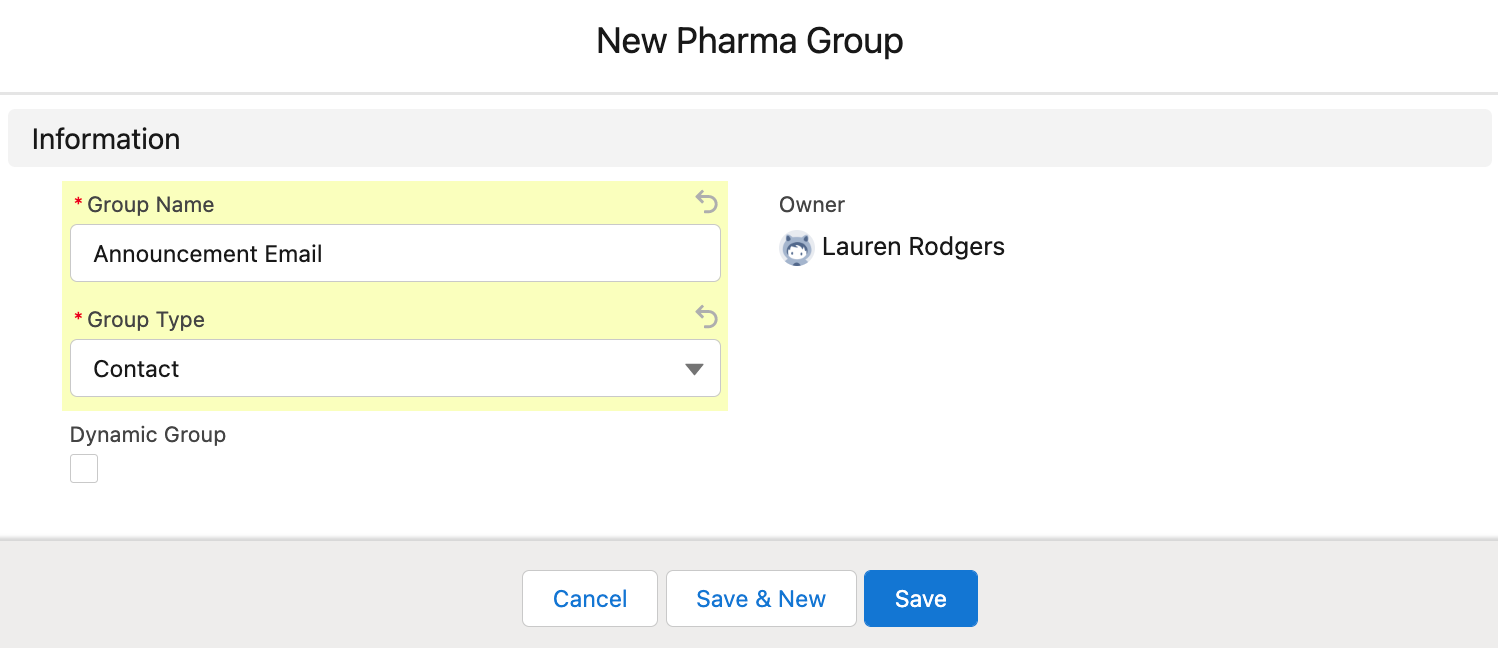
-
-
Click Save.
-
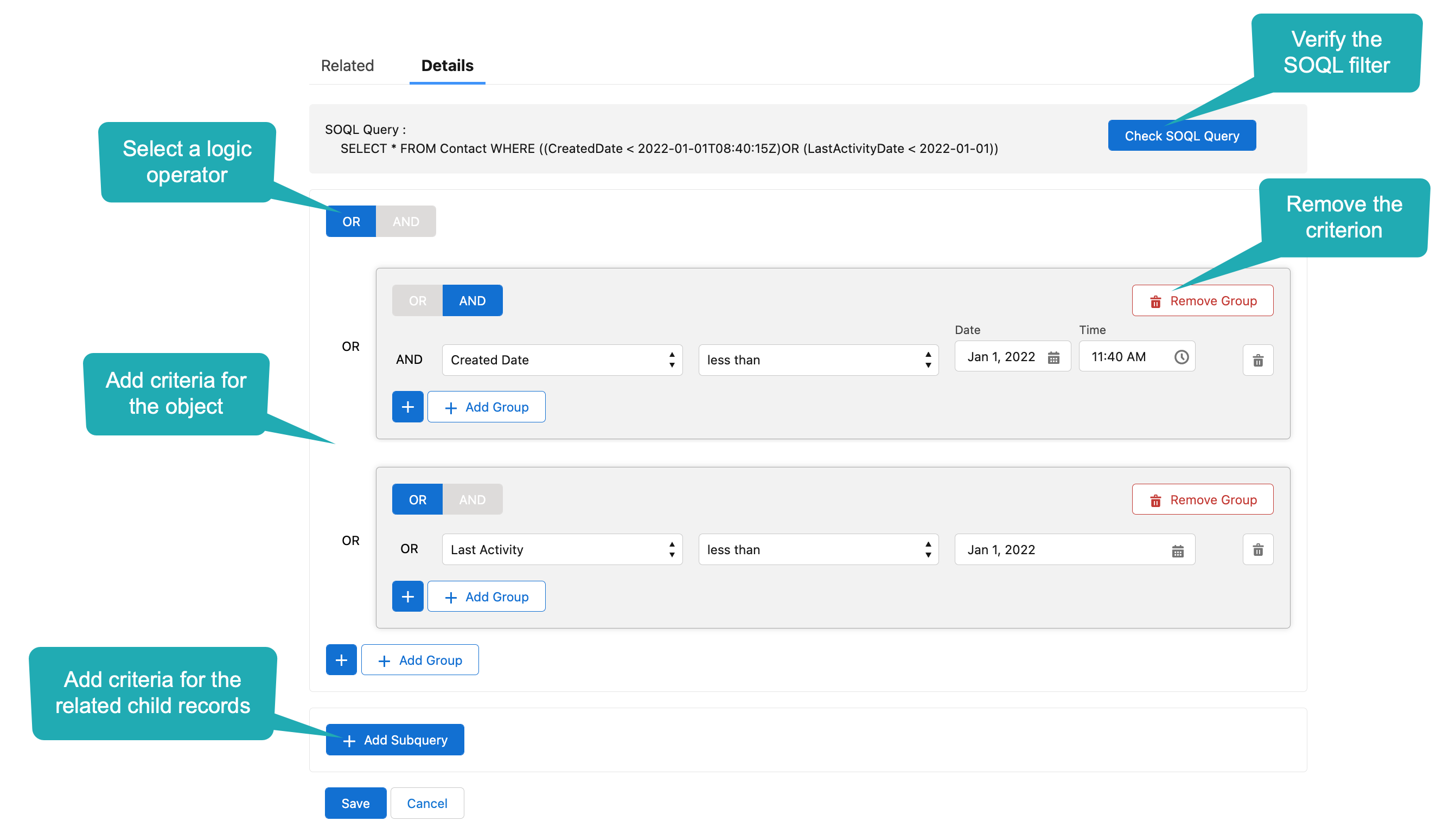
The static group of records is created. The SOQL Builder tab opens.
-
Enter criteria using the OR / AND buttons.
-
Check the SOQL Query record above the builder.
-
-
Click Save and confirm.
The static group is created.
Manage Static Pharma Group Members
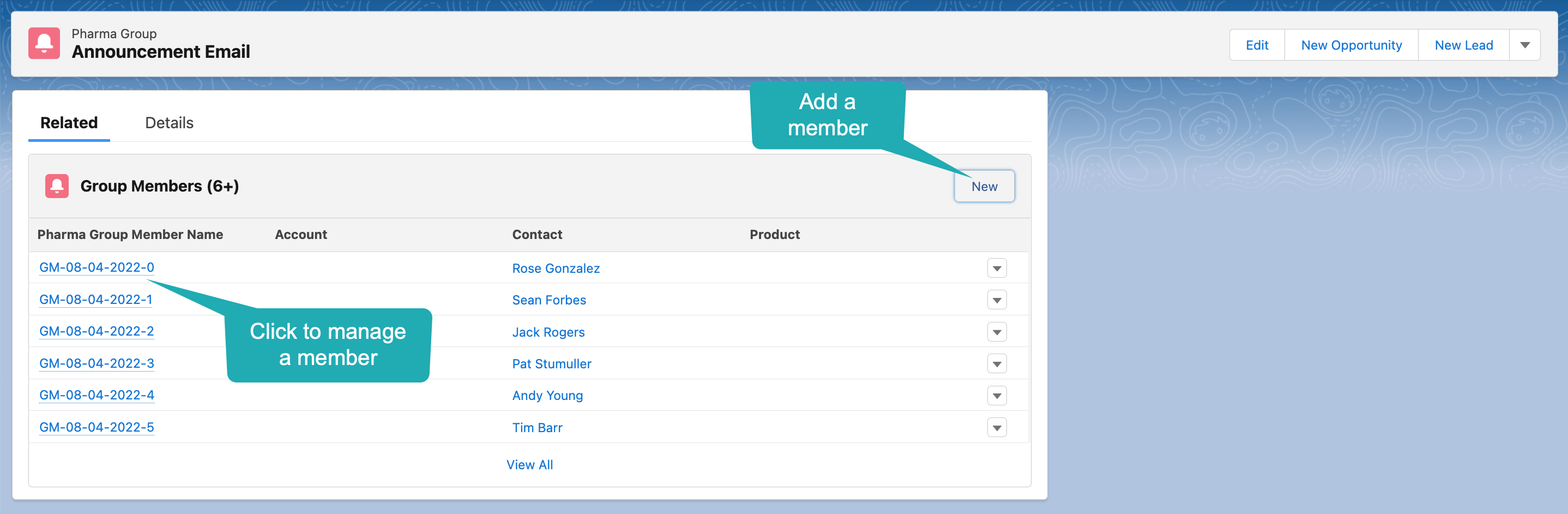
To view static Pharma group members, go to the Group Members tab.
-
Click New to manually add a Pharma group member.
-
A Pharma Group Member record will not be recalculated after changing the SOQL criteria.
-
To recalculate a Pharma Group Member record, uncheck the Manual field on the added Pharma Group Member record.
Add the Manual field to the Group Member page layout.
-
-
An empty record cannot be added as a Pharma Group Member record;
-
Only the records of the selected Group Type on the CT Pharma Group record can be added as a group member.