Configure Settings for the Calendar
The Settings tab is intended to customize appropriate Calendar view and allowed actions based on the User division and User profile.
-
for administrator convenience, all settings are divided into sections.
-
the specified parameters will be stored as records of the Planning Calendar Settings object of the corresponding record type.
Configure Settings
To customize the Calendar view and allowed actions:
-
Go to the Pharma Calendar and click the Settings tab.
-
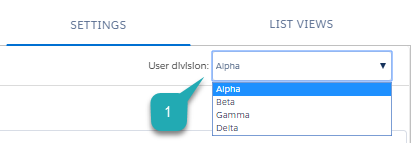
In the User division (1) field, select the required User division.
-
Tap the title to get familiar and customize Calendar parameters in the following sections:
-
Click Save.
The setup is complete.