Calendar Settings: Customize Tips
In this section, customize the tips with the required details for the record.
To add a tip:
-
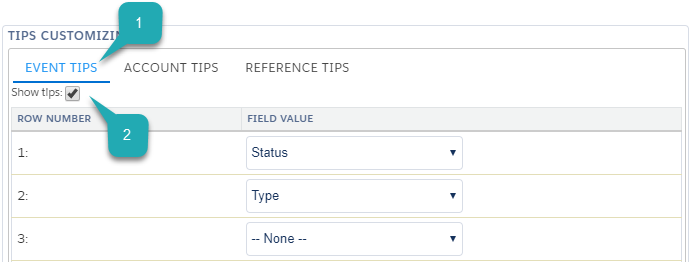
On the Calendar: Settings tab, in the Tips Customization section, select the tip type (1). Available for the Account, Pharma Activity, and Contact/Reference objects.
-
Set the Show tips (2) checkbox to enable the pop-up to display.
-
Add no more than 10 fields per tip.
-
Click Save.
The setup is complete.
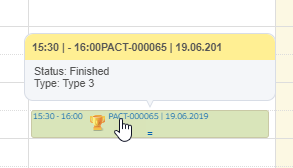
On the Table View, Hierarchy View, and Employees Calendar tabs, hover the cursor over the Pharma Activity record in the Calendar grid to view the Event tip.
On the Hierarchy View tab:
-
Hover the cursor over the Activity record in the tree to view the Event tip:
-
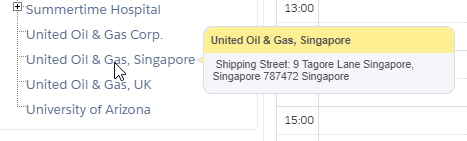
Hover the cursor over the Account record in the tree to view the Account tip:
-
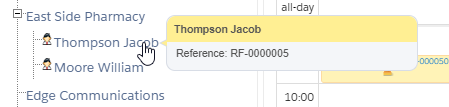
Hover the cursor over the Contact or Reference record in the tree to view the Reference tip: