Creating Joint Visit Report Template
Joint Visit report template is used on the Activity Reports with the Joint Visit record type to estimate the representative’s skills. It is a set of skills grouped by criteria to estimate the representative’s work during the Joint Visit. Every skill can be estimated by a text answer and by selecting an answer from a picklist.
To create Joint Visit report template:
-
Go to the Joint Visit Report Templates tab and click New.
-
Specify the Template Name and select the Active checkbox.
-
Click Save.
-
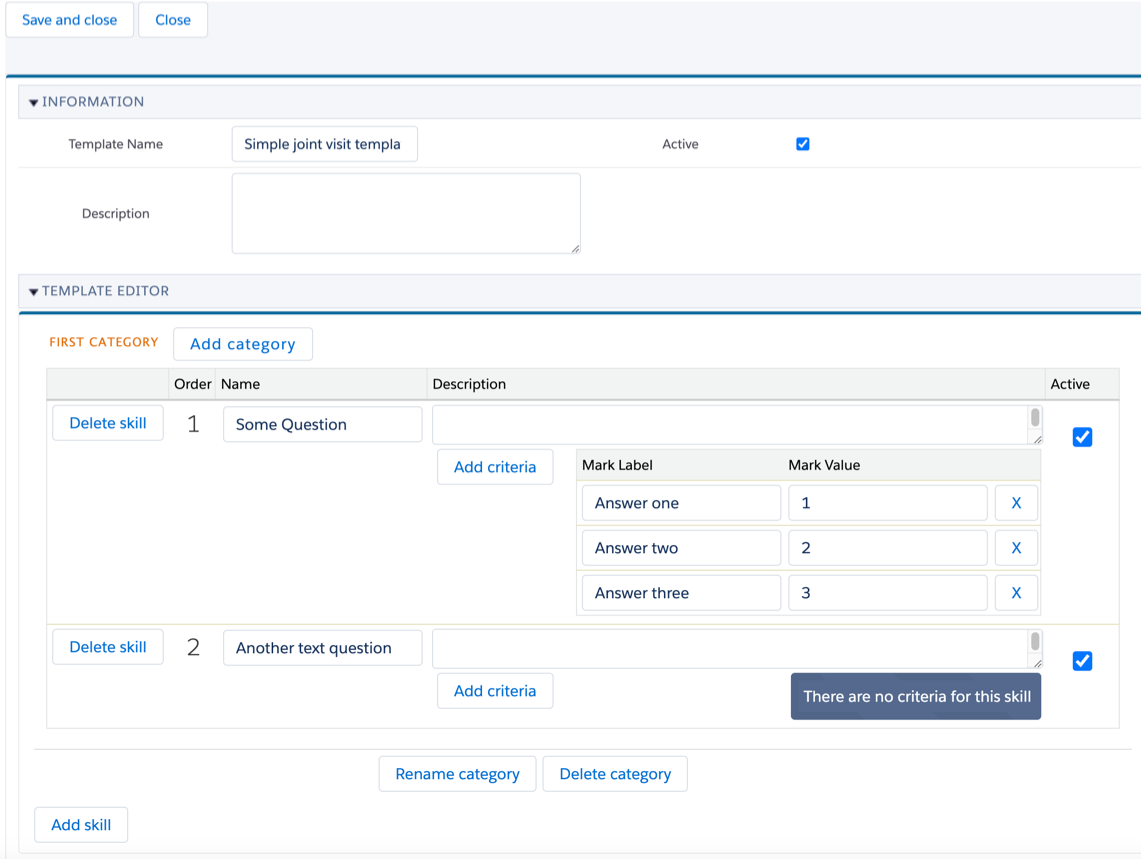
On the opened template page, click the Template Editor button.
-
In the Template Editor section, click Add Category.
-
Enter the category name and click Add.
-
To add a new question, click Add skill and type the text of the question in the Name field.
-
To add multiple answer options, click Add Criteria:
-
Fill in the Mark Label field as the answer text.
-
Fill in the Mark Value field as the score for the answer.
-
-
If needed, fill Description to add a tooltip for the question.
-
To make the question active, select the Active checkbox.
-
Click Save and Close to save the template.
The template is ready. Now you can plan a visit.