Setting up Division Target Frequency
To use Target Frequencies, associate the User and Marketing Cycle division with the Accounts and Contacts division’s fields.
Add new division to Division Target Frequency Settings and map newly created fields for Account and Contact.
To add a division to Division Target Frequency Settings:
-
Go to Setup (1) → Custom Code (2) → Custom Settings (3).
-
Click Manage next to Division Target Frequency Settings (4).
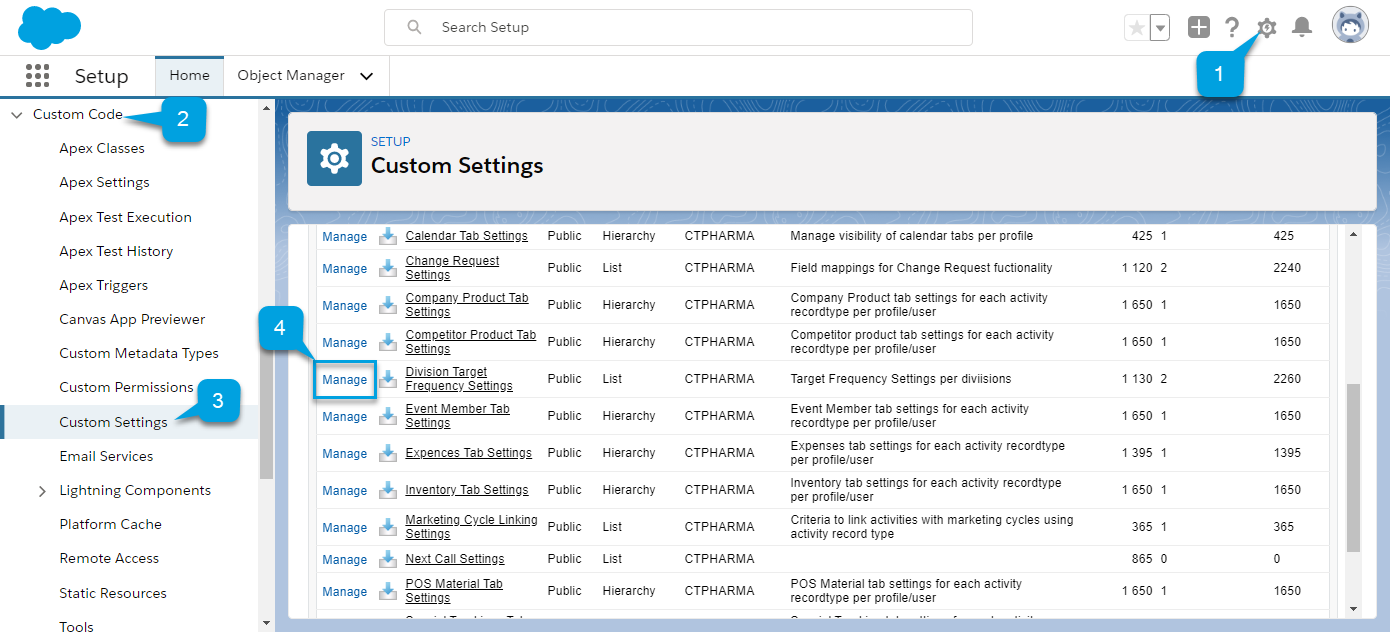
Alternatively, click Division Target Frequency Settings and then click Manage on the Division Target Frequency Settings.
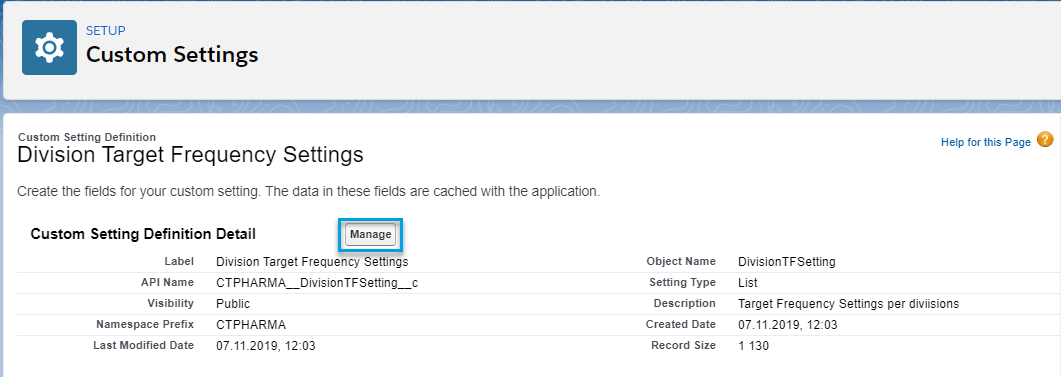
A page with the list of available divisions opens.
-
Click New to create a new division.
To manage an existing division, click Edit next to the division name. -
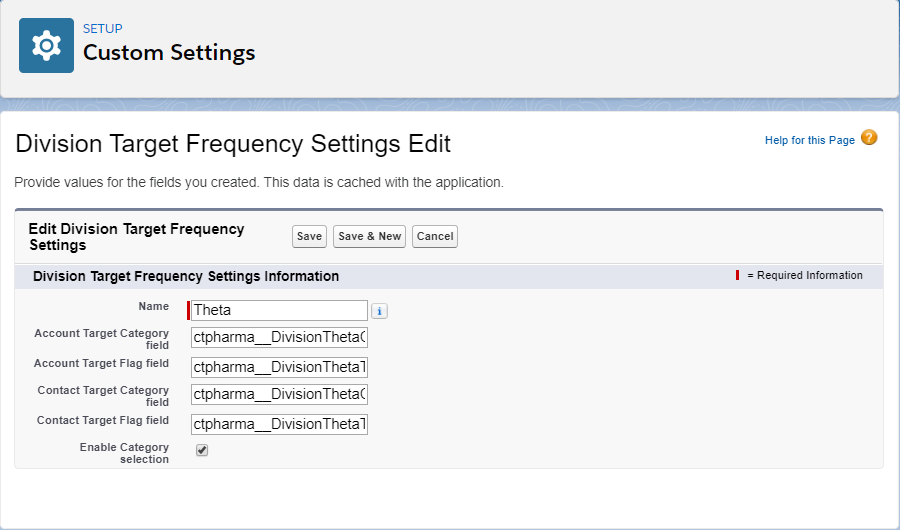
Enter the following values:
-
Enter Theta in the Name field.
The value in the Name field must match the division name. -
In the Account Target Flag field, enter the API name of the checkbox for the Theta division that you created for the Account object.
-
In the Contact Target Flag field, enter the API name of the checkbox for the Theta division that you created for the Contact object.
-
In the Account Target Category field, enter the API name of the picklist or formula for the Theta division that you created for the Account object.
-
In the Contact Target Category field, enter the API name of the picklist or formula for the Theta division that you created for the Contact object.
-
Select the Enable Category Selection checkbox to add division categories to available values. The picklist with values will be displayed in the mass assignment dialog box of the Target attribute for accounts and contacts.
-
-
Click Save.
The new division is added.