1:1 Visit
By default, the Visit 1:1 field set is related to the 1:1 Visit record type:
-
Go to Setup (1) → Custom Code → Custom Settings (2).
-
Click Manage (3) next to Activity Layout Settings.
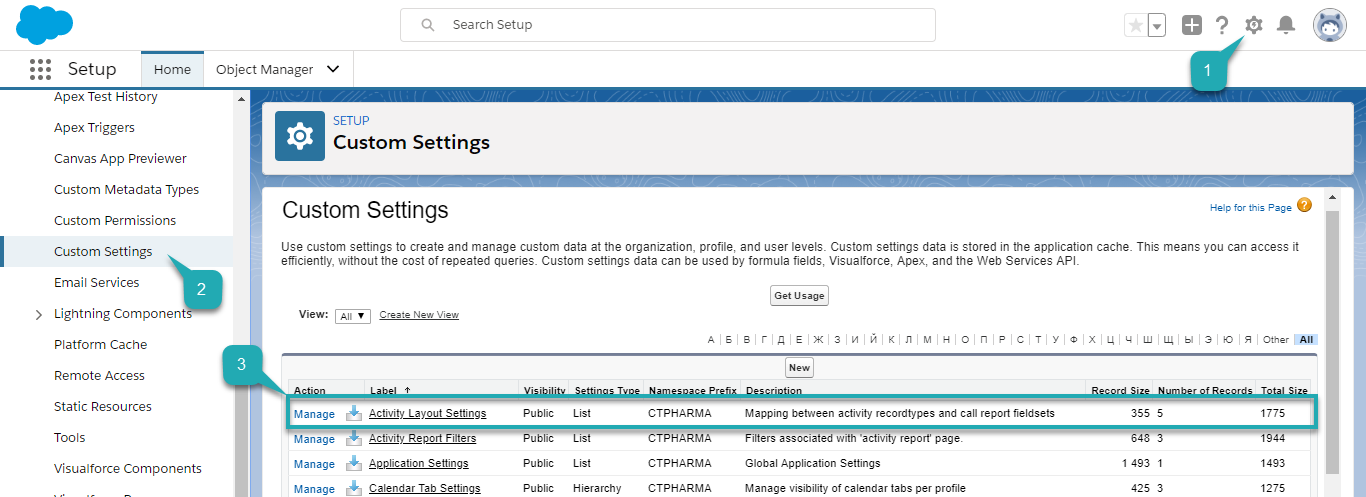
The Activity Layout Settings page opens.
You can also click Activity Layout Settings and then click Manage (3).

-
Click Edit (4) next to Visit.
To create another activity layout, click New. 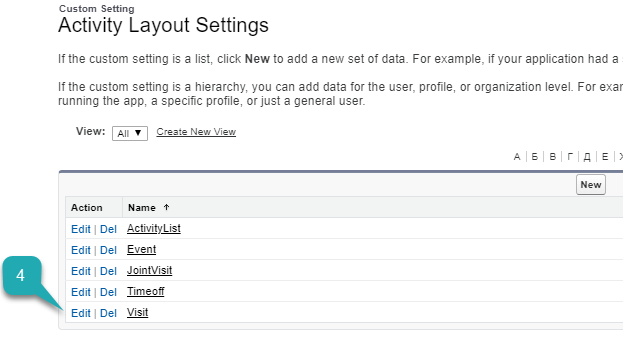
-
Check Fieldset API Name. It should be the same as the API name of the Visit 1:1 field set of the Pharma Activity object.
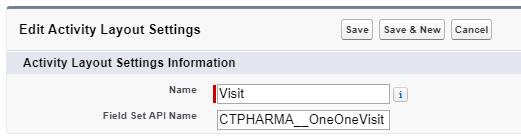
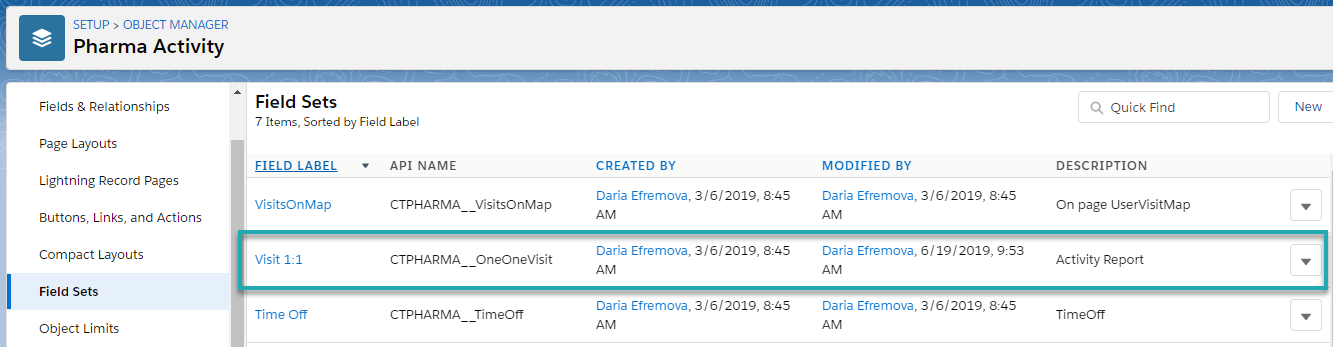
The Visit 1:1 field set is related to the 1:1 Visit record type. Now, you can customize the Visit 1:1 field set.
To define which fields will be available on the Pharma Activity Report for 1:1 Visit record type:
-
Go to Setup (1) → Object Manager (2) → Pharma Activity (3) → Field Sets (4).
The list of the field sets opens.
-
Click Visit 1:1(5).
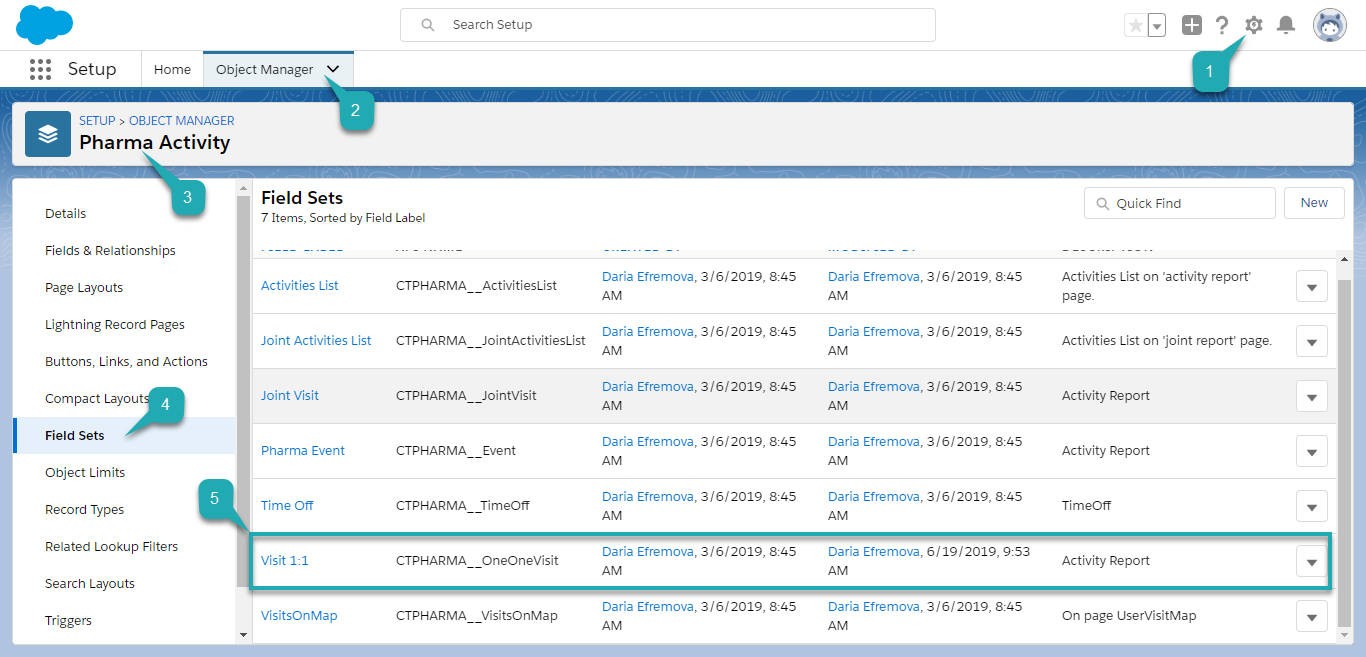
The Field Set editor opens.
-
Edit a visible field set by dragging available fields to the In the Field Set list and click Save (6).
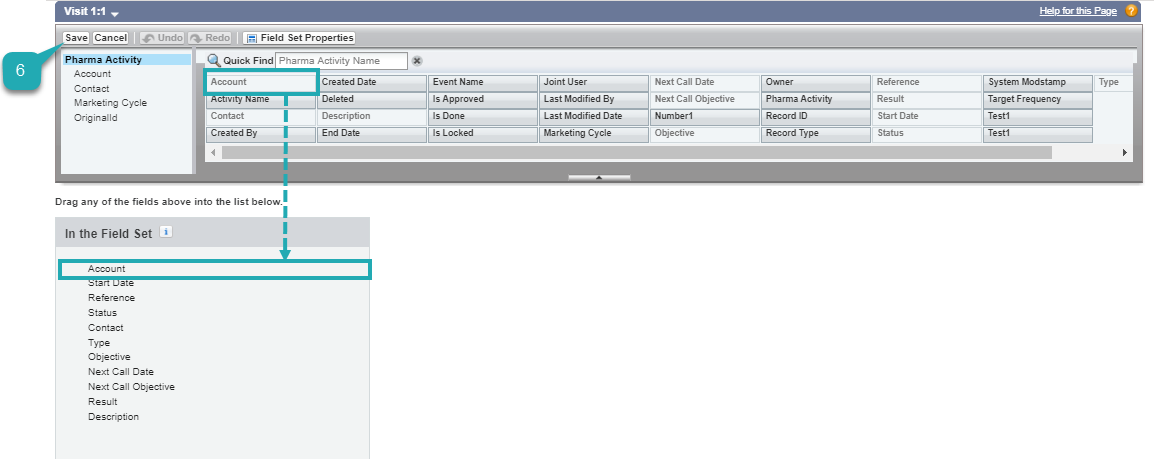
The Visit 1:1 field set is customized.
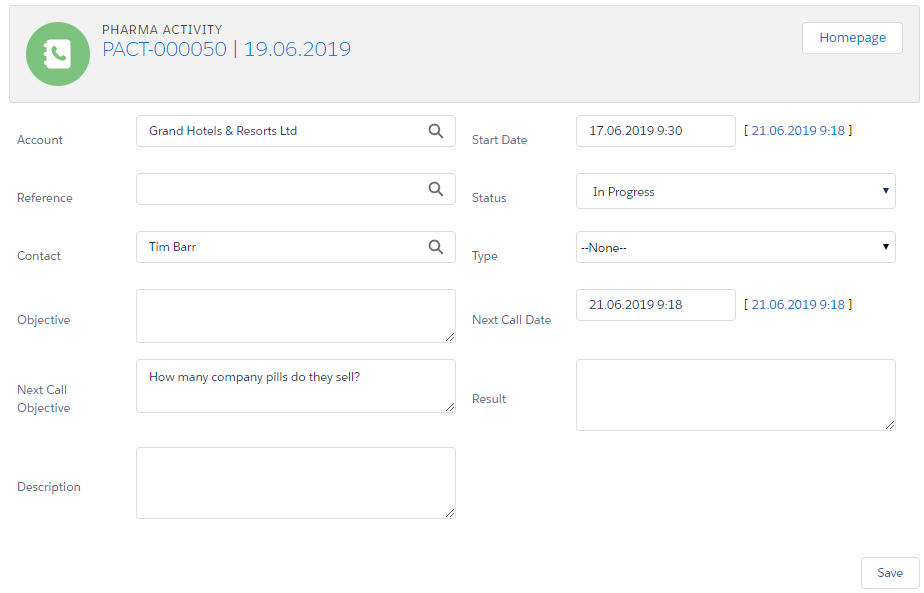
According to the settings, the main section is displayed on the Activity Report page.
You can add Next Call Date, enter Objective or Next Call Objective, add Result and Description.
See also: