CT Pharma Control Panel: Divisions
This tab represents Setting up Division Target Frequency.
To use Target Frequencies, you should associate User and Marketing Cycle divisions with Accounts and Contacts division fields. Previously, divisions should be created for the User and Marketing Cycle objects, and related division fields should be created for the Account and Contact objects.
You can associate divisions via custom setting or via CT Pharma Control Panel: Divisions tab.
If you create or remove division on the Divisions tab, the changes will be presented in Division Target Frequency Settings, and vice versa.
To open Divisions tab:
-
Click on CT Pharma Control Panel.
-
Click on the Divisions tab.
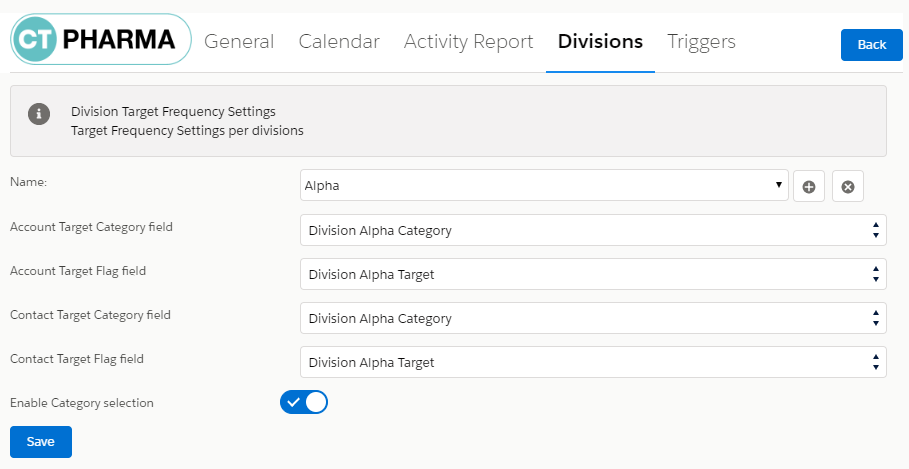
Name
In the Name field, the name of the division is represented.
-
To create a new division, click
 , enter a name, and click Add.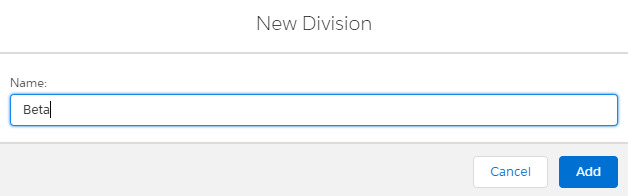
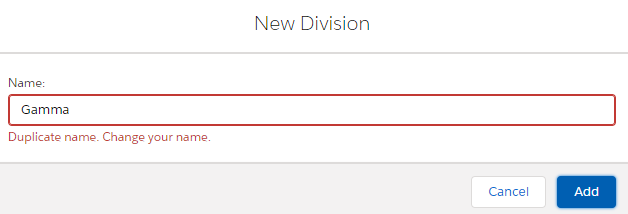
If you enter a name, which is already in use, you will see an alert:
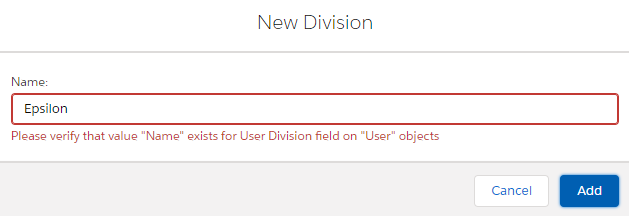
If you have not created division with the same name for the User object, you will see an alert:
-
To remove a division, select the required division (1) from the picklist, click
 (2), and then click Save (3).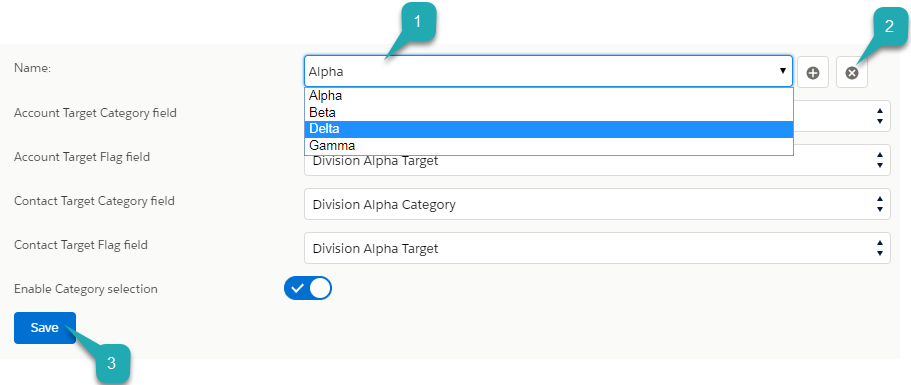
Division Fields
Associate User and Marketing Cycle divisions with Accounts and Contacts division fields:
-
In Account Target Category field, add API name of the field of Account object that contains categories of the division.
-
In Account Target Flag field, add API name of the field of Account object that contains the sign of belonging to the division.
-
In Contact Target Category field, add API name of the field of Contact object that contains categories of the division.
-
In Contact Target Flag field, add API name of the field of Contact object that contains the sign of belonging to the division.
Switch on Enable Category selection and click Save, if you want to use the selected division.