Calendar Settings: Mass Actions
In this section, specify available mass actions for profiles.
| Copy, move and delete actions are available by default and are displayed according to the settings of the Mass Action section. |
-
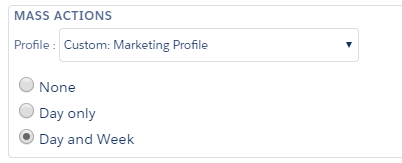
Select a profile to whom the drag-and-drop is enabled. If you do not have any configured profiles, the Global setting will be displayed in the field and will be applied to all non-configured profiles.
-
Select the option:
-
None: mass actions are restricted;
-
Day only: copy, move, or delete Pharma Activity of a day;
-
Day and week: copy, move, or delete Pharma Activity of a day or a week.
-