Marketing Detail Tracking
Activity Tracking associates with Activities if the following conditions are met:
-
The Activity start date is within the Marketing Cycle period.
-
User and Marketing Cycle divisions are the same.
-
Customer/Organization category is the same as in the Marketing Detail Trackings related list.
-
Marketing Cycle is connected to the type of Activity with the Marketing Cycle Linking Setting.
|
To create Target Frequency, based on tracked target rate records, the Category and the Customer type should be the same as in the tracking card. |
Tracked parameters are divided into the types and displayed in different tabs on the Activity Report pages.
Create a Marketing Detail Tracking
To create a Marketing Detail Tracking:
-
Go to the Marketing Cycles tab.
-
Open the required Marketing Cycle.
-
Click on Related to open related lists.
-
Click New next to the Marketing Detail Tracking section name.
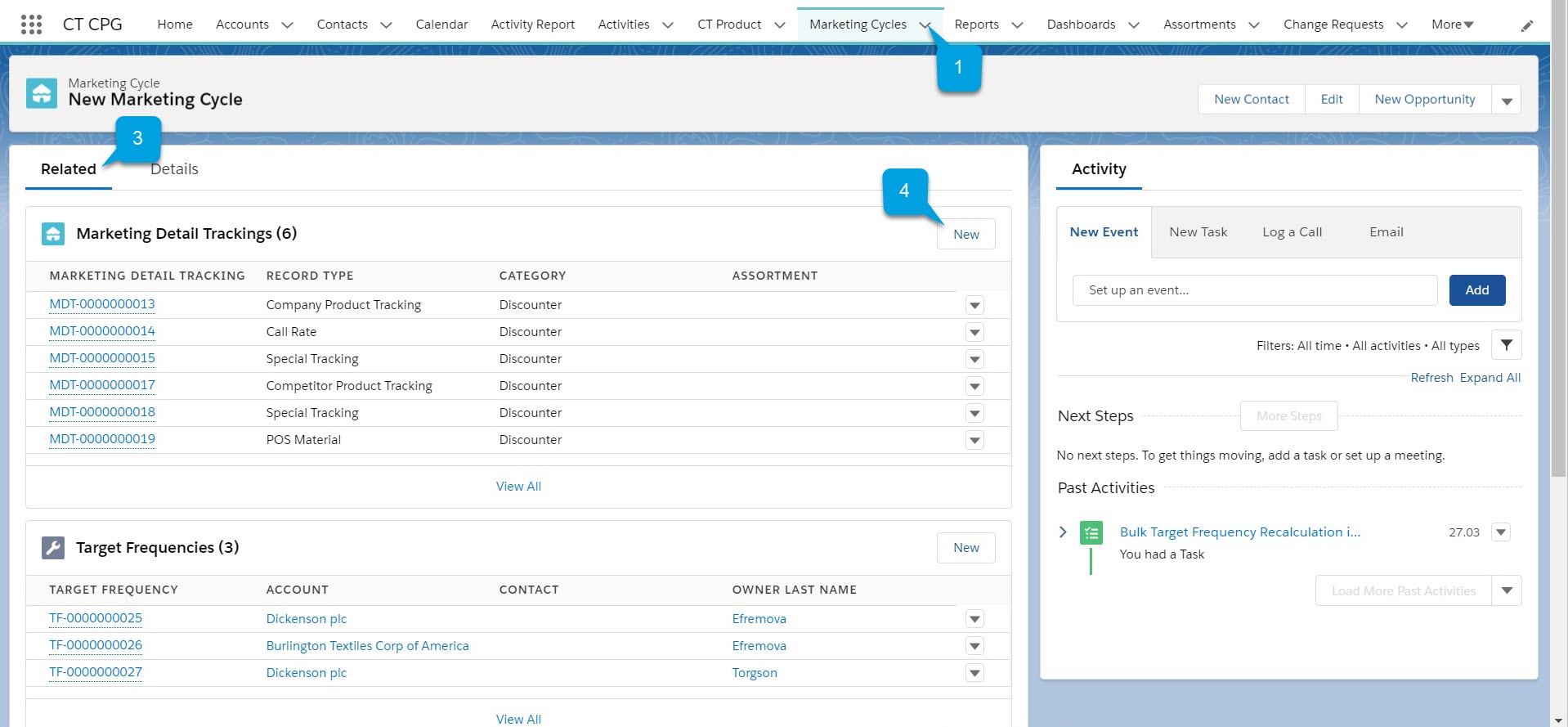
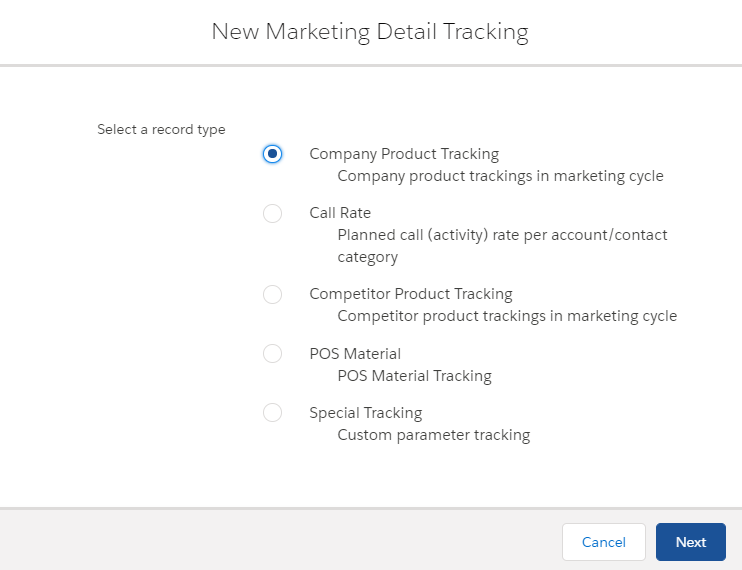
A New Marketing Detail Tracking window opens.
-
Select a record type of tracked parameter.
-
Fill the required fields.
-
Click Save.
The new Marketing Detail Tracking is created and appears in the Marketing Detail Tracking list on the Related tab.
Reviewing associated Target Frequency
To review a Marketing Detail Tracking is associated with Target Frequency:
-
Go to the Marketing Cycles tab.
-
Open the required Marketing Cycle.
-
Click on Related to open related lists.
-
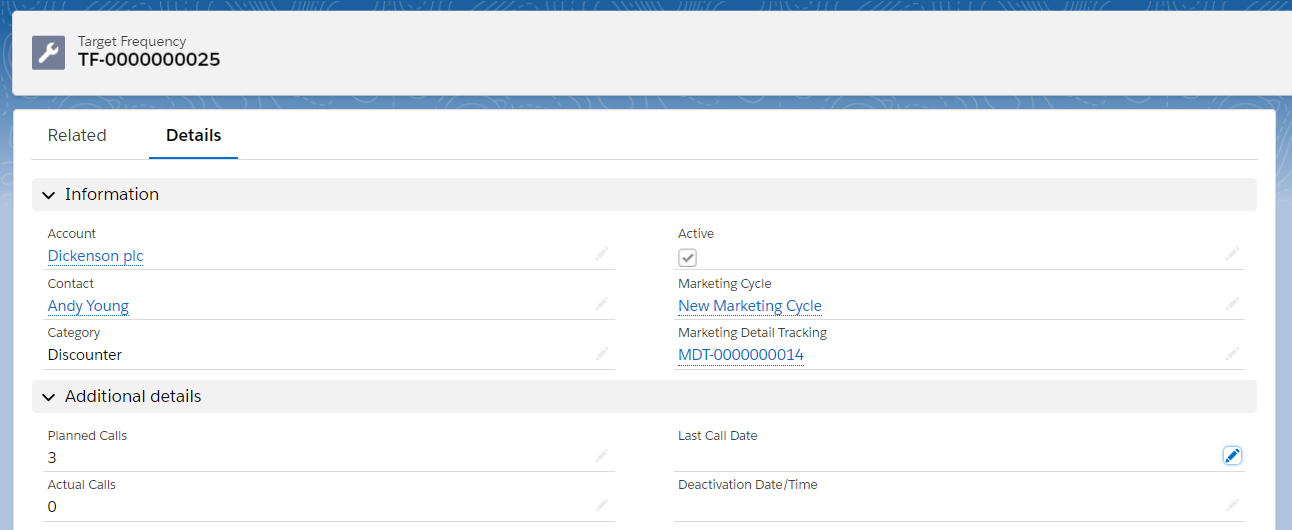
Select a Target Frequency in Target Frequencies section.
-
Check Actual Calls and Planned Calls.
-
Check related Marketing Detail Tracking in the Information section in the Details tab.
-
Check the tracked Category.
-
| See related Target Frequency in the Target Frequencies section in the Related tab on the selected Marketing Detail Tracking page. |
See also: