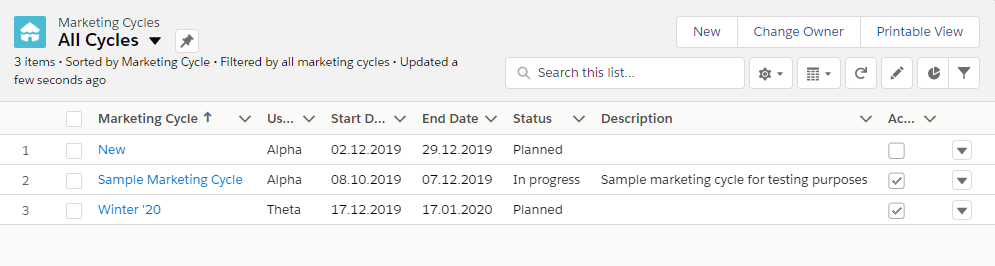
Creating a Marketing Cycle
In order to add a Marketing Cycle:
-
Go to Marketing Cycles → New.
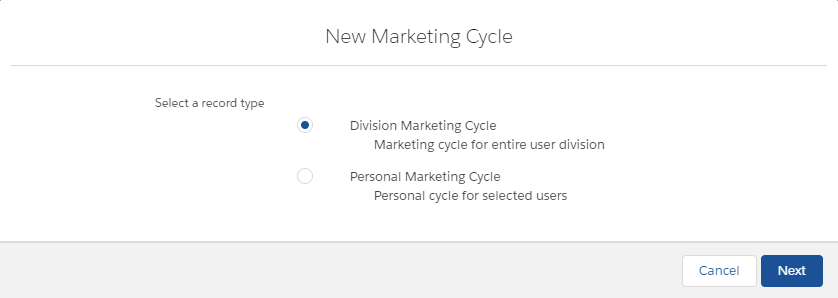
The New Marketing Cycle window is opened.
-
Select a Division Marketing Cycle record type and click Next.
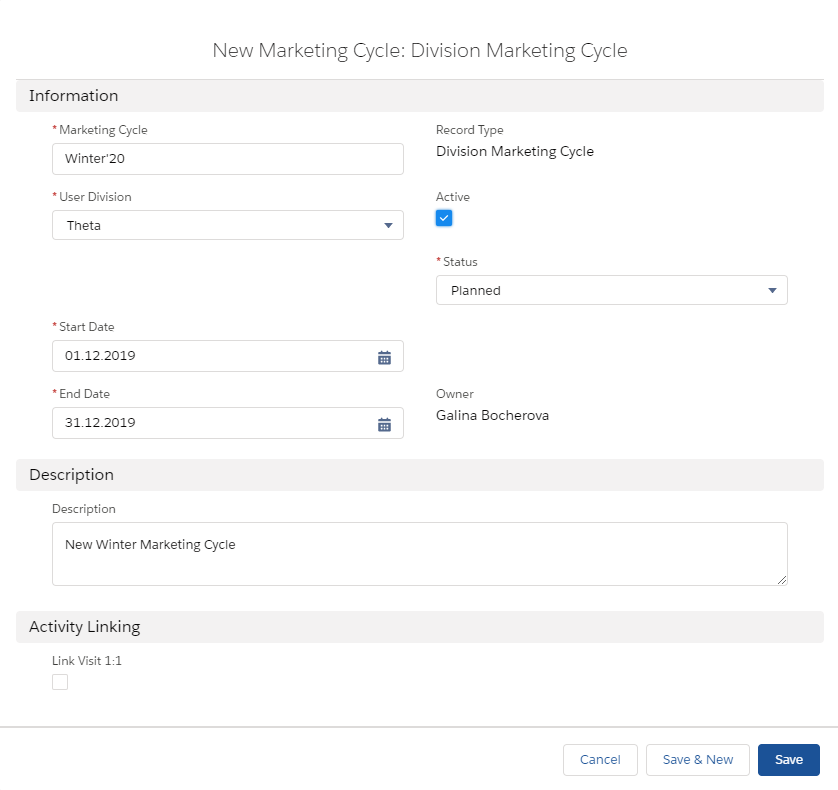
The New Marketing Cycle details page opens.
-
Enter Marketing Cycle name, Start date and End date.
-
Select a User Division and Status for this cycle.
-
Add any relevant Description (goals, requirement, or business details) for this Marketing Cycle.
-
Select the Activity Linking checkbox to enable automatic linking of selected activities to the Marketing Cycle. Newly created Activities will be linked automatically to the Marketing Cycle if:
-
Marketing Cycle is linked with Activity record type.
-
Activity Start Date is within the Marketing Cycle period.
-
User and Marketing Cycle divisions are the same.
-
Marketing Cycle is active.
-
-
Check Active to launch Marketing Cycle.
-
Click Save.
The new Marketing Cycle is added to the Marketing Cycles list on the Marketing Cycles tab.