Calendar Settings: Hierarchy Settings
| Used on the Hierarchy View tab. |
In this section, customize the displaying of the records in the hierarchy tree.
-
In the Account block field, select the Account object;
-
In the Calendar reference fields in SFDC field, select the Contact or Reference object.

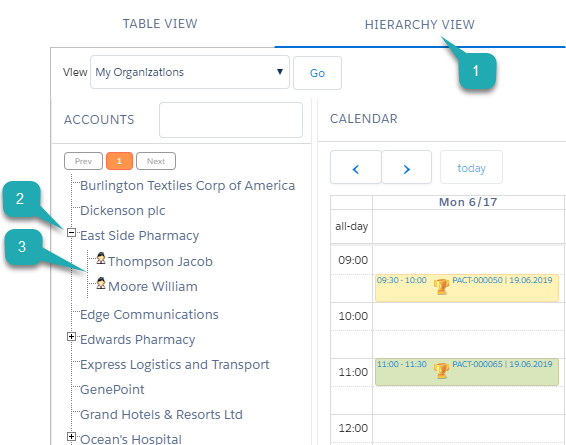
When you select the list view on the Hierarchy view tab, tap the Plus button next to the Account record to view its Contact or Reference records. For these particular settings, a tree in a hierarchy view (1) will be displayed with accounts (2) and related contacts (3) names.