Application Theme
The application theme affects the application appearance overall, being applied to headings, menu items, timeline view, etc.
To configure the application theme:
-
Select the required profile in the Location picklist.
General Settings will be applied to all profiles without individual settings. -
Click Customize in the User Interface section.
The App Customization window opens.
-
Customize the application theme.
-
Click Save.
-
Launch the fast synchronization on the mobile device.
The setup is complete.
Available settings
In the App Customization window, the settings are located on the left side, and the tablet view with applied settings is on the right side.
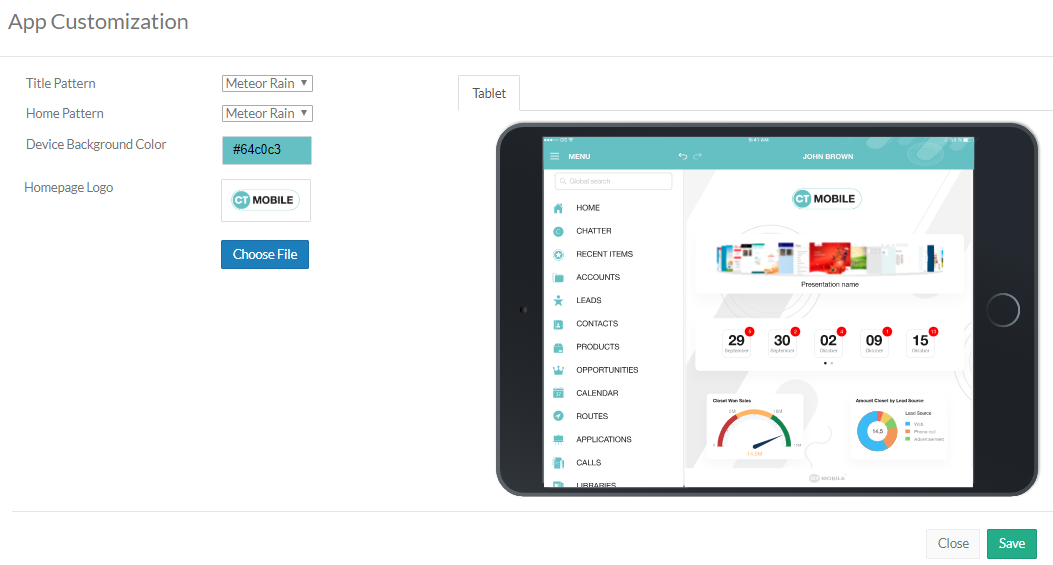
Device Background Color
Click on the field to select a color from the drop-down palette or enter the color code.
Homepage Logo
The logo is represented on the Home screen if the Logo widget is added. Click Choose file to add a new logo.
| You can configure your Home screen to relocate the logo or change its size. After that, perform the fast synchronization. |