Application Language
The CT Mobile app is in English by default and can be translated. The app language affects:
-
UI elements
-
buttons
-
system pop-ups
Use Translation Workbench to maintain translated values for metadata and data labels in your Salesforce org, for example, to translate fields, objects, related lists, etc. If the translation is absent, the label will be displayed.
Supported Languages
| To add a translation into your language, contact the Customertimes team. |
The list of available languages:
-
English
-
Chinese (simplified)
-
Chinese (traditional)
-
French
-
German
-
Italian
-
Norwegian Bokmål
-
Portuguese
-
Russian
-
Spanish
-
Turkish
-
Ukrainian
Select a Language
To display CT Mobile in the selected language:
-
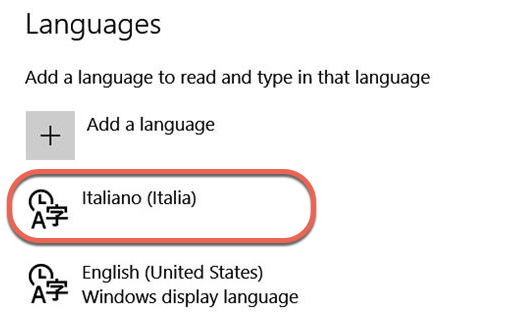
Select the language on the device: Settings → Time & Language → Language → add the language (if necessary) and specify this language in the first place on the list.
-
On the Salesforce side, select the language on the User record: click View Profile in the upper right corner → Settings → My Personal Information → Language & Time Zone → specify the Language field.
-
Launch full synchronization.
The CT Mobile app is displayed in the selected language.
-
To rename newly added custom fields, buttons, validation error messages, etc, use Translation Workbench.