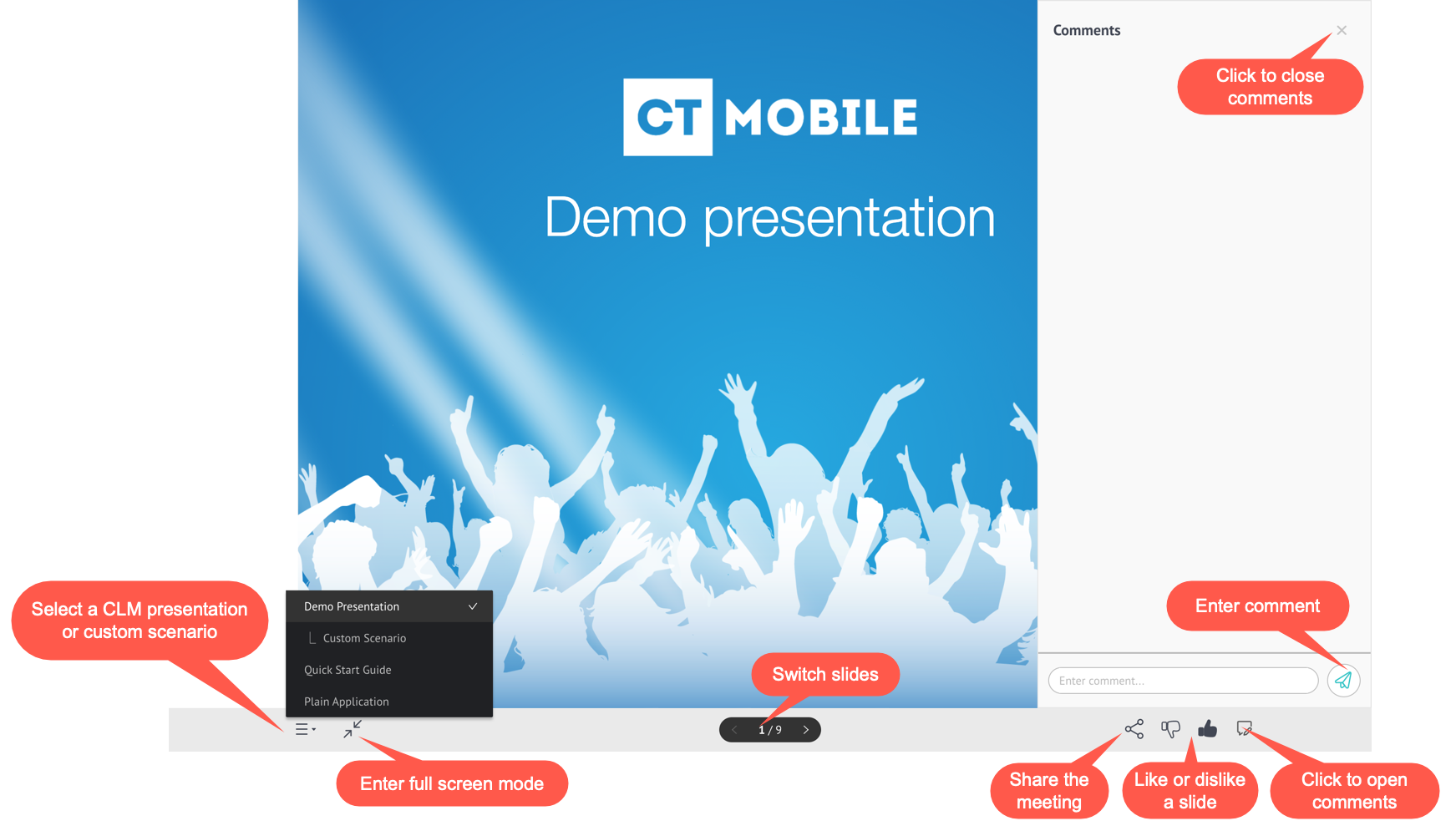
Self Detailing 2.0: UI
| Available since CT Mobile package 3.63. |
Participants can join the Self Detailing meeting on their PC, tablet, or mobile phone. To join the meeting, use the invite link.
| Use the integration user to collect statistics of the user who participates in the Self Detailing meeting. |
When joining the meeting:
-
In the case of several CLM presentations, select the desired CLM presentation or custom scenario.
-
Enter full-screen mode.
-
Switch slides and use the specified JS Bridge methods, take surveys, and more.
-
Open the Comments section to add a comment. Collapse the Comments section if needed.
-
Like or dislike slide.
Enable the Track slide likes/dislikes option on the CLM presentation record. -
Share a CLM presentation via email, Facebook, or Twitter.
-
Close the browser tab to leave the meeting.