Grouping Records
Initially, the records are grouped in alphabetical order. You can rearrange the records according to the selected field.
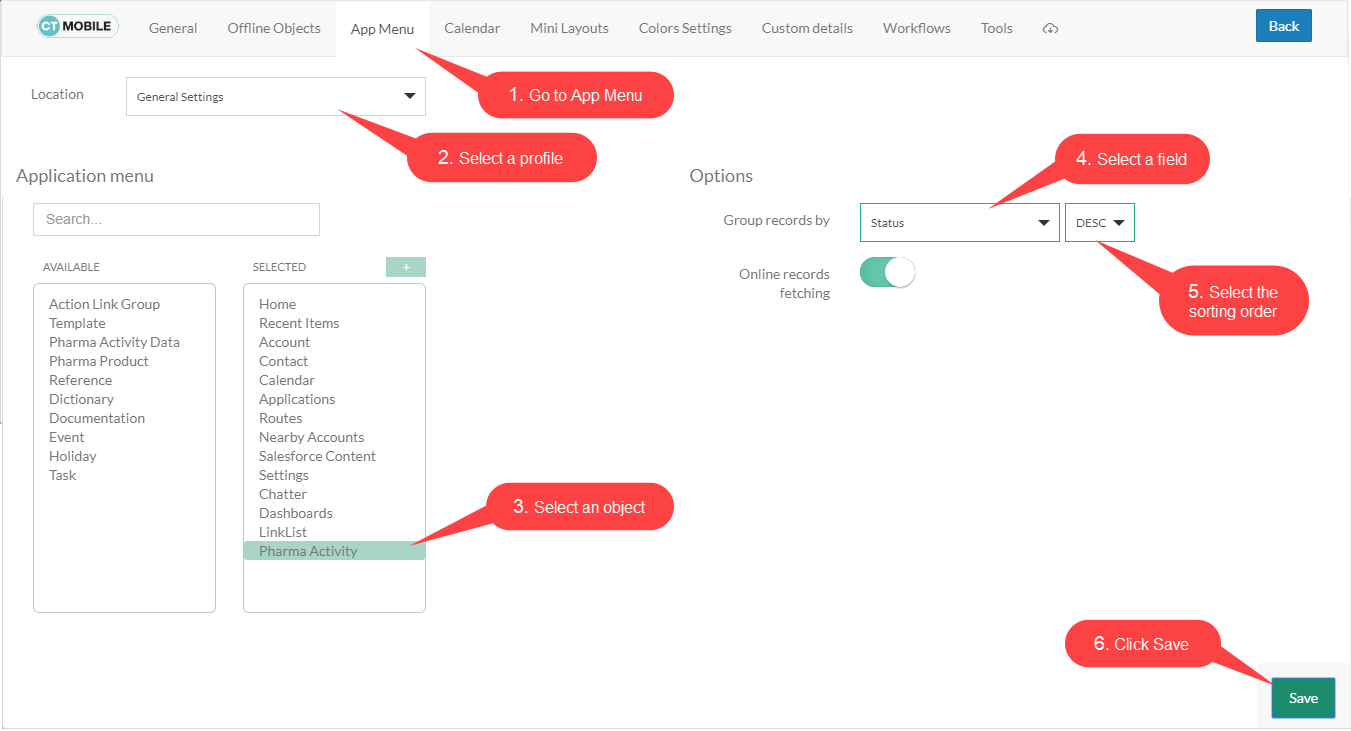
To group the records:
-
Select the required profile in the Location picklist. TIP: General Settings will be applied to all profiles without individual settings.
-
Select an object from the Selected list.
-
In the Group records by picklist, select a field for grouping.
-
Select ascending/descending records grouping order.
-
Click Save.
Perform fast synchronization on the mobile device to apply changes. Records are grouped according to the specified field.