CT Mobile iOS Release Notes
Here you could find a feature, the link to the corresponding article, and the version of CT Mobile since which the feature is available.
CT Mobile 2.9
| See the compatibility list of CT Mobile, CT Orders and CT Vision versions. |
-
Minimum supported iOS version: iOS 15.
-
Support of the $User component for lookup filters.
-
Calendar UI/UX improvements:
-
Updated outlook of the calendar events with duration of 15 minutes or less.
-
3 first fields can be displayed for each record in the left menu, if they are set up in the object compact layout.
-
Up to 5 events can be displayed for one day in the month view.
-
Customizable All activities per day hint added to the calendar widget for the Home Screen.
-
User can see calendar agenda while working with custom Date/Time field during creating new Activity.
-
-
Badge on the Chatter icon in the left menu if new posts are available.
-
Records counter in a list view is now displayed if there are more than 500 records.
-
Files sharing workflow has been upgraded, including attached files for offline objects, CLM presentations in CT Presenter and signed documents in CT Sign. Also, the contacts list is now limited to contacts that are related to the current Account record.
-
Export .csv item added to the Actions menu to allow exporting selected fields of an offline object to CSV file.
-
List of fields available while creating a new mobile list view can be now predefined in the Fields field of the Offline objects record type.
CT Orders for CT Mobile 2.9
-
The product title in the left list is displayed in two lines in the order screen.
-
Delivery Summary UX improvements, including:
-
Customization of fields column size for the Delivery Summary popup.
-
Now user can pin selected column on the Delivery Summary popup.
-
-
Complete and Save draft buttons are replaced with icons.
-
Improved readability of blocked quantity fields in the order cart.
-
Custom input fields UI improvement in the order cart: now they are aligned vertically with a value in quantity fields and are visually higlighted that they are available for input.
-
If the SKU Field is on the Object Settings is filled, the Active field on the Catalog Line Item is not used and product is not displayed in the left panel of the order screen.
-
Week numbers are displayed when adding a delivery in the order cart.
-
Default Availability Type and Product Availability fields on the Product object now take effect on bundle disregarding if it’s calculated on header or on components.
-
Formula fields are now calculated once a product is added to the order cart (no need to populate quantity first).
-
Mass catalog/promotion deletion from the order cart: now you can add and remove the whole catalog or promotion to/from the order.
-
Order button (
 ) is displayed for all records with Order item in combo-menu.
 -
Now you can specify currency for the order and related records while creating an order if the multiple currency feature is activated for your organization. The CurrencyIsoCode field can be added for the CT Order layout setting to select desired currency for the order.
-
You can export data from order related objects as a CSV file and share it.
-
Bundles UI improvements:
-
Displaying the listPrice value for the Header-Components bundle as a sum of listPrice values of the bundle’s components.
-
New Ignore Component Availability field added for bundles. If it’s true, the components of bundle are always available disregarding their Product Availability status.
-
Info icons are displayed on headers of bundles with Calculate Price On = Components.
-
Bundles added as freebies have the same behavior as product bundles.
-
Bundles with Set Quantity On = Components cannot be added to order as freebies.
-
Empty Delivery records are now deleted after completing an order.
-
Discount values no more overlap each other in Price Tags.
-
CT Vision for CT Mobile 2.9
-
Upgraded data model for CT Vision Lite: CTM Settings object is now Vision Settings.
-
Photos made in CT Vision are now stored in Salesforce in the new Vision Photo object instead of Heroku.
-
Renewed UI/UX of Feedback Loop page in CT Vision Lite for more productive and convenient photo management.
CT Mobile 2.8
Minimum supported iOS version: iOS 15.
Please upgarde the CT Mobile package version to 3.85 to get access to the following features:
-
The Files Download Enabled checkbox added for Offline objects. If disabled, files attached to offline objects will be displayed as previews and synchronization time will be reduced.
-
The Files Filter field added for Offline objects. You can specify the latest date of the offline object creation that should be downloaded during the sync.
Other features are available regardless of the CT Mobile package version:
Integrations
-
CT Orders for CT Mobile 2.8
-
Preventing rounding values to 2 decimal digits after the Procedure step of the Pricing Procedure 2.0.
-
The UX/UI improvement for the order cart:
-
Filtering products by specified criteria.
-
Calculate Discount, Save Draft and Complete buttons are blocked until the calculation is completed.
-
The Complete button is blocked in the Delivery Summary window until all calculations are completed.
-
The calculation status is now displayed for offline orders, as it was already displayed for orders calculated by the Web Service.
-
After selecting the sorting type for delivery, the dialog window closes itself without the need to tap Cancel.
-
Sorting bundles by quantity for each delivery.
-
Reduced time before opening the new delivery popup for orders with a significant number of products in catalogs or promotions.
-
Displaying spinner after finalization of an order.
-
Searching for products in catalogs and promotions by several words, separated by blank spaces.
-
Reduced time of opening the order cart after tapping Edit Order.
-
-
CT Mobile 2.7
Minimum supported iOS version: iOS 15.
Synchronization
-
The sync process details, such as the type, status, and last start date, are displayed at the bottom of the Settings screen.
-
New design of the pop-up message, which appears while the full sync is in progress.
-
New text message on locked screen while the full sync is in progress.
-
Custom User Permissions will be downloaded during the sync.
-
New text message, which appears if the sync log was successfully sent by email.
Salesforce Metadata
-
Metric Charts are available offline in the Dashboards module.
-
Support the ORDER BY and LIMIT operators in Workflow Steps.
-
Support the GEOLOCATION, HYPERLINK, and WEEKDAY operators in formulas.
-
The height for fields with the Picklist type changes depending on the value, and becomes scrollable when exceeding five lines.
-
Support calculation for fields with the Formula type if they have comments.
-
Support the $CustomMetadata operator for fields with the Formula type.
-
The ability to apply translations for custom labels of various UI elements.
-
Left alignment of columns and contents in the detailed list views and related lists for better readability.
-
Support for the $Permission value in formulas and validation rules.
Monitoring and Logs
-
CT Mobile allows sending sync logs using a third-party mail client (like MS Outlook).
Calendar
-
Drag-and-drop accounts or long tap the All-Day slot to create all-day activities.
-
For a better user experience, double-tap the Legend button in the Calendar module to display a pop-up with Activities and their assigned colors.
-
The number of a week is displayed in the Calendar header.
-
The native iOS calendar is now used to set a date.
-
When copying an activity in Calendar, if there is a mini layout for the selected record type of the object, values of all fields will be copied.
-
Improved displaying of title and subtitle on a mini layout: now both of them are displayed, even if one of them is too long to fit one string.
-
Improved displaying overlapping activities: now they do not visually overlap with each other.
-
The mini layout is expanded to the left or right depending on Activity start date.
Attachments, Chatter, and Libraries
-
The ability to minimize the Libraries content and Attachments of a record. Move the floating window around the screen. Tap the floating window to resume full mode.
-
Now you can use a third-party mail client (like MS Outlook) for mail templates.
-
HEIC/HEIF images are now supported for uploading to CT Mobile and for synchronization.
-
Displaying records of ContentDocument and ContentVersion objects in relates lists of Files and Notes & Attachments.
Related Lists
-
If the tab label for related lists takes more than one line, it will be fully displayed on two lines.
Routes
-
For user’s convenience, the route will open in the default maps on your device when the mobile user taps the Directions button.
Integrations
-
CT Vision for CT Mobile 2.7
-
Instead of full-size images, their previews are downloaded to the mobile device during synchronization. This allows not to affect synchronization time while using CT Vision.
-
The photo interface for Vision Lite has been changed: KPI and Report elements are now controlled by administrator and can be removed from the photo interface for Vision Lite.
-
Photos from previous visits are now displayed on the Retail Store layout.
-
Business administrator can assign tags for photos per public group.
-
-
CT Presenter for CT Mobile 2.7
-
Remote Detailing 2.0: all participants of the meeting will receive notifications about new comments.
-
-
CT Orders for CT Mobile 2.7
-
Web Service
-
CT Mobile 2.7 provides capabilities for calculating prices and discounts via Web Service. Now, administrator can select, how to perform calculations: by the Web Service or by the internal calculator. If the Enable WS for Mobile toggle is active in the CT Orders Control Panel, the mobile device will try to use Web Service to calculate prices. If the Web Service calculator cannot be accessed, the mobile application will calculate order prices without discounts. Before starting work, check all the required permissions here.
-
Tap the
 button in CT Mobile to get the valid prices. The invalid prices will be highlighted in red color.
 -
The new advanced features — links, mixed discounts, freebie multiplier, and freebie values — are only available when working with the Web Service.
-
Validations that a sales rep has access to all necessary fields to calculate discounts. Otherwise, the calculation will be carried out by the List Price field.
-
Changed prices and freebies calculation logic for orders with at least one Delivery Line Item with quantity = 0: such orders will always be calculated using in-app calculator and will never be sent to Web Service.
-
-
Mixed Discounts
-
Apply multiple conditions from a single Calculation Type.
-
Advanced Criteria 2.0 provides more flexibility by setting multiple filters and a minimum number of products for different size discounts.
-
-
Freebie Management
-
Freebie Values allow you to spread freebies over different levels and deliveries.
-
The Value field added for freebies when calculating them using Web Service.
-
-
Price tags
-
New price tags display one or more applied conditions on the discount scale with the current product quantity and the reached level of discounts.
-
For Calculation Types with Level Based On = Delivery Line Item: the checkmark icon is displayed when several Delivery Line Items are tied to one Order Line Item.
-
-
Other Improvements
-
Edit fields with the Currency, Number, Percent, or Text types within the Delivery Summary pop-up while completing an order.
-
The UX/UI improvement for Quotas:
-
Display the current quota status in the order cart interface.
-
For better visibility, the quota info pop-up displays the type of products it affects and the source catalog or promotion.
-
If you reach the limit, the error message is displayed.
-
The number of errors will be the same as the number of quotas for which you have reached the limits.
-
Delivery Line Items with reached limits are highlighted.
-
You can switch between error messages and see the corresponding Delivery Line Item.
-
Click the Revalidate button to recalculate quotas.
-
The Finalize button is disabled until you resolve all quotas errors.
-
-
The UX/UI improvement for the order cart:
-
The promotion sales and delivery dates are displayed in each promotion header. If the sales dates are empty, the delivery dates will be displayed instead of them.
-
In the catalog and promotion left menu, products are arranged according to their order number (if given) or alphabetical order (if user has no access to the orders__Order__c field).
-
Any actions with order cart are now blocked in portrait mode.
-
You can now collapse and expand bundles.
-
Collapsing and expanding catalogs have been fixed.
-
A progress bar is now displayed while adding a catalog to an order. You cannot add another catalog until adding the current catalog is finished.
-
The tap region of the Product Name field has been increased.
-
After tapping on the quantity value, it is automatically selected, and you can type the new value without the need of deleting the previous one.
-
Now you can set up the timer before calculating prices after making changes to the order cart, from 0 to 6 seconds. Successful recalculation will be indicated.
-
-
Support Salesforce validation rules when saving or finalizing an order.
-
The new operator divide added for Calculation Type and Pricing Procedure.
-
If a bundle has products, which are added to a promo and some of them are checked as Exclude From Discount in Product Management, discount will not be applied to these products.
-
Counting used quotas after completing an order is now more precise.
-
Performance for orders with a lot of products (1000 and more) has been improved:
-
Mass adding products to cart.
-
Opening draft order.
-
Finalizing order.
-
-
Recommended load values are added to the documentation.
-
Lookup fields are now filled in while creating a new order from an Activity object.
-
CatalogLineItemId lookup fields are now filled in after adding bundles to product cart.
-
Improved stability of working with quotas in Delivery Line Item.
-
Standard Salesforce validation is performed when saving and finalizing an order.
-
The Limit Settings search algorithm has been improved.
-
-
Limitations:
-
Bundles with Components—Components type are not supported.
-
Formula calculations are not applied until the product quantity is specified in the order cart.
-
-
CT Mobile 2.6
-
CT Mobile 2.6 uses the Salesforce API v. 52.0. We recommend reading requirements for devices and installing the latest CT Mobile package version.
-
CT Mobile 2.6 supports Split View and Slide Over multitasking types. Note the following:
-
We do not guarantee that screens adapted for landscape orientation will display correctly in portrait orientation. In future releases, we will add a warning to prevent such screens from being used in portrait orientation.
-
We cannot limit the minimum percentage of screen area in Split View mode and recommend using at least 75% of the screen to work with CT Mobile.
-
-
For more information, see Apple documentation: Using Multitasking on your iPad.
Integrations
Click on the appropriate link to learn more about new features and improvements in CT Software products that can be integrated into the CT Mobile app.
-
Support for new CT Orders functionality, such as product availability to prevent ordering out-of-stock products or announcing the launching of new products, quotas to control discount budgets and limited product sales, and limit rules to ensure achievement of desired KPIs.
-
Working with CT Vision, specify what product information you want to see in the Shelf Product List, assign one or more providers to a group of Users or Accounts, send corrections for each product or shelf to the CT Vision server, and more.
New Features and Improvements
Synchronization
-
CT Mobile will alert the user after an app update if a full synchronization is required for it to work correctly.
-
UX improvement: the notification of a successful synchronization will not be hidden until the user presses OK.
Salesforce Metadata
-
The default duration will be set for the activity created in the related lists, the timeline view, and the Activity menu item.
-
On the Settings screen, the version for the custom application based on CT Mobile is displayed in the format: {$custom_ver} (Core_version).
Offline Objects
-
Alignment with Salesforce policy: use Files to attach required documents, images, etc. to an offline object.
CT Mobile 2.5
CT Mobile 2.5 uses the Salesforce API v. 52.0 and requires iOS 13 or later. We recommend installing the latest CT Mobile package version.
Integrations
Click on the appropriate link to learn more about newly supported CT Software products or new features and improvements to those already supported.
-
CT Layouts eases the field reps’ routine through flexible screen customization and compatibility with other CT Software and supported Salesforce products, such as CG Cloud. Split the desired screens into configurable tabs, set colors for tabs and sections, and follow the preconfigured path to match your business goals—make an order, calculate shelf KPIs, conduct surveys, and more.
-
Support for new CT Orders functionality, such as pricing procedure steps, enhanced discount calculations, and more.
-
Using CT Vision, take photos of the large shelves, add tags, and work with the Shelf Product List.
Work Offline with the CG Cloud
-
Activate CG Cloud in your Salesforce org to work with retail stores in the CT Mobile app.
-
Find the nearby stores, build optimal routes, and schedule your visits to the right stores at the right time.
-
Drag and drop the activity to the retail store on the Calendar grid in a day and week calendar view. Time slots are highlighted with the red color when out of retail store’s operating hours.
-
-
Select the action plan to generate tasks for the desired activity based on it.
-
Customize screens with CT Layouts to use a variety of data types to gather information on sales, effectiveness, and availability of products:
-
Monitor key processes such as inventory audits, promotion checks, and in-store surveys with predefined templates.
-
Using Einstein Detection and CT Vision, audit shelves, measure share and shelf, manage stock and optimize product sales.
-
Using CT Orders, create your orders and manage deliveries.
-
-
Gather information using custom metrics and perform ad-hoc tasks.
.png)
New Features and Improvements
Synchronization
-
The user’s device model and version of the operating system are saved after each synchronization to optimize the work of the support team for incoming cases.
Salesforce Metadata
-
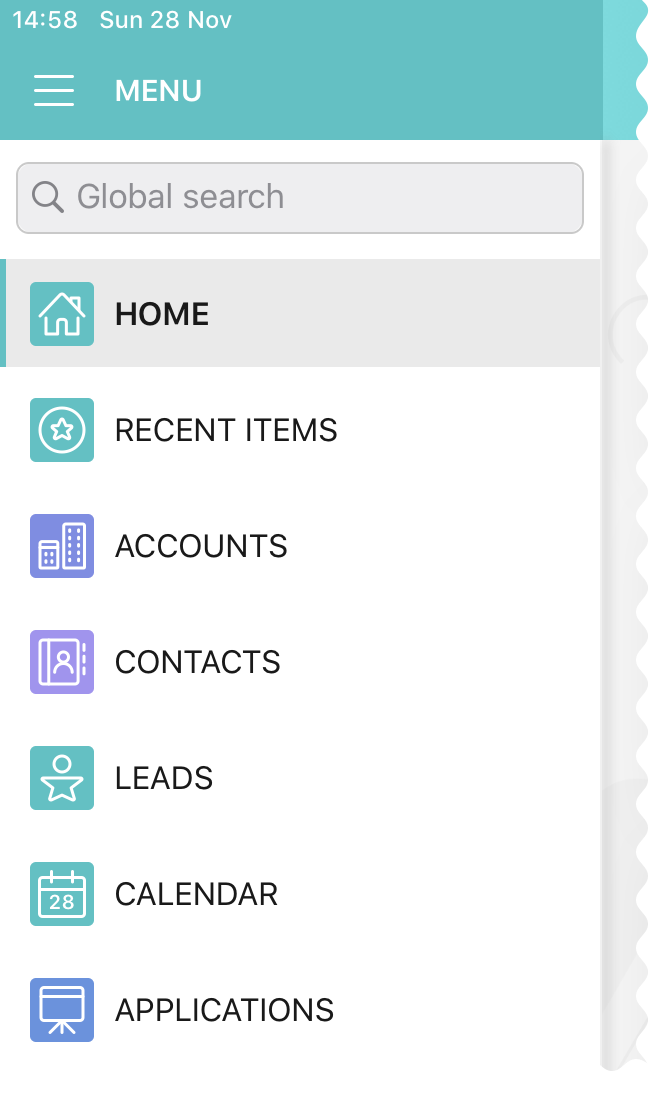
The color of the object’s tab in Salesforce is now used for that object icon in the CT Mobile app.
-
Use the detailed list view to see records in full screen when filling out the reference field.
-
The My filter is supported in list views to display only records owned by the current mobile user.
-
The updated numeric keypad appears when tapping a field with the Date/Time or Time data type on layouts, mini-layouts, and custom related lists.
-
HTML tags are supported in the read-only fields with the Text Area and Text Area Rich type in mobile layouts.
Calendar
-
To go to the record screen, use the Open button when tapping activity or double-tap activity in the calendar grid.
-
For better visibility, all activities less than 30 minutes occupy a 30-minute slot in the calendar grid.
-
In the left list of records of the Calendar widget, the limit of 20 records has been removed, so that the user can view the agenda of the whole selected day.
Routes
-
The route points are now numbered, and when tapping on activity on the map, you can use the Open button to go to the record layout.
CT Mobile 2.4
CT Mobile 2.4 uses the Salesforce API v. 50.0 and requires iOS 13 or later. We recommend installing the latest CT Mobile package version.
Integrations
The following CT Software products can be used offline along with the CT Mobile. Click the link to view the corresponding release notes:
-
CT Sign is a new product that is intended for signing documents based on preconfiguring templates. It has more features than the preceding CT Mobile: Documents module and provides the ability to sign documents with a legally binding signature.
-
CT Vision is an image recognition tool for sales reps or merchandisers to calculate shelf KPIs and gather information about the company and competitor products.
-
Flexible distribution of products between deliveries and multi-leveled product quantity management to meet the company’s logistic and financial requirements, along with clickable price tags informing your sales reps about currently applied and reachable discounts for the order in the renewed CT Orders.
Work while an Activity in Progress
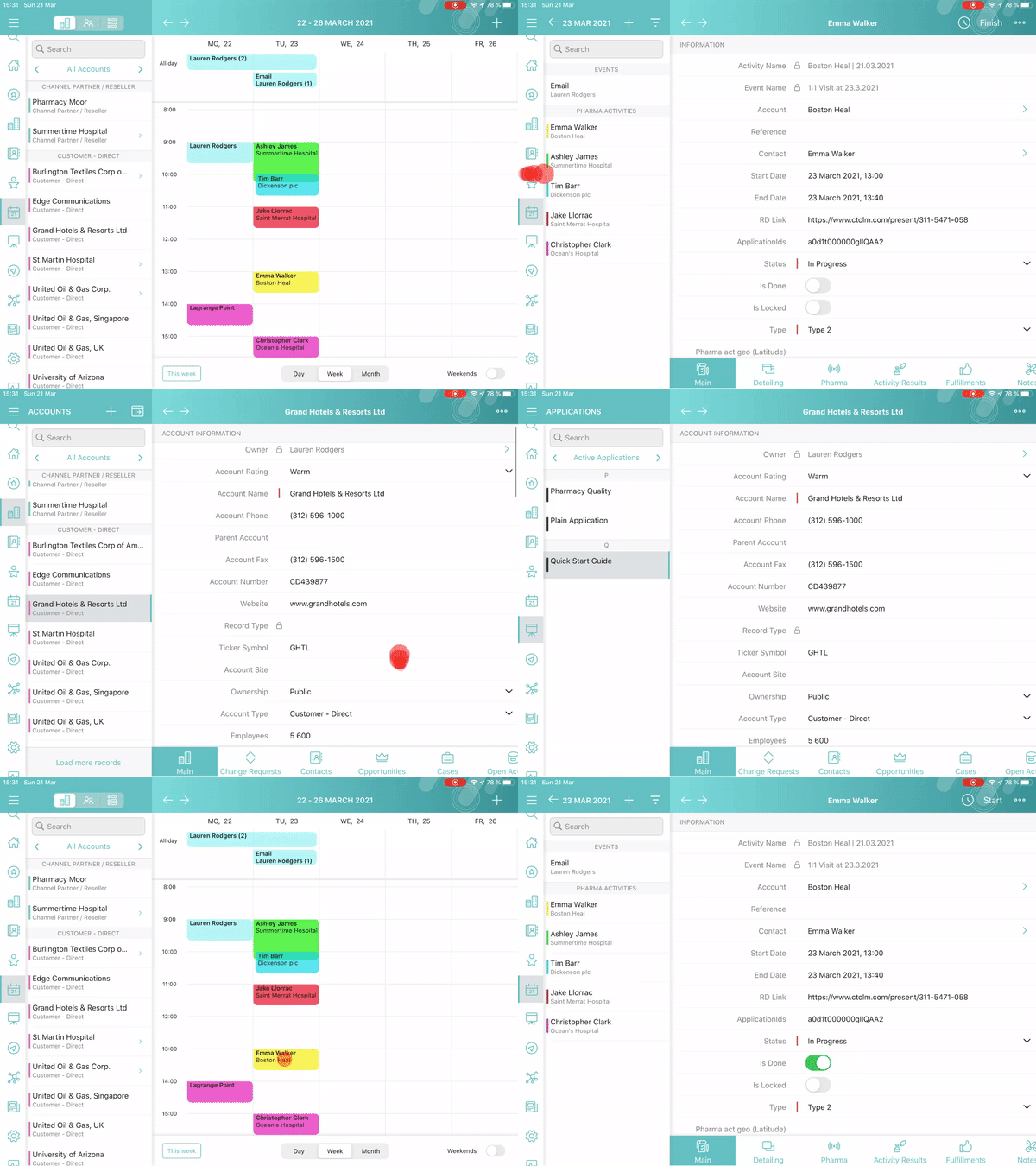
The ability to allow users to leave the unfinished activity for working with other features.
Various Improvements
UI/UX
-
The long library name is fully displayed in Libraries.
-
When logging out of the CT Mobile app, a notification appears to clarify to a user that the database will be erased.
Salesforce Metadata
-
Security update: cloud token is now stored in the protected API Key custom setting.
-
Special characters are supported in mobile layouts, standard and custom list views, and Chatter posts and comments.
Planning Calendar
-
Performance improvements for a large number of activities in the calendar grid.
CT Presenter
-
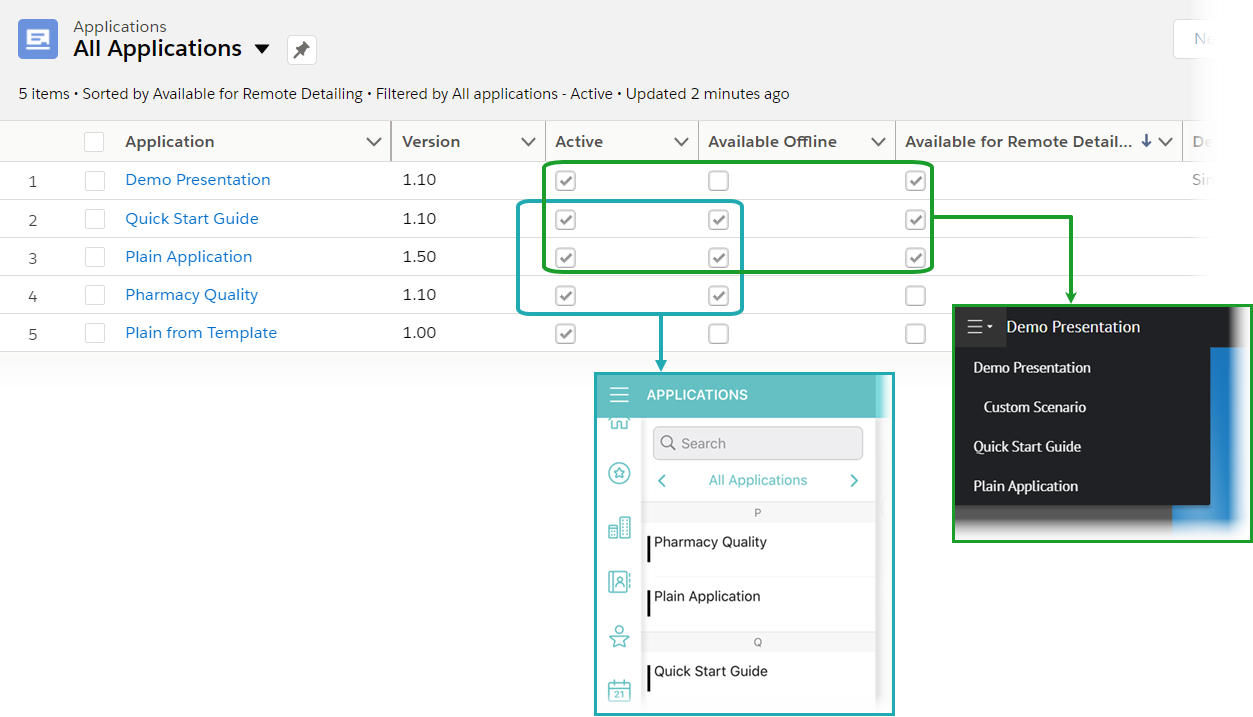
Use new attributes of CLM presentation to choose whether the CLM presentation should be available offline, used in the Remote Detailing meeting, or both.
CT Mobile 2.3
| CT Mobile 2.3 release requires iOS 13 or later. |
The new CT Orders module is supported. Leverage CRM flexibility with ERP price calculation complexity in a streamlined order-taking process with a user-friendly interface.
CT Orders
-
Add CT Orders to the menu to work offline with orders in the CT Mobile app.
-
The ability to create an order on the Account, Contact, or Activity record via the customizable mini-layout.
-
Manage the offline order via the Edit Cart screen.
-
Search and select products with specific prices structured in the catalogs hierarchy or joined in promotions and filtered for the customer. Regular products, free goods, and product bundles are available.
-
Manage multi-address deliveries. Control the number of deliveries and the applicable dates.
-
Quantity rules for setting up min and max products in delivery are supported.
-
The ability to save, edit, reopen or discard the order draft.
-
Based on the data in the CT Mobile app, the product list, prices, and quantity are validated in the open and reopened draft. The incorrect values will be highlighted with the red color and available for editing.
-
Finalize the order to restrict any changes in the CT Mobile app and send the order to further processing in Salesforce.
-
-
Support price calculation logic offline. Advanced logic allows calculating each discount separately or in combinations tailored for the type of the order.
-
Free goods can be managed either mandatory or manually using a condition group to validate the available list of gifts.
-
Order Change Manager maintains the integrity of orders saved in Salesforce and processes conflicts that occur due to parallel editing of the same order in Salesforce and CT Mobile.
New Features and Improvements
Salesforce Metadata
-
According to value, the height of fields with the Formula (String), Picklist (Multiselect), Text, Text Area, Text Area (Long), or Text Area (Rich) type is dynamically changed and becomes scrollable if the max height of 5 lines is exceeded.
-
Assign the icon for the main tab to help a user quickly find out the object he is working with when viewing the record screen.
-
Searching in the left record list now displays the results of the full match search.
Planning Calendar
-
When opening activity from the day or week view in the Calendar module, the agenda with records of all activities for that day is displayed on the left side.
Routes
-
In the Routes module, the selected options are saved.
CT Presenter
| After the CT Mobile 2.3 update, slides of some CLM presentations may no longer display in full-screen mode. Please revise the slide width and height to fit the screen size of your mobile device. Remember to re-publish these CLM presentations and perform the fast sync. |
-
The ability to zoom in or out a CLM presentation using a two-finger pinch.
-
Add ARKit models in the sources.zip for displaying in the CLM presentations.
-
Remote Detailing
-
Start the remote presentation right from the app with one tap.
-
Multitasking: switch between the meeting window and record details with one tap. Resume the presentation from the last checkpoint.
-
Documents Module
-
Specify the ability to share the final PDF document with other services such as messengers, e-mail, or social networks.
DFG-152
-
The new architecture of the DFG module is supported.
The option to choose whether to save the attached photos locally or not is available again.
CT Mobile 2.2
| CT Mobile 2.2 release requires iOS 13 or later. |
New Features and Improvements
The new custom CTM Settings object will be used to store CT Mobile settings instead of custom settings due to their limitations. We highly recommend referring to information about how the settings migration will affect the work with the mobile application and CT Mobile Control Panel, what settings were automatically transferred, and what permissions should be granted.
Synchronization
-
Refreshed Sync Recovery functionality allows pushing records with any errors as a JSON file with information about error type and error message text from the mobile device to Salesforce.
-
The additional info message will be displayed during the fast and full synchronization to remind a user not to collapse the application and not to turn off the screen to avoid the interruption of synchronization. Nevertheless, if the user switched to another app or turned off the screen for a long time, the mobile application still sends an alert before synchronization will be interrupted.
-
The new update logic of the Last Sync Date field of the User record allows making sure that the synchronization is complete.
CT Presenter
-
For easy work with CLM presentation source data and quick source data generation, use archives that were automatically split into parts with a size of less than 25 MB.
-
In the interactive presentation, to open files from Attachments of a presentation or Libraries, specify the file name with the file extension in the href attribute of the slide layout.
-
Converting a CLM presentation from a PDF file or PowerPoint presentation in Application Editor, the black background color will be set and slides will be aligned to the center of the screen.
Modules and Menu Items
-
The mobile application needs access to certain data, e.g., geolocation or Photos. For your convenience and better clarity, we added pop-ups with functionalities that need the requested permission.
-
Labels of menu items and modules in the menu, such as Home Screen, Routes, or Libraries, can be translated using custom labels.
-
On the detailed list view screen, remove a record as well as create a record if permissions are granted.
-
The support of the standard Shipping Address and Billing Address fields as Account Geolocation Field in Nearby Accounts and Routes modules, in the Map widget, and within the Determine Location button in the combo-menu.
-
Use list views of the Application object to filter records in the Applications module.
-
To quickly return to the Calendar after moving on the details screen of the selected activity, tap once again Calendar on the menu. Also, the back and forward buttons are available to jump to the calendar.
-
In the Documents module, you can specify the ability to share the final PDF document with other services such as messengers, e-mail, or social networks.
-
The logic of the IsAllDayEvent of the standard Event object is supported.
Salesforce SOS functionality is no longer supported.
CT Mobile 2.1
| CT Mobile 2.1 release requires iOS 12 or later. |
New Features and Improvements
-
A brand-new UI for intuitive user experience:
-
New icons, vivid app themes, and modern fonts.
-
Upgraded Calendar, Routes, and Nearby Accounts modules with user-friendly logic.
-
The collapsible main menu provides a much wider working area on your iPad.
-
Detailed List Views. Look through the detailed list views on your iPad.
-
Multitasking during an activity on your iPad. Switch between the presentation and record details with one tap. Resume the presentation from the last checkpoint.
-
New UI for iPhone devices.
-
-
The Login screen is implemented using the OAuth 2.0 protocol and standard Salesforce UI.
-
The content module now supports folder hierarchy.
-
Sync Recovery. Recovering the records which could not be properly sent to Salesforce due to permissions issues.
-
Adjust the width of columns of the related lists and custom related lists.
-
The long-hoped-for plus button is now available in the Calendar. It is another way to create an activity in the Calendar by selecting start and end dates in a mini-layout.
-
Turn on/off the ability to synchronize a single record and its child records by pulling down the record details screen.
-
Salesforce Holidays are now supported and are highlighted in the app’s calendar.
-
Image Quality. Set the amount of image compression to control the data volume sent to Salesforce.
-
Mini Layouts can be assigned to a specific user profile.
-
Each user profile can have its custom color settings for record lists, calendar events, and the timeline view.
Fixes
-
Fix for the Routes module. The map is focusing correctly on the area where the route is being built.
-
The Owner operator is supported in formulas.
-
Time constants are supported as SOQL-filter criteria for the custom related lists.
|
CT Mobile 1.4 (1.9.6)
The new release brings you a bunch of new features and covers more than 100 bug fixes and other improvements.
| CT Mobile 1.9.6 release requires iOS 10 or later. |
New Features and Improvements
Synchronization
-
Synchronization data monitoring (type, date and time, status, and duration). The data is automatically transferred to Salesforce as the records of the Sync Log object with an attachment containing detailing information (log file). Use reports to analyze the synchronization.
-
New synchronization algorithm with accelerated identification of the created and updated records.
-
The Libraries module download process can be moved to the background, which significantly improves the synchronization time.
-
Metadata downloading optimization.
-
The fast and mixed synchronization processes are not interrupted in case of errors. The unsynchronized records containing errors can be synchronized after the errors are corrected.
CT Mobile Workflow
-
Multistep CT Mobile Workflow execution time is reduced.
-
Child records can be created/updated/deleted after updating their parent record or after tapping the button defined in the CT Mobile Workflow rules.
-
Capture geolocation during the CT Mobile Workflow step (e.g. on an Activity start or a record field update).
General
-
Field dependency support (filters that allow changing the contents of a picklist based on the value of another field).
-
Dashboards created via Salesforce Lightning UI are supported on the Home Screen.
-
Attachments multi-select. Select multiple images from the Photos app to add them to a record.
-
Improved replication. Shared records (previously unavailable) can be synchronized via fast synchronization.
-
The administrator credentials are no longer required to access the Salesforce Metadata API during the synchronization.
-
External libraries are updated to the latest versions.
-
The Nearby Accounts module. The records list displays only the Accounts with defined geolocation and the records which are related to such Accounts.
-
The minus key (-) is available on the In-App keyboard while editing the Number, Percent, and Currency type fields.
-
The Search box value lower limit is reduced from three symbols to one.
Fixes
Calendar
-
Activities are displayed correctly if the Start Date or End Date is out of the Visible Hours Range setting value.
-
Mass actions with Activities. The moved or copied records date is calculated correctly.
General
-
Fix for attachments folder. When adding an image to a record, the attachment folder orientation (portrait or landscape) corresponds to the current mobile application orientation.
-
Fix for attachments folder. When adding an image to a record, the attachment folder orientation (portrait or landscape) corresponds to the current mobile application orientation.
-
Fix for the Date/Time field values during the daylight saving time clock adjustment.
-
The Person Account record type can be created from a reference field.
-
Dashboards. Graphs with summary formulas involved are displayed correctly on Home Screen.
-
Inactive filter criteria are no longer applied to reference fields.
-
Fixed swipe right functionality (to open the main menu or the records list) in the related lists on iPhone devices.
CT Mobile 1.1.0 (1.9.5)
New Features and Improvements
-
Managing the application’s business logic. No code, no development.
-
The ability to create and manage detailed records for standard objects Task and Event.
-
Customizable statistics gathering on displaying individual screens and elements in CLM presentations.
-
Selective synchronization in case of user access rules to object records is changed.
-
Now you can sort the custom and standard related lists by lookup fields.
-
The Determine Location button is not displayed when using positioning on activity start.
-
The offline-objects customization and loading process logic are revised.
-
Prefixes and postfixes are now considered when working with objects and their fields.
-
The synchronization process is optimized. The Recently Viewed standard filter (list view) is now supported.
-
Increased number of fields, which are displayed in the calendar as additional information about activities.
-
Now you can copy values from read-only fields.
-
Work with several types of object records within a single custom related list.
-
Metadata API to SOAP API migration.
-
Application log records are more detailed.
-
Person Accounts will now display in Nearby Accounts with appropriate settings.
-
The improved logic of copying activities in the calendar.
Fixes
-
The Picklist fields. The fields are now displaying the correct values dependent (field dependency) from checkbox fields.
-
Fix for users with Partner Community license type. Now they can add new posts in Chatter.
-
The corrected logic of using Open Activities and Activity History related lists.
-
Can no longer copy text to the Text field that exceeds the number of characters allowed.
CT Mobile 1.0.5 (1.9.3)
New Features and Components
-
Updated for iOS 11.
-
Two-way sync with iPad/iPhone internal Calendar. Events from the internal iPad/iPhone calendar can be displayed in the CT Mobile planning calendar.
-
Standard Salesforce Orders are now supported in the CT Mobile app.
-
New Salesforce SOS functionality - video calls to technical support with mobile device screen sharing capability.
-
Optimized synchronization for organizations with an extended data model and large data volumes.
-
Customizable set of search fields for each object.
-
Quick record creation in reference fields (lookup) selection window.
-
Custom report types are now supported for Salesforce reports and dashboards.
-
Separate settings for displaying Event and Task object records in Open Activities and Activity History related lists.
-
The Determine Geolocation functionality in the Accounts combo menu now depends on the user’s access rights to the geolocation field.
-
Application log search functionality added.
-
The Time type fields are now supported.
-
Multiple currencies functionality added.
-
Customizable Home screen for iPhone added.
-
The Chatter functionality for iPhone was added.
CLM-presentations
-
JS Bridge methods added:
-
ctm.isableSlideScroll: optional lock for slides scrolling using gestures.
-
ctm.enableSlideScroll: slide scrolling unlock option.
-
ctm.storeFile: saving a file attachment as an attachment to a record.
-
ctm.getFile - getting the contents of an attachment to a record.
-
Ability to open contents using window.open in the native preview window.
-
-
Added capability to select rendering mode for interactive content (Mobile Application Setup).
-
wk - more productive and modern, suitable for most presentations. Used by default on mobile devices running iOS 9 and above.
-
wks - local server for presentations display, created using MVC frameworks (angular, backbone, knockout, etc.), using connectable modules and components.
-
UI - a classic renderer for backward compatibility with previously created presentations.
-
-
Fix the list scrolling of available custom scenarios in the presentation details screen.