Data Field Limits
Set up range limits for the fields with the Date and Date/Time types.
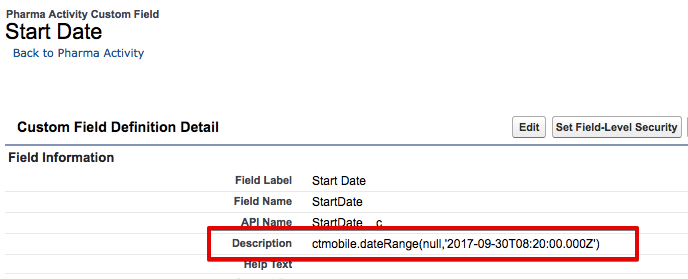
To enable this option, specify the following in the field description, refresh metadata archive (refer to CT Mobile Control Panel: Tools / CT Mobile Control Panel 2.0: Tools) and launch mixed synchronization:
-
minDate is the lower range limit
-
maxDate is the upper range limit
-
For the fields with the Date type, the value format of minDate and maxDate is: YYYY-MM-DD
-
For the fields with the Date/Type type, the value format of minDate and maxDate is YYYY-MM-DDThh:mm:ssZ
-
If the lower or upper range limit is not defined, specify null, for example, ctmobile.dateRange('2017-01-01T10:00:00Z',null)
-
If the default field value is outside the available range, the date range limits are not applied.
-
Parameter values must be enclosed in single quotes.
ctmobile.dateRange('minDate','maxDate')