CT Mobile Control Panel: Custom Tab
The custom tab allows you to manage the defined parameters in one place. Create and configure the custom Visualforce page, which is responsible for the tab interface.
To add a custom tab to the CT Mobile Control Panel:
-
Go to Setup → Custom Code → Visualforce Pages and click New.
-
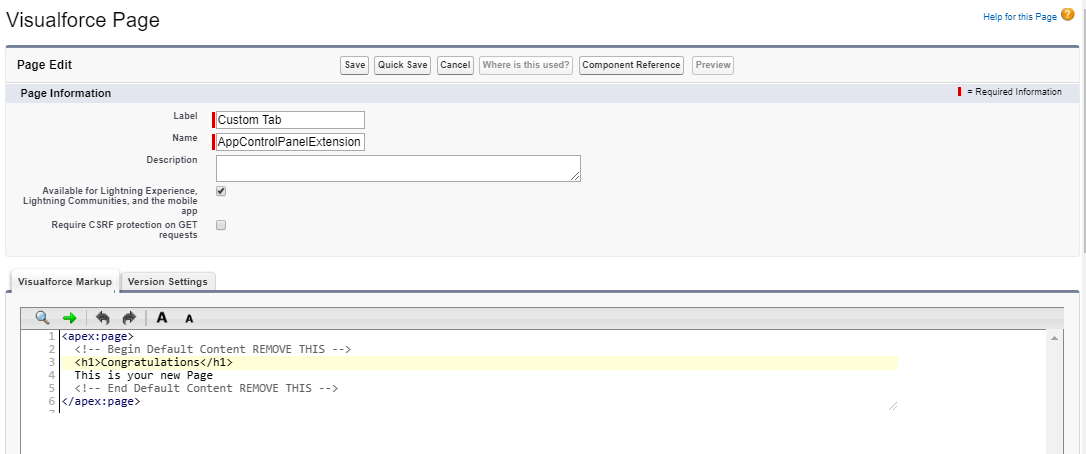
Create a new Visualforce page:
-
Enter a tab name in the Label field.
-
Enter AppControlPanelExtension in Name field.
-
Add Description if needed.
-
Set a flag next to the Available for Lightning Experience, Lightning Communities, and the mobile app and Require CSRF protection on GET requests checkboxes if needed.
-
Enter your code in the Visualforce Markup form below.
-
Check Version Settings.
-
-
Click Save.
-
Click
 and go to CT Mobile Control Panel.
The custom tab is added.
