Remote Site Settings
To configure and work with the full functionality of the CT Mobile app, it is necessary to create additional remote sites.
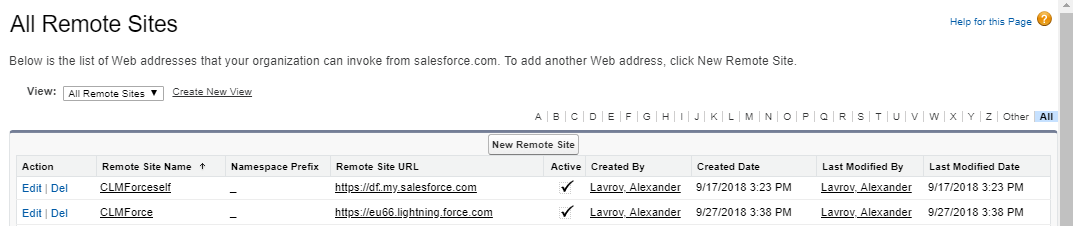
If My Domain is not configured, specify the following:
-
Go t Setup → Security → Remote Site Settings.
-
Click New Remote Site.
-
In the Remote Site Name field, enter any name you like.
-
In the Remote Site URL field, enter
https://INSTANCE_NAME.salesforce.com.To obtain INSTANCE_NAME, go to Setup → Company Settings → Company Information → find the Instance field.
-
-
Click Save.
The remote site is added.
Please note that Salesforce requires My Domain for Lightning Experience users. In this case, set up My Domain and add one more remote site:
-
Go to Setup → Security → Remote Site Settings.
-
Click New Remote Site.
-
In the Remote Site Name field, enter any name you like.
-
In the Remote Site URL field, enter the URL of the user’s organization.
The URL must include the top-level domain, e.g., .com.
To obtain the URL of the user’s organization, in Salesforce Classic, go to the Home page and copy the URL, for example, https://organization-name-dev-ed.my.salesforce.com/
-
-
Click Save.
The remote site is added.
Also, make sure that the CTCLM and CTCLMEditor remote sites are active. Otherwise, some functionalities of the CT Presenter will not work properly.
The CTCLMRD remote site should be active for the Remote Detailing functionality.