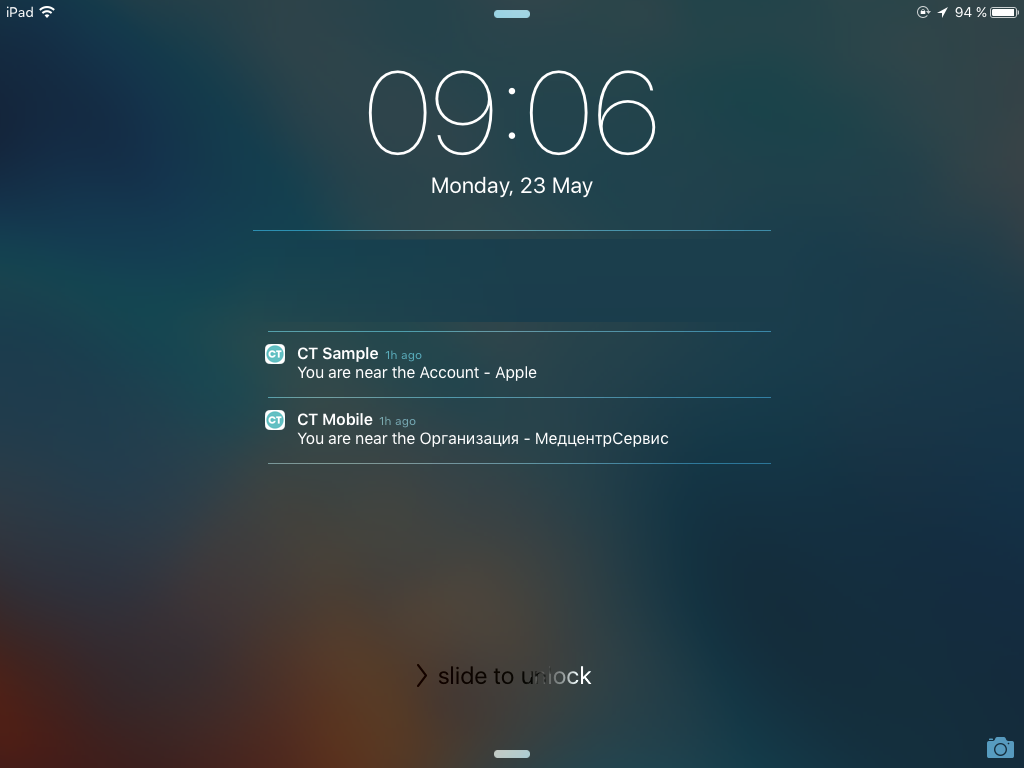
Nearby Accounts Notifications
CT Mobile can notify the users when they are near an account from the database depending on the user’s current geolocation (refer to CT Mobile Control Panel: General / CT Mobile Control Panel 2.0: General). This functionality is implemented based on standard iOS platform features, which allows requesting the user’s current geolocation every 10 minutes.
If the user has changed their geolocation to more than 1 km during a given period, a mobile device sends geolocation data to the CT Mobile app. The application calculates the distance to the nearest accounts. If within a 500 m radius at least one account is detected, a notification will appear.
To receive a push notification:
-
In device settings, allow CT Mobile to access location and send notifications.
Select Always type of geolocation access permission. -
Enable Wi-Fi.
With LTE on select iPad models, install SIM to obtain device geoposition via Wi-Fi + LTE. -
Enable notifications for nearby accounts.
The setup is complete.
To enable nearby accounts notifications:
-
On a mobile device, open the CT Mobile app.
-
Tap Settings on the main menu.
-
In the Additional options section, enable Warn about nearby accounts.
The setup is complete.
The current user will receive a notification about nearby accounts.