Mobile Application Setup
Mobile Application Setup is a hierarchical setup structure where the data related to the target system model and the global settings of the mobile application are stored.
| For easy setup, go to CT Mobile Control Panel: General / CT Mobile Control Panel 2.0: General, CT Mobile Control Panel 2.0: Activities. |
Custom setting API name: clm__ApplicationSetup__c
| Field | API Name | Type | Description | ||
|---|---|---|---|---|---|
Account Full Address Field |
clm__AccountFullAddressAPIField__c |
Text(255) |
The API name of the field on the Account object is used to store the address of the organization, e.g., country, city, building. etc. The value in this field is used in the Maps widget if the value is not set in the clm__AccountGeolocationAPIField__c field or this field is absent. |
||
Account Geolocation Field |
clm__AccountGeolocationAPIField__c |
Text(255) |
The API name of the field with the Location type or the Address type on the Account object is used to store the geolocation of the organization. The value in this field is used to get the location in the Routes and Nearby Accounts modules. |
||
Activity "IsDone" field API name |
clm__ActivityDoneAPI__c |
Text(255) |
The API name of the field on the Activity object is used as an additional attribute showing that the Activity is finished. The field is used when the Start/Finish functionality is enabled.
|
||
Activity "IsLocked" field API name |
clm__ActivityIsLockedAPI__c |
Text(255) |
The API name of the field on the Activity object is used as an additional attribute showing that the Activity is locked for editing. The field is used when both Start/Finish and Lock/Unlock functionalities are enabled.
|
||
Activity Description field API Name |
clm__ActivityDescriptionAPI__c |
Text(255) |
The API name of the field on the Activity object is used to store the description of the activity.
|
||
Activity End Date field API name |
clm__ActivityEndDateAPI__c |
Text(255) |
The API name of the field on the Activity object is used to store the end date of the activity.
|
||
Activity Geolocation field API name |
clm__ActivityGeolocationAPIField__c |
Text(255) |
The API name of the field with the geolocation type on the Activity object.
|
||
Activity Lookup Field API name |
clm__ActivityFieldAPI__c |
Text(255) |
The API name of the field with the lookup type from the Application Stats object to the Activity object.
|
||
Activity Object API Name |
clm__ActivityObjectAPIName__c |
Text(255) |
API-name of the Activity object.
|
||
Activity Start Date API name |
clm__ActivityDateAPI__c |
Text(255) |
The API name of the field on the Activity object used to store the start date of the activity.
|
||
Activity Status field API name |
clm__ActivityStatusAPI__c |
Text(255) |
The API name of the field on the Activity object with the picklist type displays the activity status.
|
||
Allow Web Sharing |
clm__AllowWebSharing__c |
Checkbox |
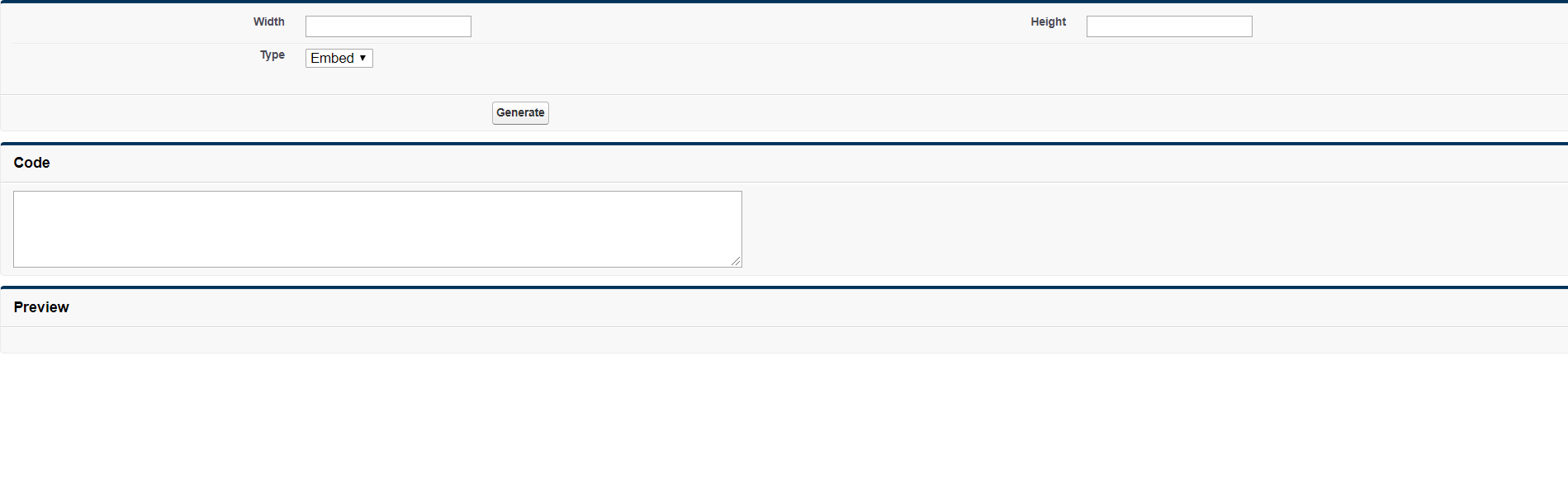
If enabled, add the Web Share button to the CLM presentation record that allows you to embed the CLM presentation on the website page. Click the Web Share button, set up the height and width of the CLM presentation window, and click Generate. Copy and paste the code into the website page markup. Use the arrows to navigate on the slide carousel.
|
||
App Install URL |
clm__AppInstallURL__c |
Text(255) |
The direct link to CT Mobile app in the App Store. |
||
Bing Maps Windows API key |
clm__BingMapsWindowsAPIKey__c |
Text(255) |
Access key to Bing Maps services for CT Mobile Windows users that allows using Bing Maps in the Routes and Nearby Accounts modules and the Maps widget. |
||
Calendar View |
clm__CalendarView__c |
Text(255) |
The default view in the Calendar module. Available values:
|
||
Capture Geoposition |
clm__CaptureGeoposition__c |
Checkbox |
The field is used to capture the position information when the Activity is started and both Start/Finish and Lock/Unlock functionalities are enabled. |
||
CloudToken |
clm__CloudToken__c |
Text(255) |
The CT Mobile services access token. Depending on the CT Mobile package and CT Mobile app version, the cloud token may be stored in the API Key custom setting. |
||
Debug Level |
clm__DebugLevel__c |
Text(255) |
Defines sync logs must be stored Available values:
|
||
Event Duration |
clm__DefaultEventDuration__c |
Number(3, 0) |
Default Activity duration in minutes when created in the Calendar module. |
||
Geo Trace Interval |
clm__GeoTraceInterval__c |
Number(18,0) |
Time interval (in seconds) between capturing the user’s current geolocation in the background. To disable the geotracking functionality, set the 0 value. |
||
Google Maps Android API Key |
clm__GoogleMapsAndroidAPIKey__c |
Text(255) |
Access key to Google Maps services allows CT Mobile Android users to work with Google Maps in the Routes and Nearby Accounts modules and the Maps widget. |
||
Google Maps iOS API Key |
clm__GoogleMapsAPIKey__c |
Text(255) |
Access key to Google Maps services allows CT Mobile iOS users to work with Google Maps in the Routes and Nearby Accounts modules and the Maps widget. |
||
Google Maps Javascript API Key |
clm__GoogleMapsJSKey__c |
Text(255) |
Access key to Google Maps services allows users to work with Google Maps in the Geolocation center. |
||
Image Quality |
clm__ImageQuality__c |
Number(3,0) |
Image compression functionality (CT Mobile Control Panel: General / CT Mobile Control Panel 2.0: General). The attached images and taken photos may be compressed to reduce the amount of data. |
||
Lock/Unlock Record |
clm__EnableLockUnlock__c |
Checkbox |
Lock Activities for editing after finishing and unlock for editing when starting and when both Start/Finish and Lock/Unlock functionalities are enabled. |
||
Metadata Last Modified Date |
clm__MetadataLastModifiedDate__c |
Date/Time |
The date of the last metadata change is used as a criterion for running mixed synchronization and loading metadata changes. |
||
Passcode Enabled |
clm__IsPasscodeEnabled__c |
Checkbox |
If enabled, the PIN code is required to access the CT Mobile app. |
||
Person Account Enabled |
clm__IsPersonAccountsEnabled__c |
Checkbox |
If enabled, Person Accounts are used in the CT Mobile app. |
||
Product lookup field API name |
clm__ProductFieldAPI__c |
Text(255) |
The API name of the field with the lookup type from the Application object to the Product object. |
||
Product Object API Name |
clm__ProductObjectAPIName__c |
Text(255) |
The API name of the Product object. |
||
PUSH Identifier |
clm__PUSHHUBName__c |
Text(255) |
Push notifications identifier. |
||
Reference Object API Name |
clm__ReferenceObjectAPIName__c |
Text(255) |
The API name of the Reference object. |
||
Show week switch |
clm__IsWeekSwitchShowed__c |
Checkbox |
|
||
Start/Finish Functionality |
clm__EnableStartFinish__c |
Checkbox |
Enable the Start/Finish functionality. |
||
Support Email |
clm__SupportEmail__c |
The support email is used to send the data dump and screenshots of sync errors. |
|||
Theme |
clm__Theme__c |
Text(255) |
The color code in the RGB color model of the application theme. |
||
Unfinished Activity Allowed |
clm__IsUnfinishedActivityAllowed__c |
Checkbox |
If enabled along with the Start/Finish functionality, mobile users can leave the started Activity record to work with other CT Mobile app functionalities. |
||
Update Start/End Date Fields |
clm__UpdateDateFields__c |
Checkbox |
Refresh the current values of the start and end date at the activity opening/closing and when the Start/Finish functionality is enabled. |
||
Visible Hour Range |
clm__VisibleHourRange__c |
Text(255) |
The hour range is displayed in the Day and Week calendar view in the Calendar module. |
||
Week Format |
clm__WeekFormat__c |
Text(255) |
The week format: first day of the week, first working day, last working day in the two lowercase letters format, e.g., mo,tu,fr. |
CLM Presentations Display Mode
It is possible to switch modes of interactive content display. The selected mode of interactive content display is employed on all CLM presentations in the system.
To activate and configure this specific functionality, which may not be available throughout all the systems, create the RenderingEngine__c field with the text type and populate it with a value. This parameter is needed in case the system contains complex CLM presentations using Аngular and other JS frameworks, where there are difficulties with the display of connected templates and parts of the HTML code.
| Field | API Name | Type | Description | ||
|---|---|---|---|---|---|
Rendering Engine |
RenderingEngine__c |
Text(255) |
Available values:
|