CT Mobile Control Panel 2.0: Colors
The Color Settings tab is intended to set up colors for the records of an offline object according to the criterion.
According to the selected profile, settings on this tab will be saved in the corresponding fields of the Mobile Customization record.
Color settings are grouped into categories according to the offline object. Each offline object can have only one coloring criterion.
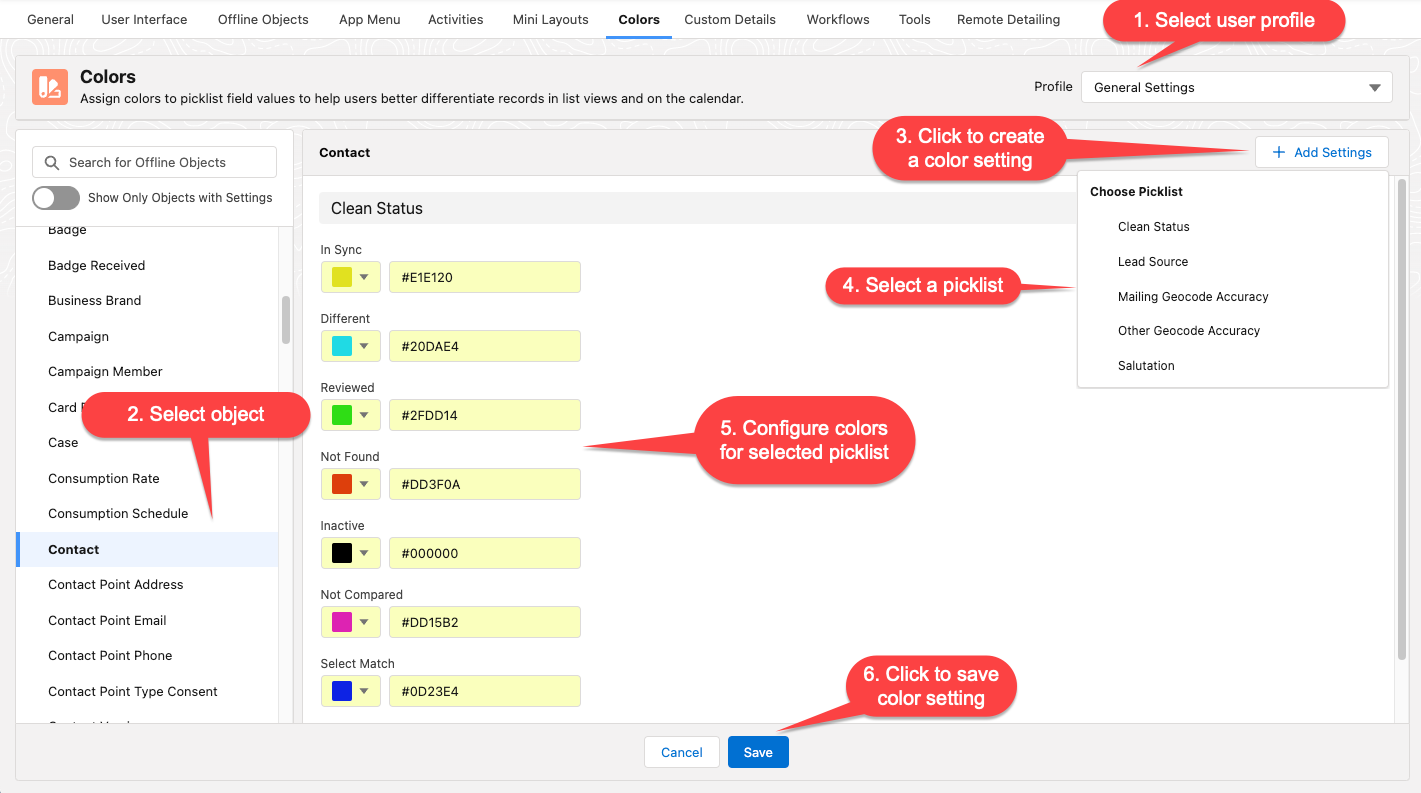
Create a Color Setting
To create a color setting:
-
Go to CT Mobile Control Panel: Colors.
-
Select user profile.
-
On the left list, select an object. Toggle Show Objects with Settings if needed.
-
Click Add Settings.
-
Select a criterion from the list. Only fields with the Picklist type of the selected offline object can be used as the criterion.
-
Select the colors for each record type or type in the color code.
-
Click Save.
See also: