Creating a Widget
The Widget is a separate editable element of the template. Widgets are inserted in placeholders that are specified on the template. The following types of widgets are currently supported:
-
Rich Text
For changes to the HTML layout, text blocks places and images.
-
Slider
An interactive customizable widget that can aggregate numerical values.
-
Chart
An interactive diagram widget.
-
Sortable
An interactive sorting widget.
-
Video
A widget for inserting a video into a slide.
YouTube video is currently supported. The video is downloaded to the iPad and it is available in offline mode.
To create a new widget:
-
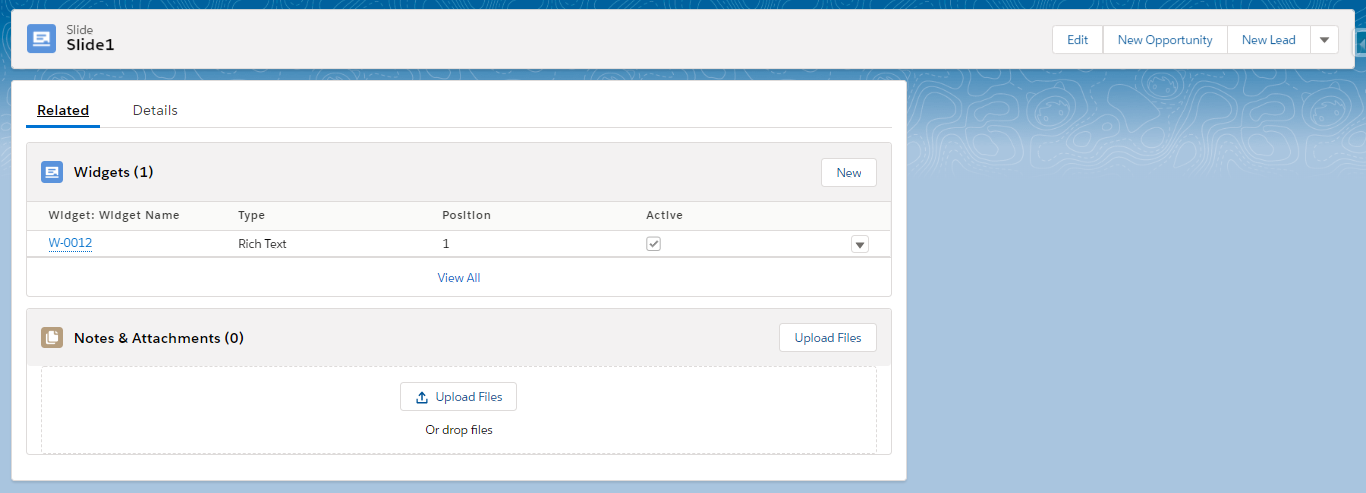
Go to Applications and select a CLM presentation.
-
In the Slides section, click the slide name.
-
Go to the Related tab.
-
In the Widgets section, click New.
-
Fill out the necessary fields.
The full description of widget attributes is available here. 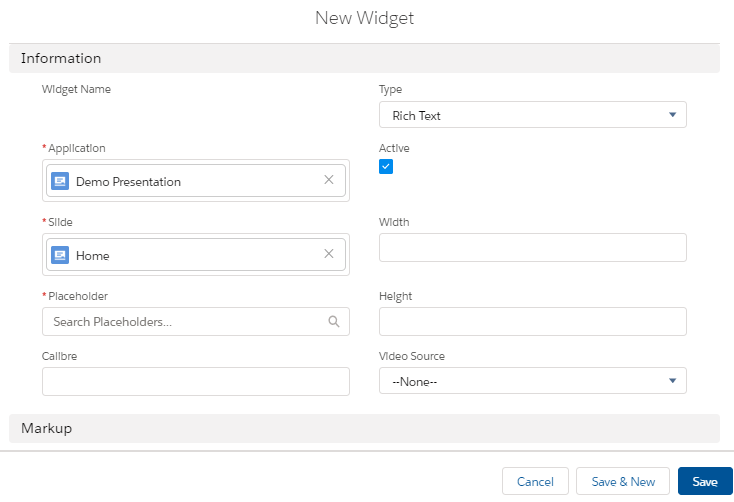
-
Click Save or Save & New to create another widget.
The widget is created.