CT Mobile Control Panel: App Menu
The App Menu tab is intended to set up menu items and their order in the main menu.
Click to view the interface
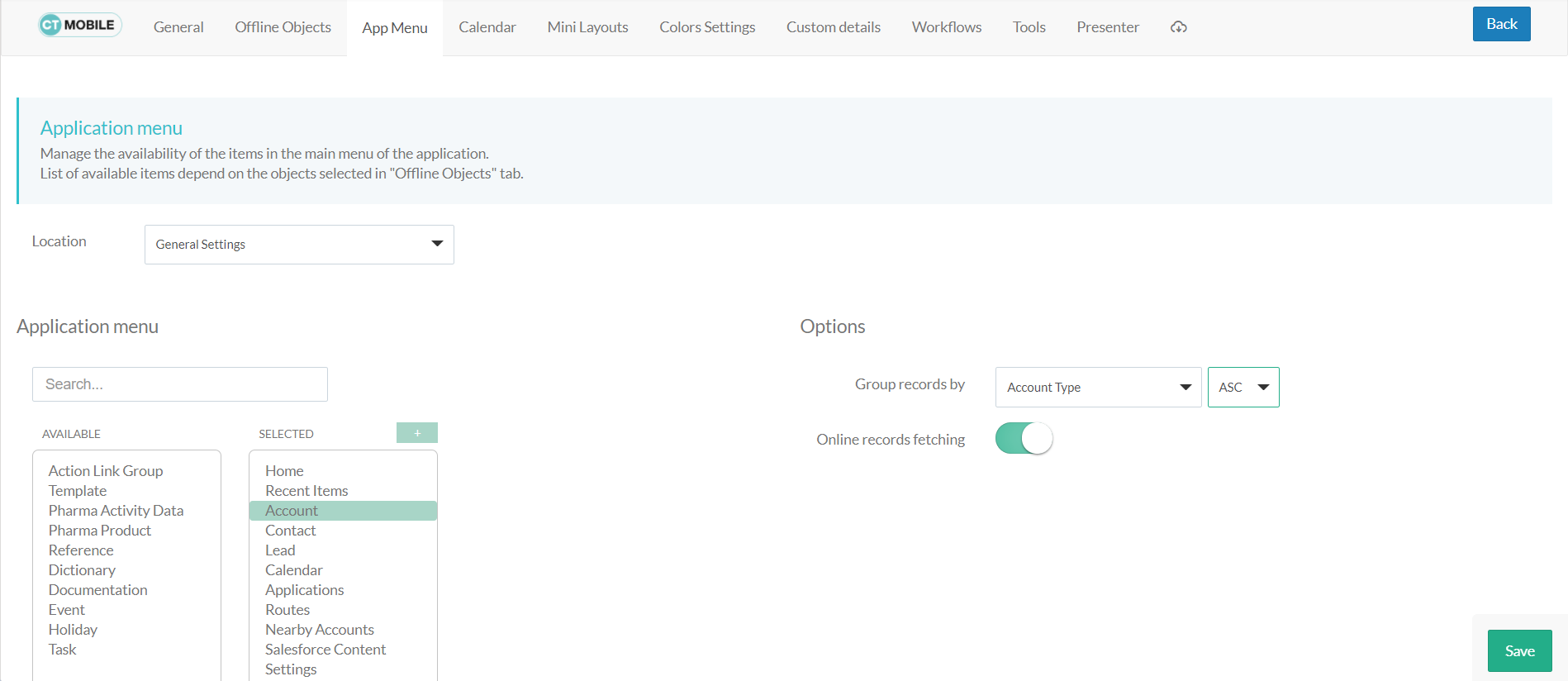
Location
Location is a picklist containing all configured and unconfigured profiles available in your Salesforce org. To apply settings to all the profiles, select General Settings.
To get started, select the desired profile in the Location field to configure it. To delete the configuration for the selected profile, click the  icon.
icon.
Application Menu
In the Search box, find the object that should be added to the main menu.
-
Use the Advanced List option to display all available objects in the Available list.
-
Click the object name in the Selected list to set up options for the object.
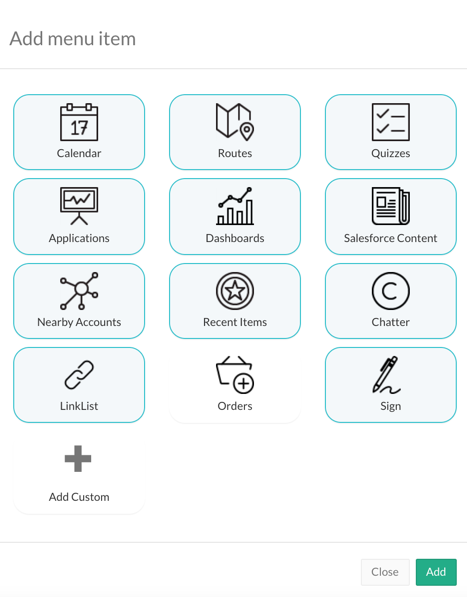
Add menu item
Click  to view the icons of the modules that can be added to the CT Mobile app.
| The modules' availability depends on the device platform. |
Hover the cursor over a module to see its short description.
-
Click the icon to select the module and click Add.
-
Rearrange the menu items in the Selected list in the desired order.
Options
According to the selected menu item in the Selected list, the available options are displayed on the right:
-
For the Home screen, enable the Customizable Home screen option. Add, size, and arrange widgets.
-
For the Routes module, specify the ascending or descending order of records.