Creating a Placeholder
A Placeholder is an HTML layout field that indicates a place for interactive widget content storage. It is possible to set up the type of supported widgets in the placeholder.
To create a new placeholder:
-
Go to Applications and select a CLM presentation.
-
In the Templates section, click the template name.
-
Go to the Related tab.
-
In the Placeholders section, click New.
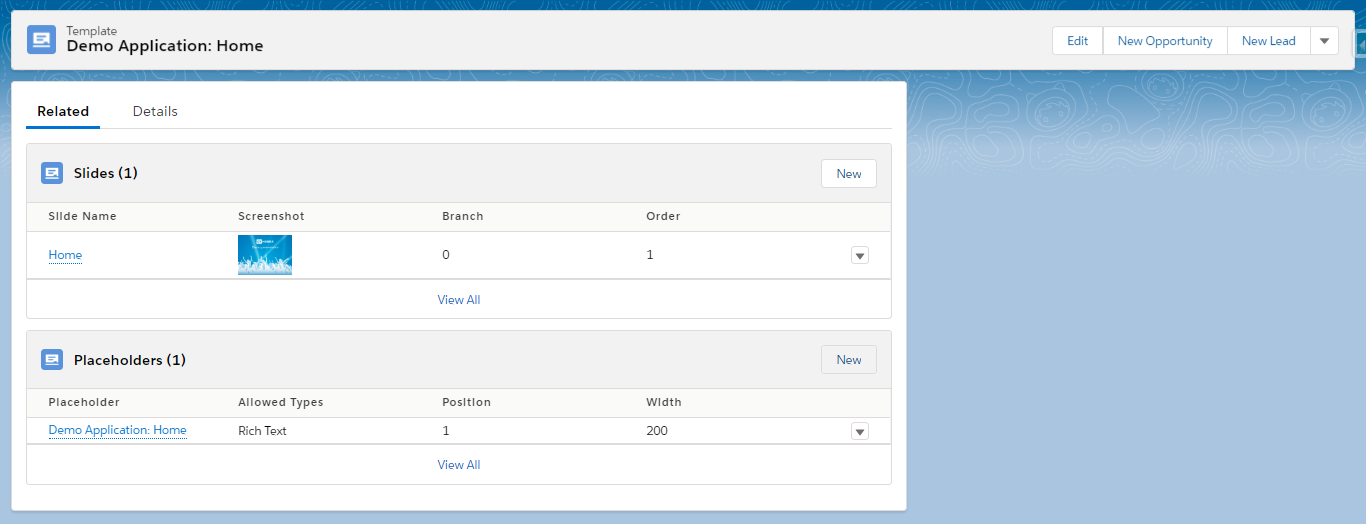
-
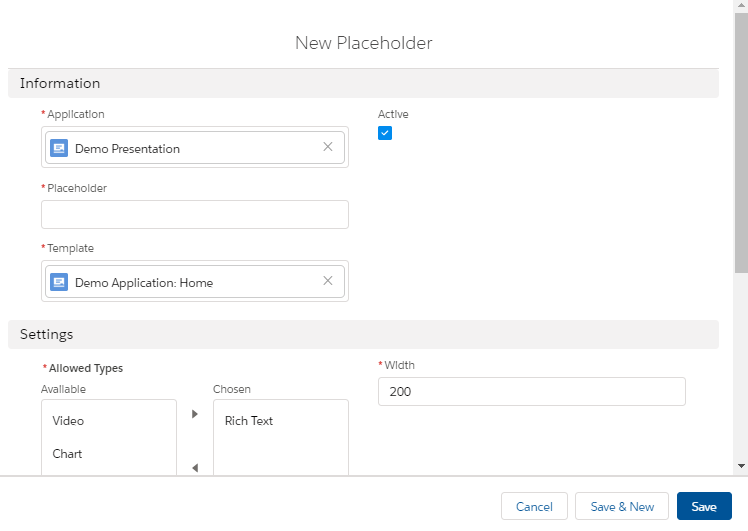
Fill out the necessary fields.
The full description of placeholder attributes is available here. -
The placeholder name should include the CLM presentation name, e.g., e-Detailing2: Test Template, where e-Detailing2 is the name of the CLM presentation.
-
The placeholder position number is a required parameter.
On the template markup, placeholders are marked as {!POSITION_n}, where n is a position number. A widget that is associated with this placeholder and that has the corresponding position number in {!POSITION_n} will be added to the slide layout by the Renew Slides button on the CLM presentation page.
-
Specify a type of placeholder.
-
-
Click Save or Save & New to create another placeholder.
The placeholder is created.