Chatter
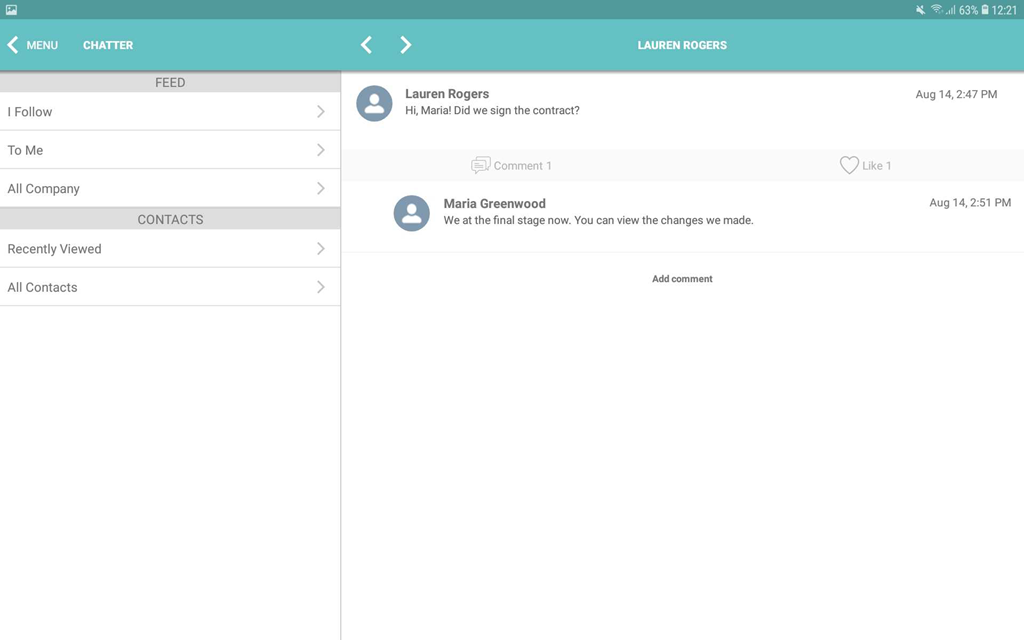
The Chatter module displays users' messages. Users can create posts and comments and add attachments. You can add Chatter to the mobile layout.
Adding Chatter to the Menu
To add the Chatter module to the app menu:
-
Go to CT Mobile Control Panel: App Menu tab.
-
Select the required profile in the Location picklist.
General Settings will be applied to all the profiles without individual settings. -
Click the
 button to open the Add menu item tool.
 -
Select the Chatter item.
-
Click Add to close the Add menu item tool.
-
Click Save.
The setup is complete.
-
The following Chatter feeds are available by default.
-
What I follow
All posts and comments of the feeds the current user is subscribed to all posts and comments by the current user, and all posts and comments from the groups the current user created or participate.
-
To Me
All posts and comments on the current user wall, all comments for the current user posts.
-
All Company
All company group posts and comments, even if the current user is not a group member.
-
-
Create a new private or public group in Salesforce, perform the full synchronization, and track the group posts and comments in the mobile app.
-
To update a feed, pull down the chatter screen. The records (text posts, link posts, and content posts), comments, and likes will be synchronized.
-
Tap Add comment under the post to comment.