Creating CLM Presentation from PDF
The Application Editor allows the creation of CLM presentations from PDF files.
-
The size of a PDF file may not exceed 25 MB.
The maximum size of a .pdf or .ppt(x) file is increased up to 75 MB. -
The physical size:
-
width: 13.65 in (34.67 cm);
-
height: 10.24 in (26.00 cm).
-
-
Do not insert any fields or forms in PDF files.
-
If a PDF file contains any interactive elements, such as videos, gifs, and links, they will not be available in the converted CLM presentation.
To convert a PDF file into a CLM presentation:
-
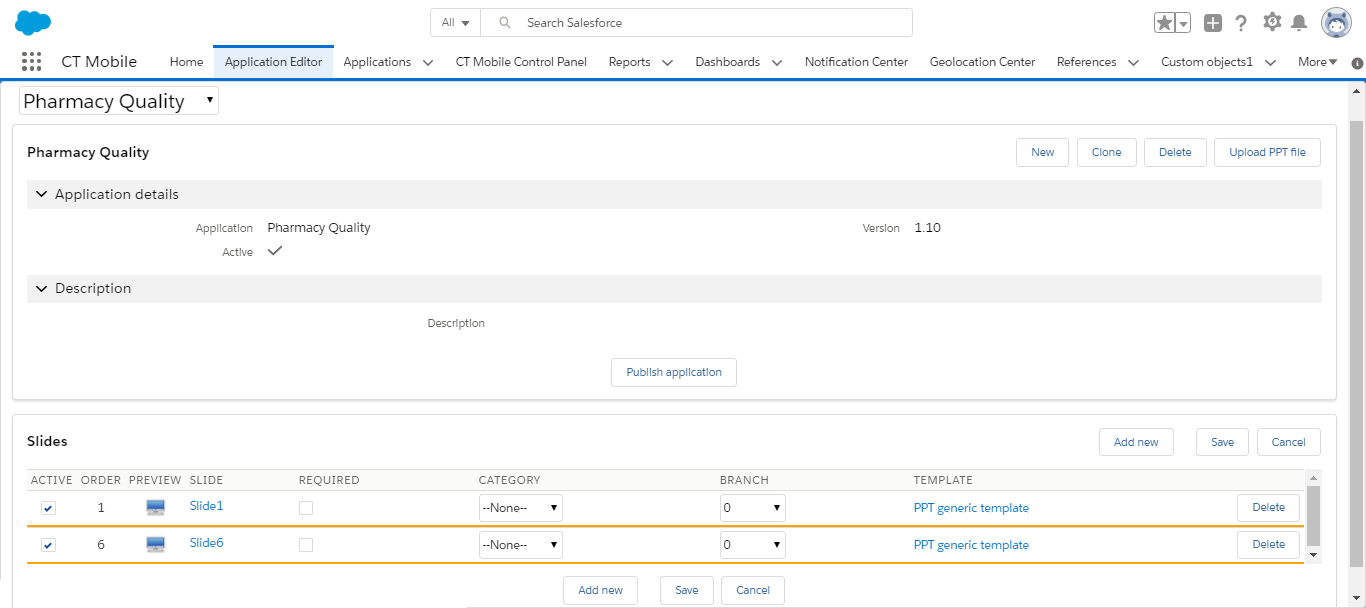
Go to Application Editor.
-
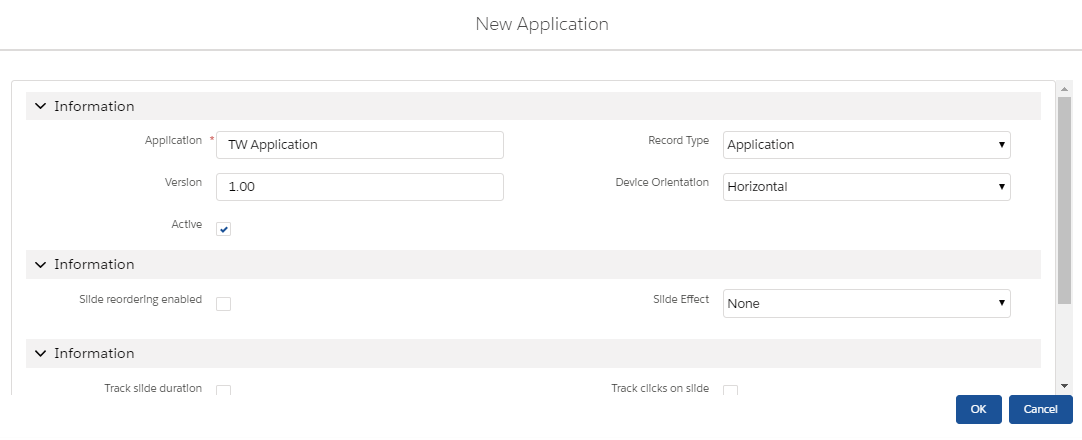
Select a CLM presentation from the picklist in the upper left corner, click New to create a new CLM presentation, or click Clone to add a new CLM presentation identical to the selected one.
For example, enter the name of a CLM presentation, define additional settings, and click OK in the case of a new CLM presentation.
-
Click the Upload PPT file button.
-
Select the desired file.
Select the Replace existing slide button if you want to replace existing slides in the CLM presentation with slides from the file which is being uploaded. -
Click OK.
The CLM presentation is ready. Select Active, configure slides, and click the Publish application button. Perform fast or mixed synchronization on the mobile device to download the CLM presentation.