CT Mobile Control Panel: Calendar
The Calendar tab is intended to enable planning activities, manage Activity objects, and specify the view of the Calendar module.
| According to the selected profile, settings on this tab will be saved in the corresponding fields of the Mobile Application Setup record. |
Click to view the interface
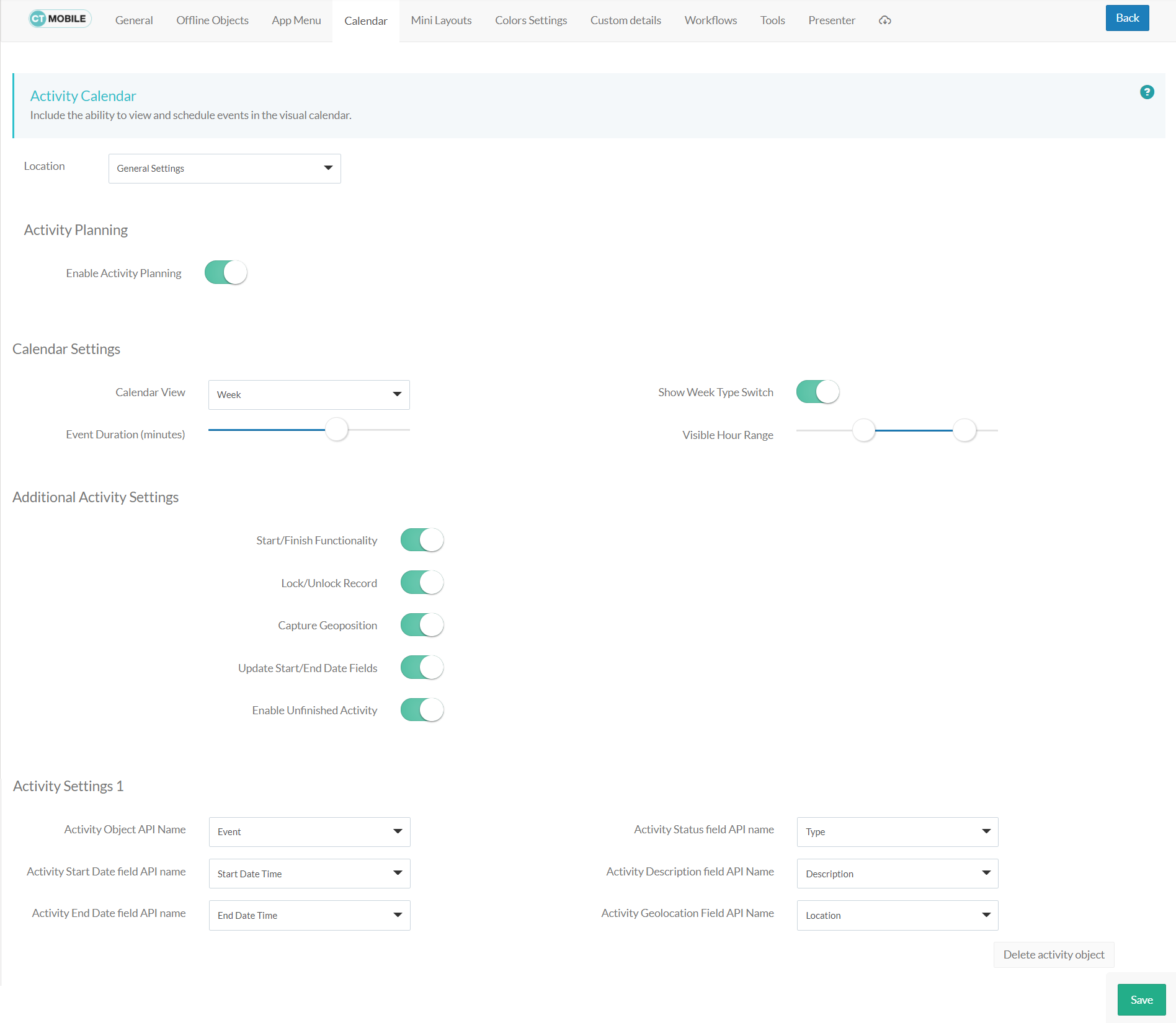
Location
Location is a picklist containing all configured and unconfigured profiles available in your Salesforce org. To apply settings to all the profiles, select General Settings.
To get started, select the desired profile in the Location field to configure it. To delete the configuration for the selected profile, click the  icon.
icon.
Activity Planning
If enabled, a user can create and manage activities in the Calendar, Nearby Accounts, and Routes modules.
Calendar Settings
Specify the view of the Calendar module.
Calendar View
From the Calendar View picklist, select the default calendar view. The available options:
-
Month
-
Week
-
Day
Event Duration (minutes)
Use the slider to specify the default duration in minutes for scheduled activities. Hover over the slider to see the value:
-
5 minutes: the leftmost position, the minimum default duration.
-
1 hour: the rightmost position, the maximum default duration.
Show Week Type Switch
If enabled, mobile users can use the toggle to display or hide weekends on the calendar grid.
Visible Hour Range
Use the slider to customize visible working hours. Hover over the slider to see the default visible hour range in the following format 8:20, where 8 is the earliest hour to show and 20 is the latest hour to show on the calendar grid.
-
0 hour: the leftmost position.
-
24 hours: the rightmost position.