Start/Finish Functionality
Enable the Start/Finish functionality to add the Start and Finish buttons to the Activity details screen.
Enable the Start/Finish Functionality
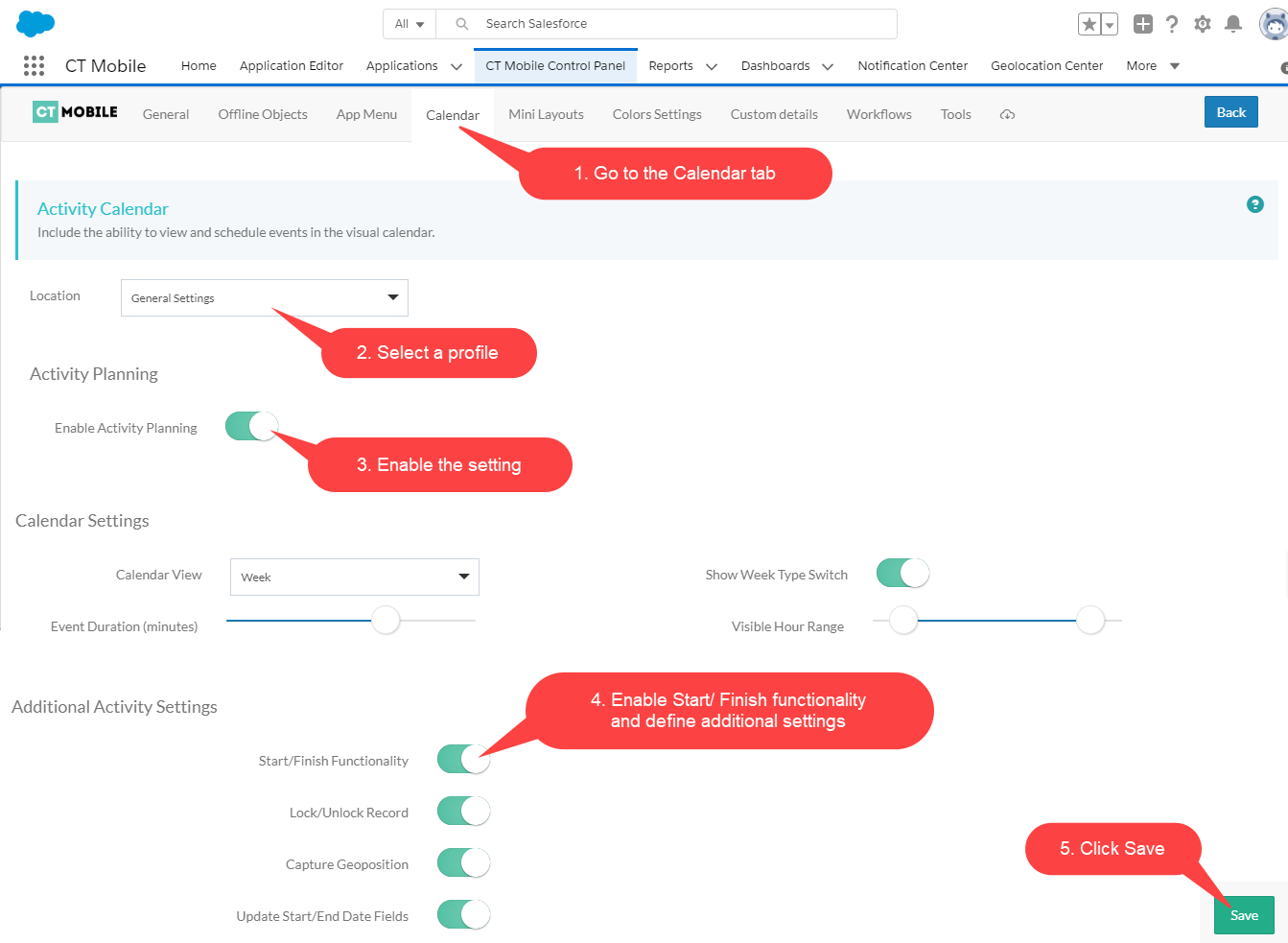
To enable the Start/Finish functionality:
-
Select the required profile in the Location picklist.
General Settings will be applied to all the profiles without individual settings. -
Turn on the Enable Activity Planning.
-
Enable the Start/Finish Functionality. Select required options:
-
Lock/Unlock Record
If enabled, the Activity record will be available for editing only after tapping Start. When a mobile user taps Finish, the Activity becomes uneditable.
-
Capture Geoposition
If enabled, when a mobile user taps the Start button, the current geolocation will be written in the Activity Geolocation Field API Name field.
Not applicable. -
Update Start/End Date Fields
If enabled, when a mobile user taps the Start or Finish buttons, the Activity Start Date field and Activity End Date field will be updated.
-
-
Click Save.
Now the Start and Finish buttons are added to the Activity record screen.