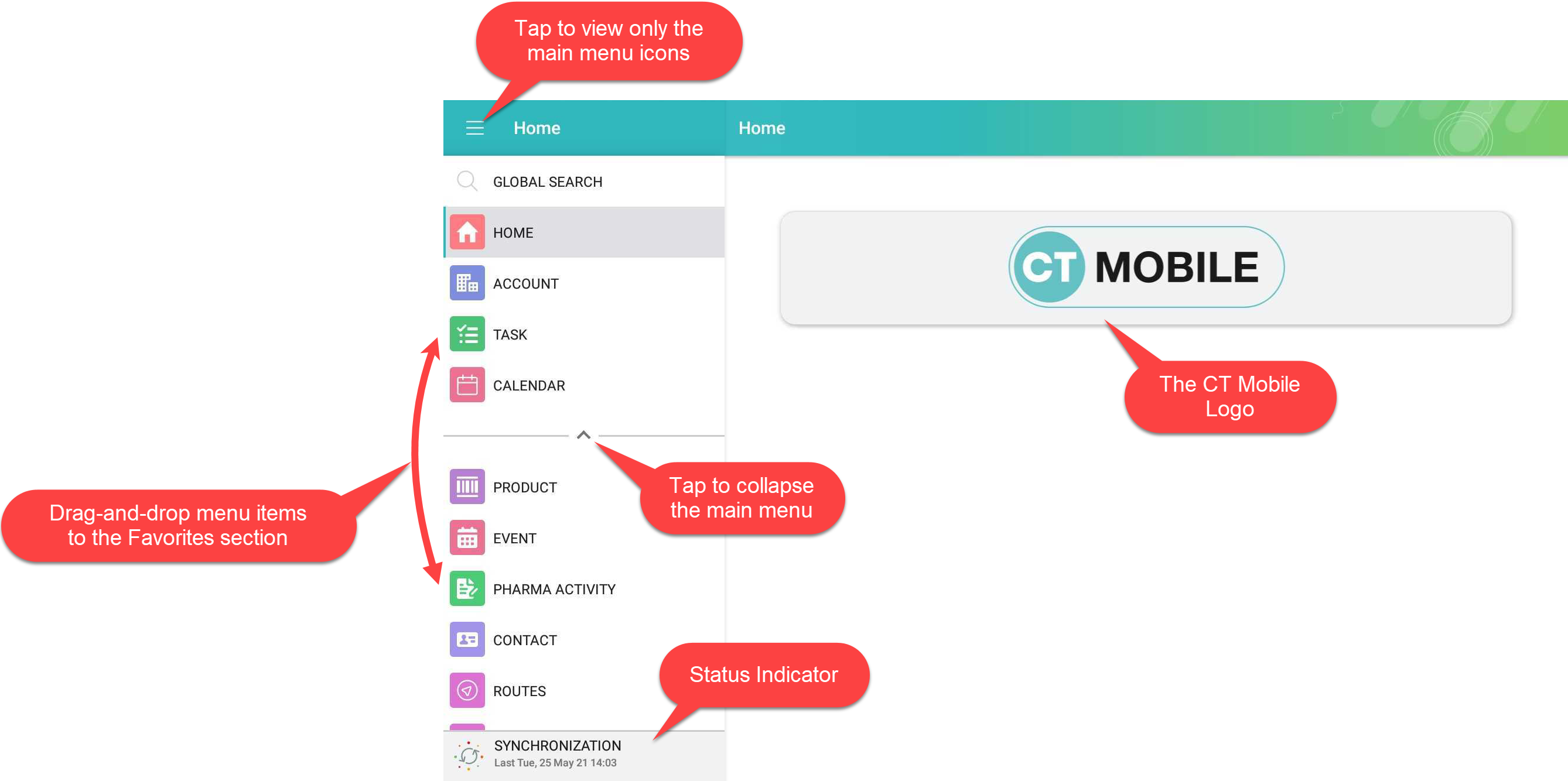
Home Screen
The Home Screen is the starting page of the CT Mobile app.
-
Specify a logo per profile. Select a profile on the CT Mobile Control Panel: General tab and add a new logo.
-
Customize the application theme.
-
Use the global search bar to search records which object added to the main menu.
For more information, please refer to Search. -
Tap the burger icon to minimize the main menu up to menu icons.
-
Specify menu items and their order in the main menu.
-
Add menu items to the Favorites section. Long tap the menu item and drag-and-drop it above the line.
-
Tap the arrow to collapse the main menu to display only favorite items.
-
-
The Status Indicator displays the date of the last successful synchronization. Tap the icon to start the fast sync.
For more information, go to Synchronization Launch.