Nearby Accounts
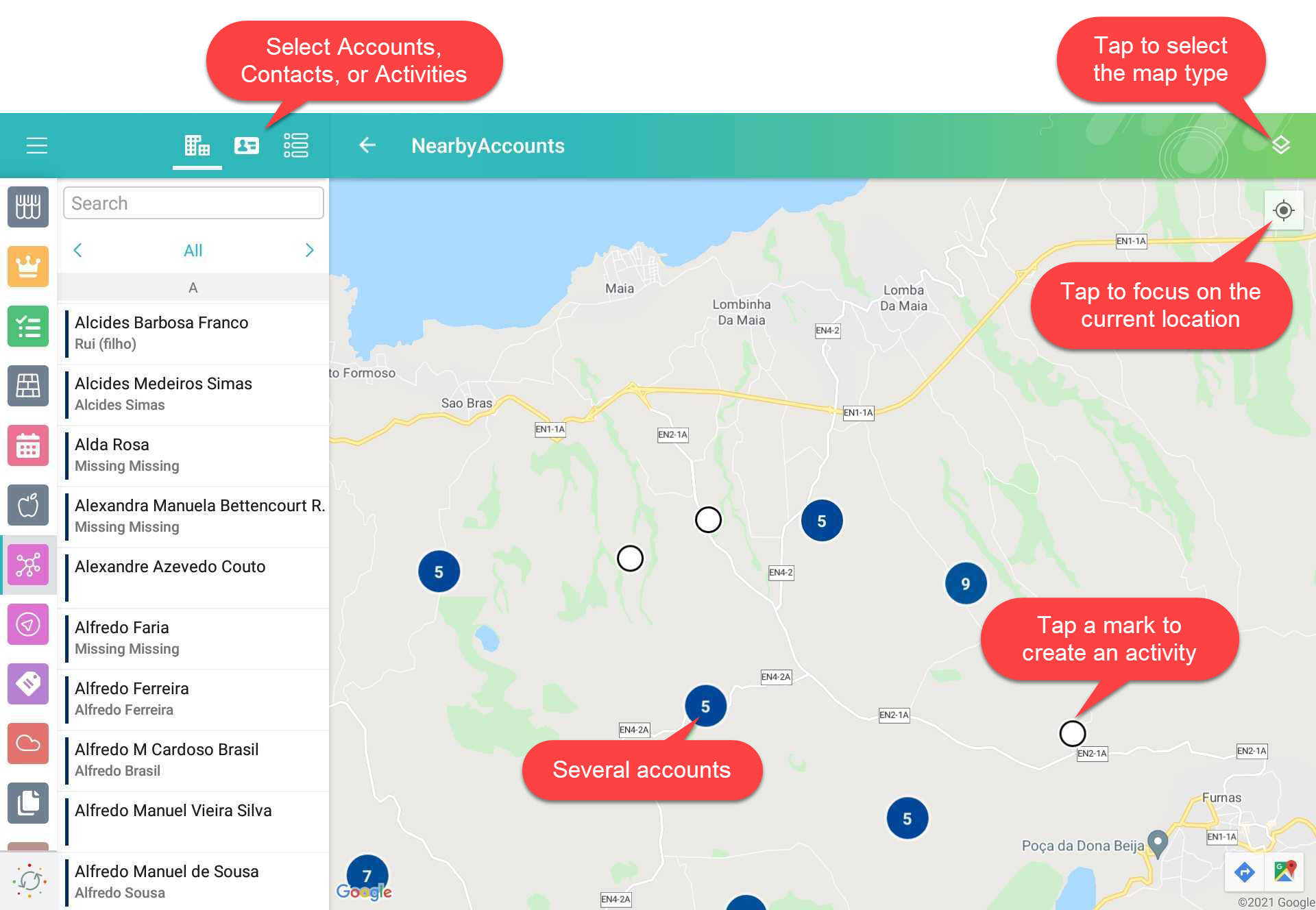
The Nearby Accounts module allows you to observe the nearest accounts on the map.
-
You can view the contacts and activities related to an account, and create activities.
-
By default, records are grouped by the start date in decreasing order. You can select the appropriate list view.
Requirements
Add the Nearby Accounts module to the app menu.
-
To use Google Maps, specify the Google Maps API key on the CT Mobile Control Panel: General tab.
-
A field to store an address for the Account object should be specified on the CT Mobile Control Panel: General tab.
-
An Activity object should be specified on CT Mobile Control Panel: Calendar tab. Create a field with the Lookup type from the Activity object to the Account object.
Adding Nearby Accounts to the Menu
To add the Nearby Accounts module to the app menu:
-
Select the required profile in the Location picklist.
General Settings will be applied to all the profiles without individual settings. -
Click the
 button to open the Add menu item tool.
 -
Select the Nearby Accounts item.
-
Click Add to close the Add menu item tool.
-
Click Save.
The setup is complete.
Working with Nearby Accounts
Left Menu
List of Accounts, Contacts, or Activity records with the specified geolocation. By default, records are grouped by the start date in decreasing order. You can select the appropriate list view.
| To view related contacts, specify the API name of the required object on the CT Mobile Control Panel: General tab and add this object to offline objects. There should be a field with the Lookup type from the specified Contact object to the Account object. |
Main Screen
Based or not on the current location, view the location of the selected record on the map.
Available Options
-
Tap Nearby Accounts in the main menu to open a map centered on your current location (if enabled in the device settings).
-
Tap a record in the left menu to open a record and center the map around the selected record.
-
The record details from the compact layout will be displayed at the top of the mark.
-
The alert will be shown if you tap an activity without specified geolocation.
-
-
Tap on the map marker to open a list of related records. Tap
 to create an activity.