Dialog Tabs: Settings
|
The described functionality is delivered as a snippet and is out of the standard CT Mobile solution. Please consult with your Customertimes team regarding the implementation of the functionality stated below. |
Dialog Tabs Settings Detail
Information
| Field | Description | Comments | Field | Description |
|---|---|---|---|---|
Label |
Label of the Dialog Tab setting. |
Dialog Layout |
The label of the Dialog Layout setting that the tab is related to. |
|
Dialog Tabs Settings Name |
API name of the Dialog Tab setting. |
Protected Component |
||
Tab Template |
The label of a template. The template defines how the components should be placed in the tab. |
The most used templates are:
|
Namespace Prefix |
Tab Settings
| Field | Description | Comments | Field | Description | ||
|---|---|---|---|---|---|---|
Tab Label |
Label of the Dialog Tab setting that is displayed in the header of the tab. |
Custom labels can be used for multilanguage projects. |
Display Type |
|
||
Tab Order |
The order number of the tab in the Dialog Layout. The order number is also displayed in the header of the Tab. |
Current Status |
The status that is associated with the current visit step. |
|||
Content Workspace Name |
|
Permissions
| Field | Description | ||
|---|---|---|---|
Image Recognition Allowed |
If selected, the Image Recognition button will be added to the tab and allows the Image Recognition feature. |
||
Photo Allowed |
If selected, the Photo button will be added to the tab and allows a user to take a photo. |
||
Action Plan Recalculation |
|
PDF Settings
| Field | Description | Field | Description | ||
|---|---|---|---|---|---|
Generate PDF Button |
If selected, the Generate PDF button will be added to the tab. |
PDF Button Label |
|
||
PDF Parent Object |
API name of the object to attach PDF file. |
Document Template API Name |
API name of the template that is used to generate PDF on the tab. |
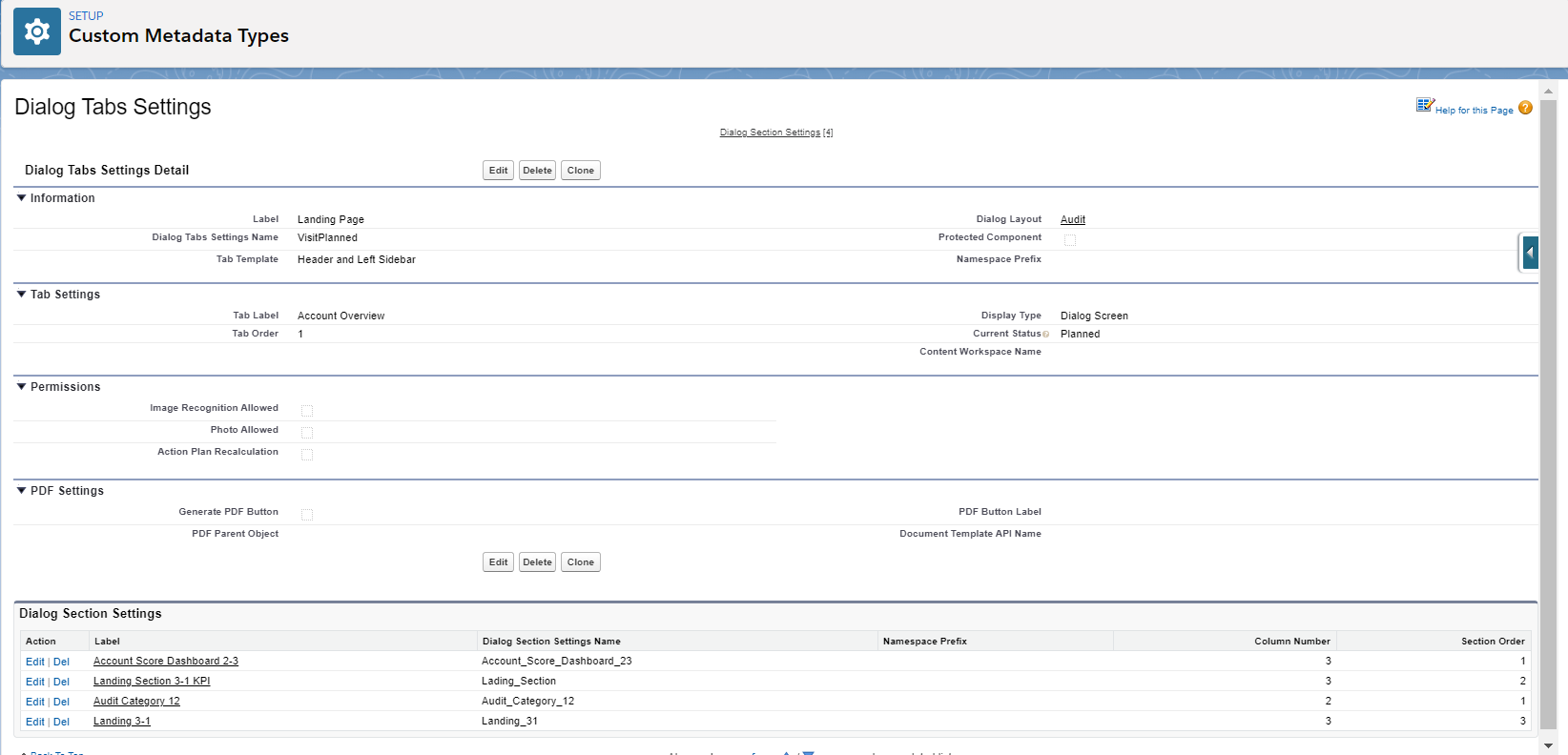
Dialog Section Settings
Each tab can contain different sections.
-
Each section is defined in the separate Dialog Section record.
-
The requirements and the settings for each format of the sections are described in the Dialog Section: Settings chapter.