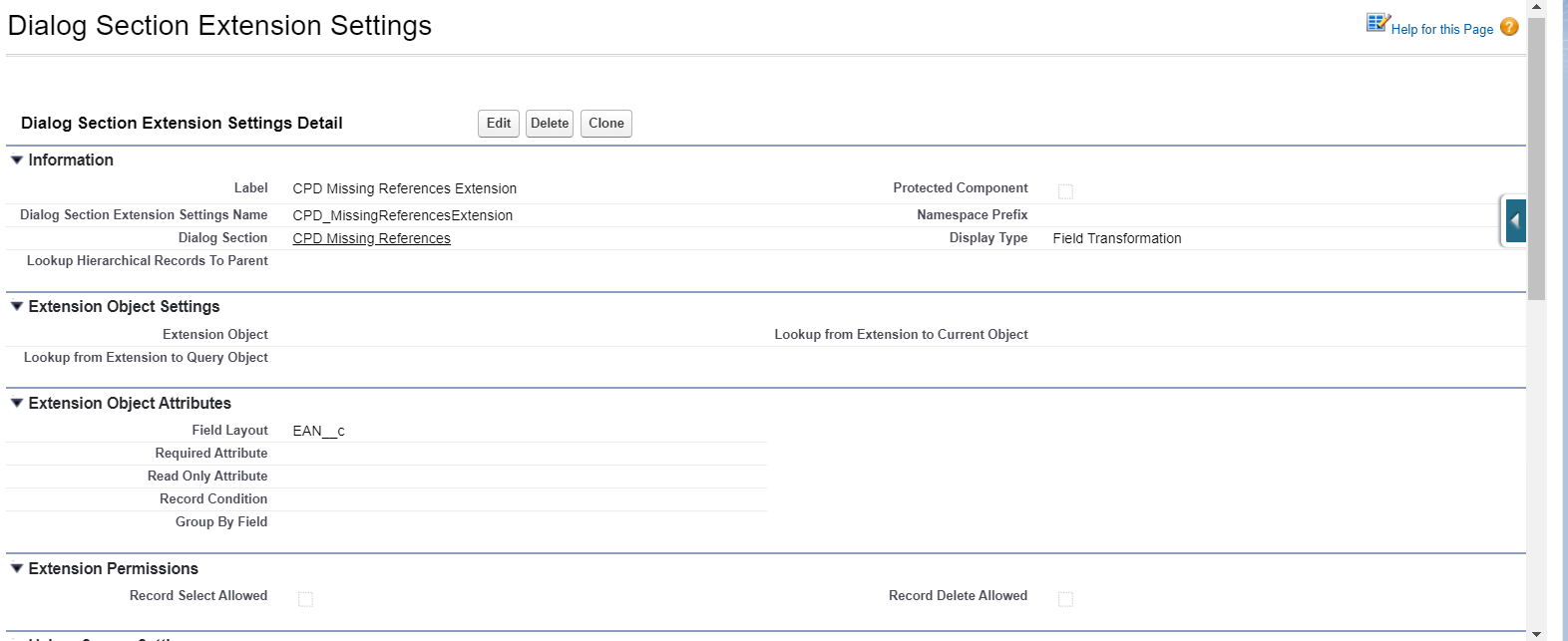
3 Display Type: Field Transformation
|
The described functionality is delivered as a snippet and is out of the standard CT Mobile solution. Please consult with your Customertimes team regarding the implementation of the functionality stated below. |
This extension allows transforming fields to an image, barcode, or PDF.
Dialog Section Settings Detail
Information
| Field | Description | Comments |
|---|---|---|
Label |
Label of the Dialog Section Extension setting. |
|
Dialog Section Extension Settings Name |
API name of the Dialog Section Extension setting. |
|
Dialog Section |
The label of the Dialog Section setting that the Dialog Section extension is related to. |
|
Display Type |
The display type to define the format of the Dialog Section extension. |
Field Transformation in the example below. |
Height Value |
Extension Object Attributes
| Field | Description | Comments |
|---|---|---|
Field Layout |
The API names of the fields (columns) that must be displayed. |
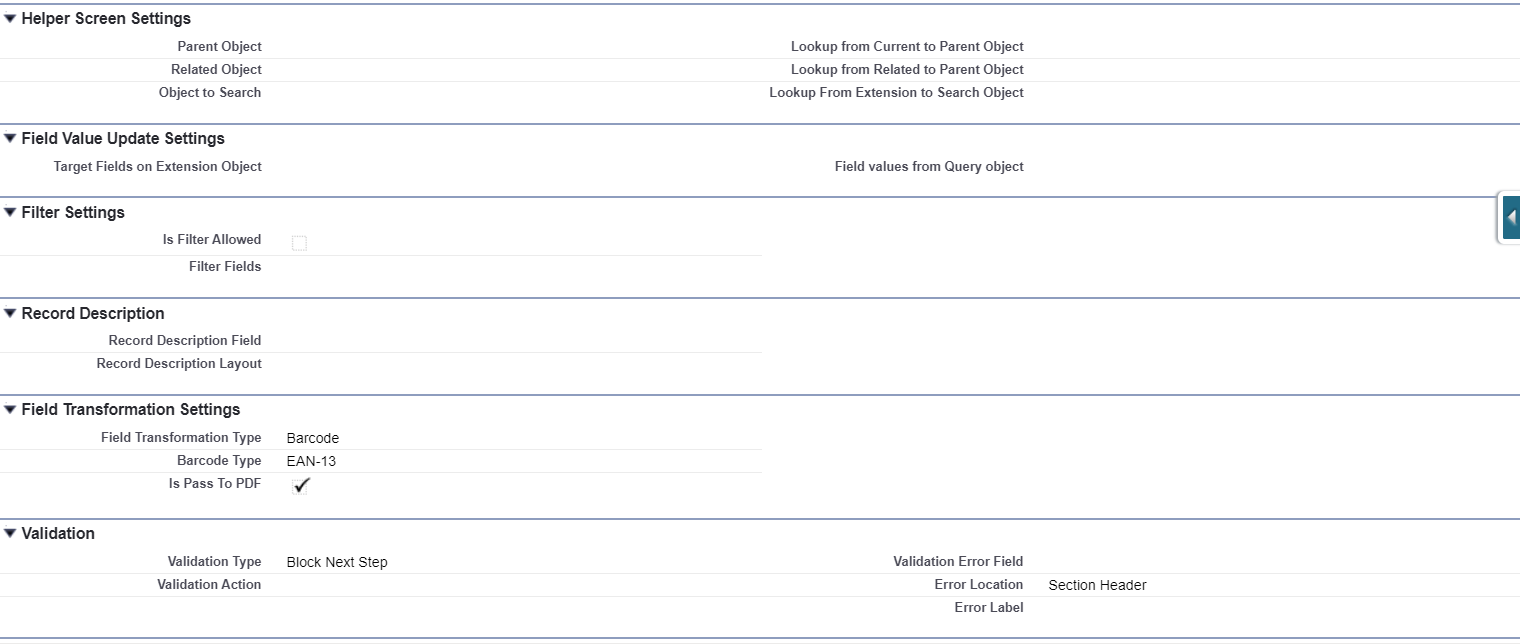
Field Transformation Settings
The Image Transformation functionality that works with Salesforce library. The steps are:
-
The object has a field with the Text type that contains the name of the file.
-
The custom CT Mobile app transforms the field into the Image.
-
If the image file is not found or the library is unavailable, the CT Mobile will show the special icon instead of the image. This icon should be stored in the custom CT Mobile app.
-
| PDF Transformation also works with SalesForce Library. |
| Field | Description | Comments | ||
|---|---|---|---|---|
Field Transformation Type |
The type of the transformation. |
Available values:
|
||
Barcode Type |
The Barcode type, which will be used to transform the field.
|
This field is used if the Barcode should be on the section. |
||
Pass To PDF |
If selected, the Barcode has to have proceeded to PDF. |
|
||
Barcode Transformation Field |
When a field must be transformed into a barcode. |
This field is used when List View Screen is selected as the Display Type. |
||
Image Transformation Field |
When a field must be transformed into an image. |
This field is used when List View Screen is selected as the Display Type. |
||
PDF Transformation Field |
When a field must be transformed to PDF on the layout. |
Very specific case. |