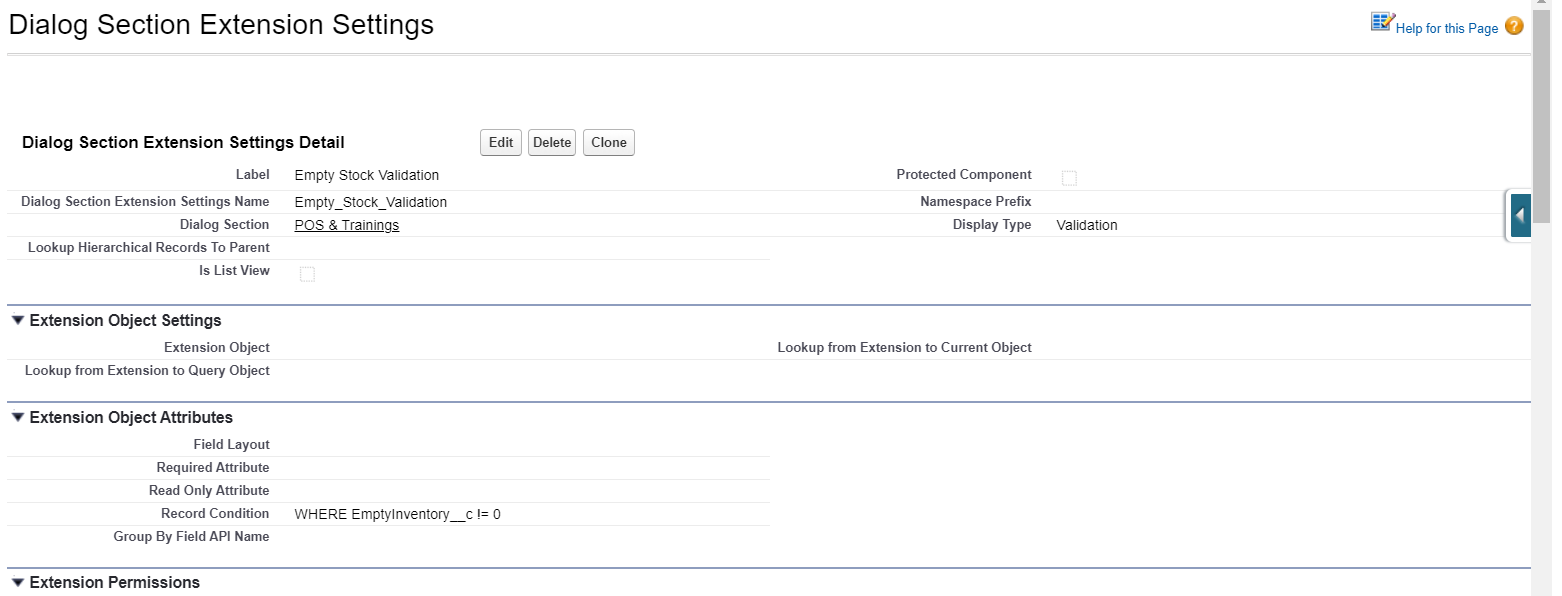
6 Display Type: Validation
|
The described functionality is delivered as a snippet and is out of the standard CT Mobile solution. Please consult with your Customertimes team regarding the implementation of the functionality stated below. |
Dialog Section Settings Detail
Information
| Field | Description | Comments |
|---|---|---|
Label |
Label of the Dialog Section Extension setting. |
|
Dialog Section Extension Settings Name |
API name of the Dialog Section Extension setting. |
|
Dialog Section |
The label of the Dialog Section setting that the Dialog Section extension is related to. |
|
Display Type |
The display type to define the format of the Dialog Section extension. |
Validation in the example below. |
Extension Object Attributes
| Field | Description | Comments |
|---|---|---|
Record Condition |
The condition, which is checked by validation. |
The condition is set when Validation is specified as Display Format. |
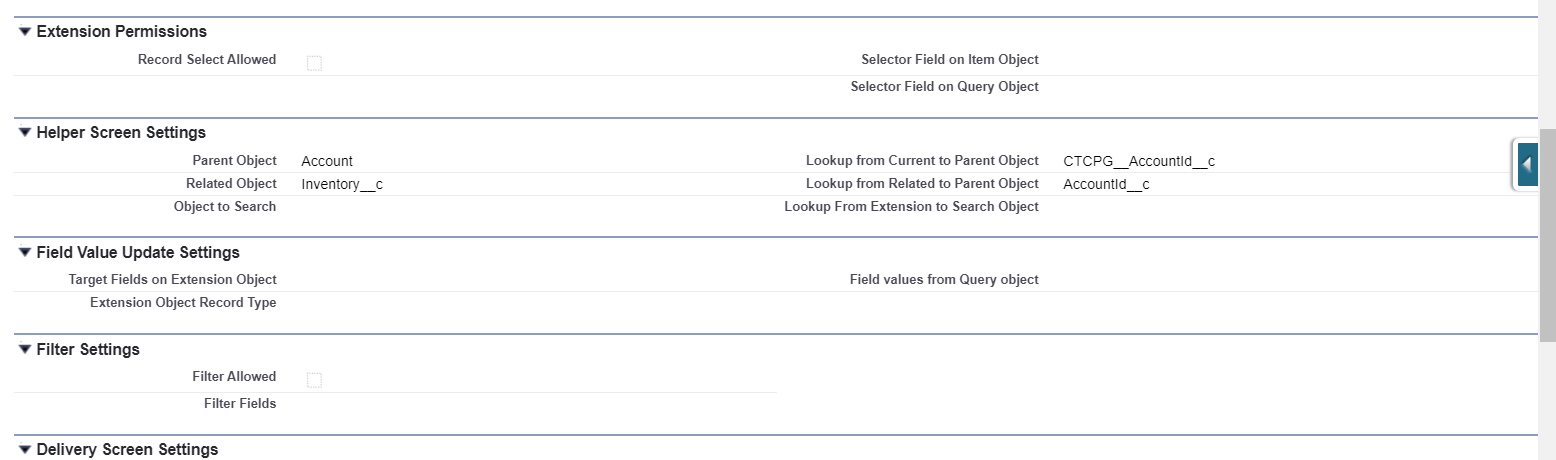
Helper Screen Settings
Use these settings to navigate to other objects when the condition should be checked for other objects rather than the Extention Object.
| Field | Description | Comments |
|---|---|---|
Parent Object |
The parent object for the current object. |
|
Related Object |
Consider the following:
|
|
Object to Search |
The object that we can reach from the current object |
|
Lookup from Current to Parent Object |
The API name of the field with the Lookup type to relate parent and current objects. |
|
Lookup from Related to Parent Object |
The API name of the field with the Lookup type to relate parent and related objects. |
|
Lookup From Extension to Search Object |
The API name of the field with the Lookup type to relate current object and Object to Search. |
That field duplicates the Lookup from Extension to Query Object field of the Extension Object Settings record. It is better to fill in both fields. |
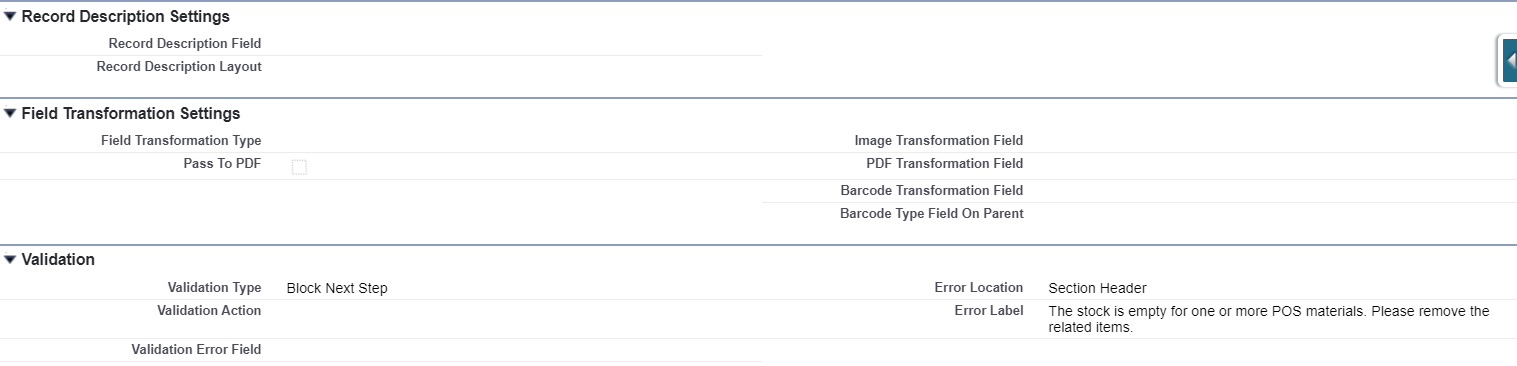
Validation
| Field | Description | Comments | Field | Description | Comments | ||
|---|---|---|---|---|---|---|---|
Validation Type |
The type of validation that defines if the work of snippet is blocked or not. |
Available values:
|
|||||
Validation Error Field |
The field to display the error. |
||||||
Error Location |
The picklist to define where the error message will be displayed. |
|
|||||
Error Label |
The error message. |
The custom label can be used in multilanguage projects. |