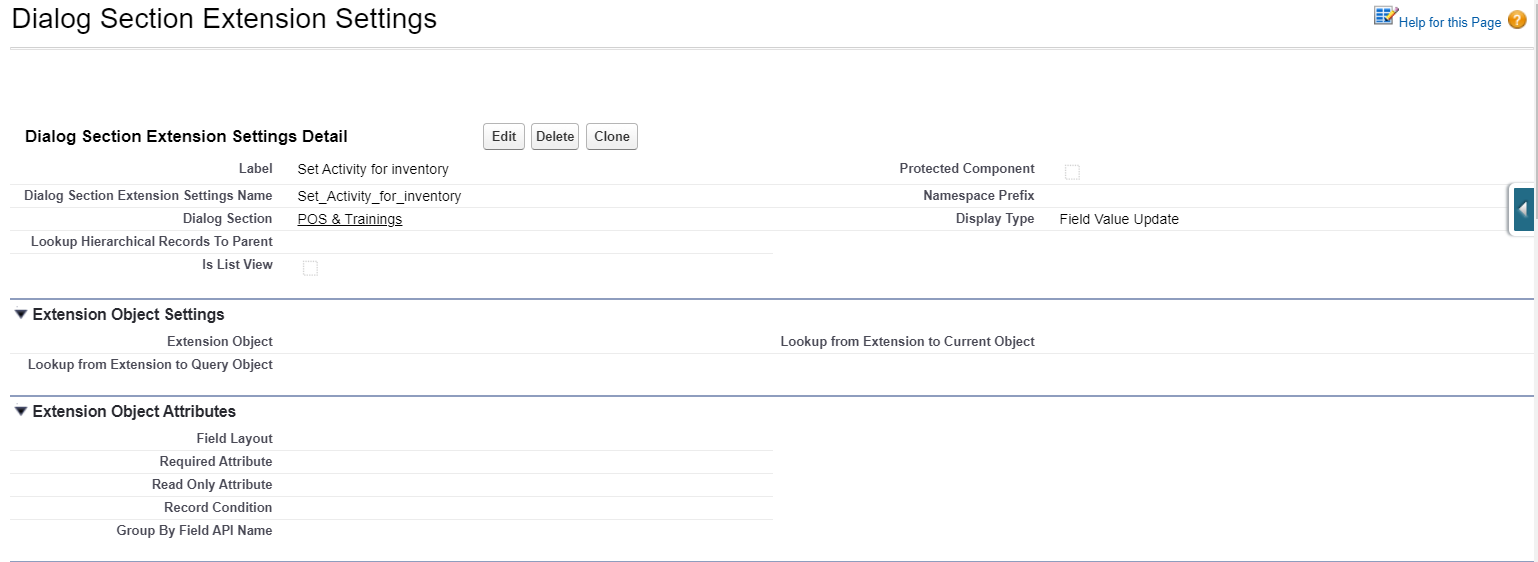
5 Display Type: Field Value Update
|
The described functionality is delivered as a snippet and is out of the standard CT Mobile solution. Please consult with your Customertimes team regarding the implementation of the functionality stated below. |
This Display Type is used to update fields of the current object with values from fields of other objects that are not directly associated with the current object. For example, update the fields of the Order object with the values from Visit.
Dialog Section Settings Detail
Information
| Field | Description | Comments |
|---|---|---|
Label |
Label of the Dialog Section Extension setting. |
|
Dialog Section Extension Settings Name |
API name of the Dialog Section Extension setting. |
|
Dialog Section |
The label of the Dialog Section setting that the Dialog Section extension is related to. |
|
Display Type |
The display type to define the format of the Dialog Section extension. |
Field Value Update in the example below. |
Helper Screen Settings
It defines the object to display (the navigation between the objects). The start point for navigation is the current object to which the dialog section is related.
| Field | Description | Comments |
|---|---|---|
Parent Object |
The parent object for the current object. |
|
Related Object |
The object that is related to the parent one. |
|
Lookup from Current to Parent Object |
The API name of the field with the Lookup type to relate parent and current objects. |
|
Lookup from Related to Parent Object |
The API name of the field with the Lookup type to relate parent and related objects. |
Field Value Update Settings
| Field | Description | Comments |
|---|---|---|
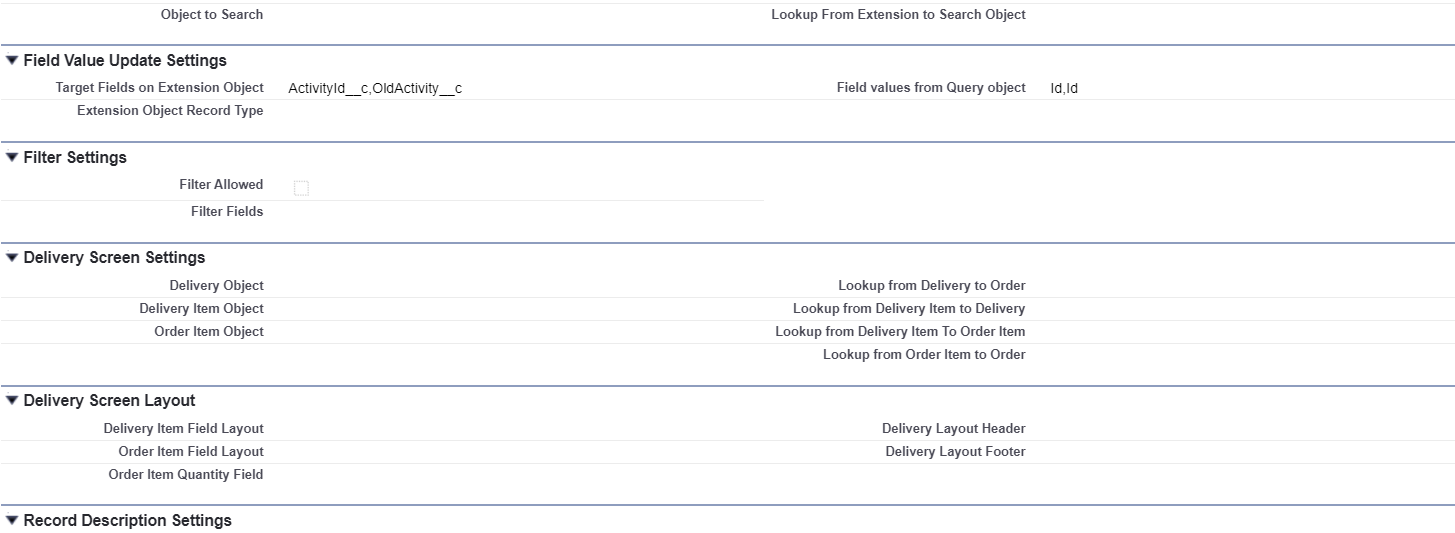
Target Fields on Extension Object |
The fields to update on the Extension Object. |
Comma-separated, without blank spaces. |
Field values from Query object |
The fields on the other object whose values will be used. |
Comma-separated, without blank spaces. |