5. Setting up Integration with the Image Recognition Providers
For the correct CT Vision IR work, valid Image Recognition Service Provider credentials and necessary information must be specified in your Salesforce org. There can be multiple providers, and they can be assigned to the specific group of Users, Accounts, or any object that has a Lookup type field to associate with a specific Activity object.
Go to the CT Vision app and open the CT Vision Setup tab.
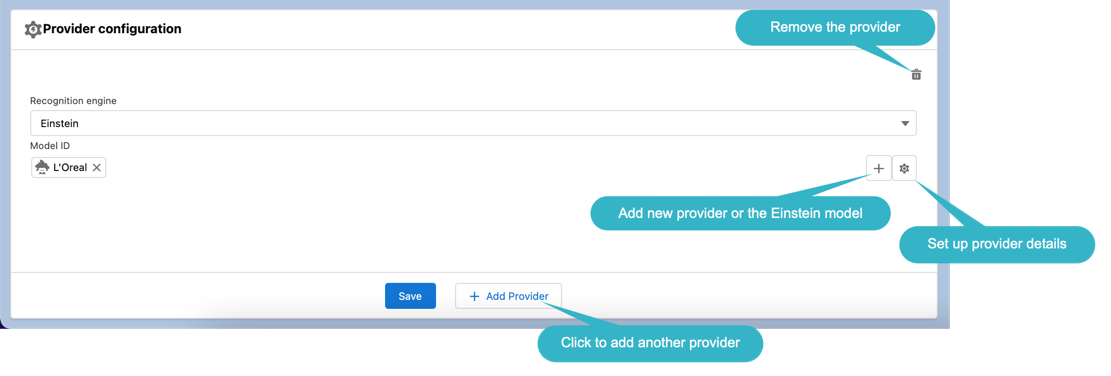
Set up Providers
Set up a provider and click the Add Provider button to add another on. Refer to the articles:
|
For each Vision Visit record type, the Provider__c field must be filled with the corresponding value for the image recognition provider. |
The list of available providers in the Recognition Engine picklist:
-
CG Cloud Einstein. This provider is used in case of integration with the CG Cloud solution.
-
CT Vision
-
EasyPicky
-
Einstein
-
Intelligence Retail
-
Planorama
-
Vision Light. Select this provider when image recognition is not required.
The setup is complete.